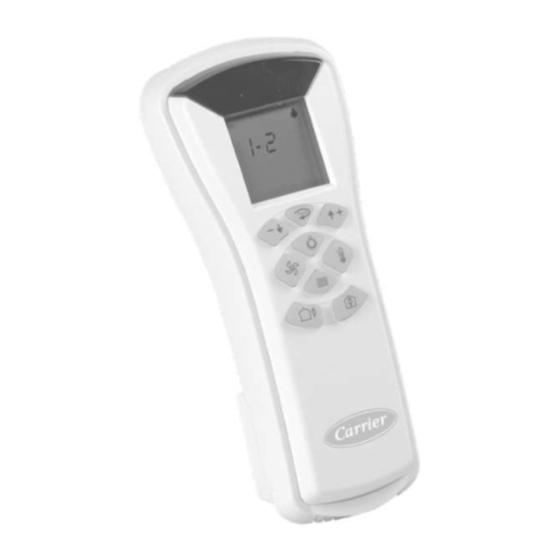
Carrier TC-IR-LB Manual Del Usuario
Control remoto de infrarrojos del controlador de terminal de agua
Tabla de contenido
Idiomas disponibles
Idiomas disponibles
Enlaces rápidos
Water Terminal Controller
Infrared Remote
The home screen display may differ
according to its configuration. Depending
on your installation, some of the functions
described in this manual may not be active.
To visualize active functions and battery
status, press the Test button
The active function icons flash on the
■
right side of the screen.
The battery status is displayed at the
■
bottom of the screen:
ON (Battery status = Normal)
OFF (Battery status = Low)
LCD screen
Action buttons
Up
Down
Test / Tilting blinds
Function buttons
Lighting
Blinds
Fan speed
Temperature
Occupancy control
Occupied
Unoccupied
Display
.
Important
The maximum operating range for the
remote control is approx. 5 m.
No obstructions such as curtains or plants
should be between the control and the unit.
Direct sun on the receiver may interfere with
good signal reception.
The remote control must be directed towards
the unit receiver when pressing the buttons of
the desired functions.
If you have any questions, please contact your
installer for more information.
Example:
You may control:
•
Lighting
•
Blinds
•
Temperature
•
Fan speed
•
Battery level
Scan this QR code
to access Carrier
technical literature.
You may control:
•
Lighting
•
Temperature
•
Fan speed
•
Battery level
1
Tabla de contenido

Manuales relacionados para Carrier TC-IR-LB


Resumen de contenidos para Carrier TC-IR-LB
-
Página 13: Control Remoto De Infrarrojos Del Controlador De Terminal De Agua
Control remoto de infrarrojos del controlador de terminal de agua Escanear este código QR para acceder a la documentación técnica de Carrier. Pantalla LCD Importante El alcance de funcionamiento máximo del Botones de acción control remoto es de 5 m aprox. -
Página 14: Temperatura De Confort
Temperatura de confort Para lograr un mayor confort, se puede La temperatura de confort se ajusta en controlar la temperatura de confort pasos y su visualización depende de la cuando la sala se encuentra ocupada. configuración de la instalación: numérica: -3/-2/-1/0/1/2/3 Ajuste de la temperatura de confort gráfico de barras: Ejemplo:... -
Página 15: Control De Las Luces
Control de las luces Ejemplo: Si se pulsa el botón Luces , aparece el icono de la luz en la pantalla. Selección de una zona (se muestra el número de la zona). Ajuste de las luces Pulse el botón Luces . ■...