Bosch KTS 350 Manuales
Manuales y guías de usuario para Bosch KTS 350. Tenemos 2 Bosch KTS 350 manuales disponible para descarga gratuita en PDF: Manual Original
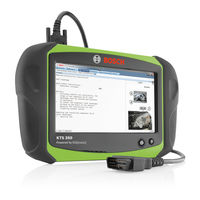
Bosch KTS 350 Manual Original (326 páginas)
Comprobador de sistema para el diagnóstico de unidades de mando
Marca: Bosch
|
Categoría: Equipo de Diagnóstico
| Tamaño: 19 MB
Tabla de contenido
-
Deutsch
4-
Tabla de Contenido4
-
1 Verwendete Symbolik
5-
In der Dokumentation5
-
Warnhinweise - Aufbau und Bedeutung5
-
Symbole - Benennung und Bedeutung5
-
-
Auf dem Produkt5
-
-
2 Benutzerhinweise
5-
Wichtige Hinweise5
-
Sicherheitshinweise5
-
RED (Radio Equipment Directive)5
-
Funkverbindungen5
-
Bluetooth6
-
Bluetooth-USB-Adapter6
-
Hinweise bei Störungen6
-
-
Hinweise zu Bosch Connected Repair6
-
-
3 Produktbeschreibung
6-
Bestimmungsgemäße Verwendung6
-
Open Source Software6
-
Transport6
-
Lieferumfang7
-
Gerätebeschreibung7
-
Schnittstellen7
-
Funktion Ein-/Aus-Taste mit LED8
-
-
Touchscreen8
-
-
4 Erstinbetriebnahme
8-
Akku Einsetzen8
-
Anschluss8
-
Konfiguration Betriebssystem8
-
Esi[Tronic] 2.0 Software-Lizenzierung8
-
Software Installieren8
-
-
5 Bedienung
9-
Einschalten9
-
Ausschalten9
-
Steuergeräte-Diagnose mit Esi[Tronic]9
-
Einstellung Energieoptionen9
-
Spannungsversorgung9
-
Akkubetrieb9
-
Touchscreen mit Taststift9
-
Bildschirmtastatur10
-
Systemeinstellungen10
-
Lautstärkeanpassung10
-
Touchscreen Kalibrieren10
-
-
Drucken10
-
Hinweise bei Störungen10
-
-
6 Instandhaltung
11-
Kts11
-
6.1.3 DVD-Laufwerk11
-
Ersatzteile und Verschleißteile11
-
-
7 Betriebssystem Wieder-Herstellen (Recovery)
12-
7.1 Installierte Windows-Version Erkennen12
-
7.2 ISO-Installationsdatei (Image) Herunterladen12
-
7.3 Recovery-USB-Stick Erstellen12
-
7.4 Betriebssystem Wiederherstellen13
-
-
8 Außerbetriebnahme
14-
8.2 Entsorgung und Verschrottung14
-
-
9 Technische Daten
14-
9.1 Temperatur und Luftfeuchtigkeit14
-
9.3 Bluetooth Class14
-
9.4 RED (Radio Equipment Directive)14
-
Kommunikationsprotokoll15
-
-
-
English
16-
1 Symbols Used
17-
In the Documentation17
-
Warning Notices - Structure and Meaning17
-
Symbols in this Documentation17
-
-
On the Product17
-
-
2 User Information
17-
Important Notes17
-
Safety Instructions17
-
RED (Radio Equipment Directive)17
-
Wireless Connections17
-
Bluetooth18
-
Bluetooth USB Adapter18
-
Troubleshooting18
-
-
Information on Bosch Connected Repair18
-
-
3 Product Description
18-
Intended Use18
-
Open Source Software18
-
Transport18
-
Scope of Delivery19
-
Device Description19
-
Interfaces19
-
Functions of Power Key20
-
-
Touch Screen20
-
-
4 Initial Commissioning
20-
Fitting the Storage Battery20
-
Port20
-
Configuration of the Operating System20
-
Esi[Tronic] 2.0 Software Licensing20
-
Software Installation20
-
-
5 Operation
21-
Turn on21
-
Switching off21
-
Control Unit Diagnosis with21
-
Esi[Tronic] 2.021
-
-
Setting Power Options21
-
Voltage Supply21
-
Storage Battery Operation21
-
Touch Screen with Stylus21
-
On-Screen Keyboard22
-
System Settings22
-
Volume Adjustment22
-
Calibrating Touch Screen22
-
-
Print22
-
Troubleshooting22
-
Kts23
-
17 6.1.2 Data Carrier23
-
17 6.1.3 DVD Drive23
-
-
17 6.2 Spare and Wearing Parts23
-
Storage Battery Replacement23
-
-
17 7. Restoring the Operating System (Recovery)
24-
17 7.1 Identifying the Installed Windows Version24
-
17 7.2 Downloading the ISO Installation File (Image)24
-
17 7.3 Creating a Recovery USB Stick24
-
18 7.4 Operating System Recovery25
-
Change of Location26
-
18 8.2 Disposal and Scrapping26
-
-
18 9. Technical Data
26-
18 9.1 Temperature and Humidity26
-
19 9.3 Bluetooth Class26
-
RED (Radio Equipment Directive)26
-
Interface Protocols27
-
20 9.6 Power Supply Unit27
-
Използвани Символи29
-
Върху Продукта29
-
Указания За Потребителя30
-
Важни Указания30
-
Указания За Безопасност30
-
Описание На Продукта31
-
Описание На Уреда31
-
Първоначално Пускане В Експлоатация33
-
Поставяне На Акумулатора33
-
Спиране От Експлоатация39
-
Технически Данни39
-
Použitá Symbolika42
-
Upozornění Pro Uživatele42
-
Důležitá Upozornění42
-
Bezpečnostní Pokyny42
-
Popis Výrobku43
-
Použití K Určenému Účelu43
-
Obsah Dodávky44
-
Popis Přístroje44
-
První Uvedení Do Provozu45
-
Dotykový Displej45
-
Instalace Softwaru45
-
Systémová Nastavení47
-
Upozornění PřI Poruchách47
-
Technická Údržba48
-
Náhradní Díly a Spotřební Materiál48
-
VýMěna Akumulátoru48
-
Vyřazení Z Provozu51
-
Změna Místa51
-
Likvidace a Sešrotování51
-
Technické Údaje51
-
Teplota a Vlhkost Vzduchu51
-
Anvendte Symboler54
-
Vigtige Henvisninger54
-
Tilsigtet Anvendelse55
-
Open Source-Software55
-
Første Ibrugtagning57
-
Touchscreen57
-
Installation Af Software57
-
Virtuelt Skærmtastatur59
-
Anvisninger I Tilfælde Af Fejl59
-
Reserve- Og Sliddele60
-
Bortskaffelse Og Ophugning63
-
Tekniske Data63
-
Temperatur Og Luftfugtighed63
-
Χρησιμοποιούμενα Σύμβολα66
-
Στην Τεκμηρίωση66
-
Επάνω Στο Προϊόν66
-
Σημαντικές Υποδείξεις67
-
Υποδείξεις Ασφαλείας67
-
Περιγραφή Προϊόντος68
-
Ενδεδειγμένη Χρήση68
-
Παραδοτέος Εξοπλισμός68
-
Περιγραφή Συσκευής68
-
Πρώτη Χρήση70
-
Ανταλλακτικά Και Αναλώσιμα73
-
Transporte81
-
Conservación86
-
Limpieza86
-
Requisitos87
-
Kasutatavad Sümbolid92
-
Märkused Kasutajale92
-
Tootekirjeldus93
-
Otstarbekohane Kasutamine93
-
Seadme Kirjeldus94
-
Kasutuselt Kõrvaldamine101
-
Asukoha Vahetamine101
-
Tehnilised Andmed101
-
Ohjeita Käyttäjälle104
-
Tärkeitä Suosituksia104
-
Määräystenmukainen Käyttö105
-
Toimituksen Sisältö106
-
Laitteen Kuvaus106
-
Ensimmäinen Käyttöönotto107
-
Ohjelmiston Asennus107
-
Energiavaihtoehtojen Asetus108
-
Kosketusnäyttö Ja Kosketuskynä108
-
Virtuaalinen Näyttönäppäimistö109
-
Ohjeita Häiriöiden Varalta109
-
Varaosat Ja Kuluvat Osat110
-
Pariston Vaihto110
-
Käytöstä Poisto113
-
Osien Hävittäminen Ja Romuttaminen113
-
Tekniset Tiedot113
-
Lämpötila Ja Ilmankosteus113
-
-
-
-
Français
115-
1 Symboles Utilisés
116-
Dans la Documentation116
-
Avertissements - Conception et Signification116
-
Symboles - Désignation116
-
Et Signification XXX116
-
-
Sur le Produit116
-
-
2 Consignes D'utilisation
117-
Remarques Importantes117
-
Consignes de Sécurité117
-
RED (Directive RED)117
-
Connexions Radio117
-
Bluetooth117
-
Adaptateur USB Bluetooth117
-
Remarques en cas de Dysfonctionnements117
-
-
Indications Sur Bosch Connected Repair117
-
-
3 Description du Produit
118-
Utilisation Conforme118
-
Logiciel Open Source118
-
Transport118
-
Contenu de la Livraison118
-
Description de L'appareil118
-
Ports119
-
Fonction de la Touche Marche/Arrêt Avec LED119
-
-
Ecran Tactile119
-
-
4 Première Mise en Service
120-
Mettre L'accu en Place120
-
Raccordement120
-
Configuration du Système D'exploitation120
-
Enregistrement de Licence du Logiciel120
-
Esi[Tronic] 2.0120
-
-
Installation du Logiciel120
-
-
5 Utilisation
121-
Mise en Marche121
-
Eteindre121
-
Diagnostic des Centrales de Commande121
-
Avec Esi[Tronic] 2.0121
-
-
Réglage des Options D'alimentation121
-
Alimentation Électrique121
-
Fonctionnement Sur Accu121
-
Ecran Tactile Avec Stylet121
-
Clavier Virtuel122
-
Réglages du Système122
-
Adaptation du Volume Sonore122
-
Calibrer L'écran Tactile122
-
-
Imprimer122
-
Remarques en cas de Dysfonctionnements122
-
Kts123
-
116 6.1.2 Supports de Données123
-
Lecteur de DVD123
-
-
116 6.2 Pièces de Rechange et D'usure123
-
116 6.3 Remplacement de L'accu123
-
-
7 Restaurer le Système D'exploitation (Recovery)
124-
117 7.1 Détecter la Version de Windows Installée124
-
117 7.3 Créer une Clé USB de Restauration124
-
117 7.3.1 Conditions Requises124
-
-
Restaurer le Système D'exploitation125
-
-
117 8. Mise Hors Service
126-
Déplacement126
-
118 8.2 Elimination et Mise au Rebut126
-
-
118 9. Caractéristiques Techniques
126-
118 9.1 Température et Humidité de L'air126
-
118 9.3 Bluetooth Classe126
-
Protocoles D'interface127
-
Bloc Secteur127
-
Korišteni Simboli129
-
Napomene Za Korisnika129
-
Važne Napomene129
-
Sigurnosne Upute129
-
Opis Proizvoda130
-
Propisna Upotreba130
-
Opseg Isporuke131
-
Opis Uređaja131
-
Rezervni I Potrošni Dijelovi135
-
Isključivanje Iz Pogona138
-
Promjena Mjesta138
-
Tehnički Podaci138
-
Használt Szimbólumok141
-
Fontos Tanácsok141
-
Biztonsági Utasítások141
-
Rendeltetésszerű Használat142
-
Szállítási Terjedelem143
-
Az Eszköz Leírása143
-
Első Üzembe Helyezés144
-
Akkumulátoros Üzem145
-
Üzemen KíVül Helyezés150
-
Műszaki Adatok150
-
Simboli Utilizzati153
-
Indicazioni DI Avvertimento - Struttura E Significato153
-
Istruzioni Per L'utente153
-
Indicazioni Importanti153
-
Indicazioni DI Sicurezza153
-
Simboli Nella Presente Documentazione153
-
Sul Prodotto153
-
Descrizione del Prodotto154
-
Impiego Previsto154
-
Descrizione del Dispositivo155
-
Prima Messa in Esercizio156
-
Touchscreen156
-
Installazione del Software156
-
Tastiera Virtuale Sullo Schermo158
-
Impostazioni del Sistema158
-
Avvertenze in Caso DI Anomalie158
-
Lettore DVD159
-
Ricambi E Parti Soggette a Usura159
-
Sostituzione Della Batteria Ricaricabile159
-
Ripristino del Sistema Operativo (Recovery)160
-
Requisiti Necessari160
-
Ripristino del Sistema Operativo161
-
Messa Fuori Servizio162
-
Cambio DI Ubicazione162
-
Smaltimento E Rottamazione162
-
Dati Tecnici162
-
Temperatura E Umidità Dell'aria162
-
Protocolli D'interfaccia163
-
Alimentatore DI Rete163
-
Nuorodos Naudotojui177
-
Saugos Nuorodos177
-
Ant Gaminio177
-
Produkto Aprašymas178
-
Naudojimas Pagal Paskirtį178
-
Prietaiso Aprašymas179
-
Pirmasis Paleidimas180
-
Techninė PriežIūra183
-
Eksploatacijos Sustabdymas186
-
Vietos Keitimas186
-
Techniniai Duomenys186
-
Maitinimo Blokas187
-
Izmantotie Simboli189
-
Brīdinājuma Norādes - Uzbūve un Skaidrojums189
-
NorāDījumi Lietotājam189
-
Svarīgi NorāDījumi189
-
Drošības Norādes189
-
Simboli - Nosaukums un Skaidrojums189
-
Produkta Apraksts190
-
Noteikumiem Atbilstošs Pielietojums190
-
Piegādes Komplektācija191
-
Ierīces Apraksts191
-
Ekspluatācijas Uzsākšana192
-
Temperatūra un Gaisa Mitrums198
-
Gebruikte Symbolen201
-
Waarschuwingsaanwijzingen - Opbouw en Betekenis201
-
Op Het Product201
-
Symbolen - Benaming en Betekenis201
-
Belangrijke Opmerkingen202
-
Veiligheidsinstructies202
-
Productbeschrijving203
-
Beoogd Gebruik203
-
Open Source Software203
-
Touchscreen204
-
Eerste Inbedrijfstelling205
-
Accu Plaatsen205
-
Software Installeren205
-
Systeeminstellingen207
-
Instructies Bij Storingen207
-
Reserve- en Slijtdelen208
-
Verwijderen en Tot Schroot Verwerken211
-
Temperatuur en Luchtvochtigheid211
-
Symboler Som Brukes214
-
Henvisninger for Bruker214
-
Viktige Henvisninger214
-
Beregnet Bruk215
-
Første Gangs Bruk217
-
Touchscreen217
-
Virtuelt Skjermtastatur219
-
Merknader Ved Feil219
-
Reserve- Og Slitedeler220
-
Sette Ut Av Drift223
-
Deponering Og Kassering223
-
Temperatur Og Luftfuktighet223
-
Pl - Spis TreśCI225
-
Stosowane Symbole226
-
Ostrzeżenia - Struktura I Znaczenie226
-
Symbole - Nazwa I Znaczenie226
-
Wskazówki Dla Użytkownika227
-
Ważne Wskazówki227
-
Zasady Bezpieczeństwa227
-
Wskazówki Dotyczące227
-
Opis Produktu228
-
Zastosowanie Zgodne Z Przeznaczeniem228
-
Zakres Dostawy228
-
Opis Urządzenia228
-
Ekran Dotykowy229
-
Pierwsze Uruchomienie230
-
Wkładanie Akumulatora230
-
Konfiguracja Systemu Operacyjnego230
-
Instalacja Oprogramowania230
-
Wirtualna Klawiatura Ekranowa232
-
Ustawienia Systemowe232
-
Obsługa Techniczna233
-
CzęśCI Zamienne I Eksploatacyjne233
-
Wymiana Akumulatorów233
-
Wyłączenie Z Eksploatacji236
-
Zmiana Miejsca236
-
Usuwanie I Złomowanie236
-
Dane Techniczne236
-
Temperatura I Wilgotność Powietrza236
-
Símbolos Utilizados239
-
Instruções de Utilização240
-
Instruções de Segurança240
-
Descrição Do Produto241
-
Utilização Adequada241
-
Âmbito Do Fornecimento241
-
Descrição Do Aparelho241
-
Primeira Colocação Em Funcionamento243
-
Colocar O Acumulador243
-
Configuração Do Sistema Operacional243
-
Instalar Software243
-
Teclado Virtual da Tela245
-
Definições Do Sistema245
-
Manutenção246
-
Peças de Substituição E de Desgaste246
-
Substituição Do Acumulador246
-
Condições Prévias247
-
Colocação Fora de Serviço249
-
Mudança de Local249
-
Eliminação E Transformação Em Sucata249
-
Dados Técnicos249
-
Temperatura E Umidade Do Ar249
-
Protocolos de Interface250
-
Fonte de Alimentação250
-
Simboluri Utilizate252
-
ObservaţII Importante253
-
Instrucţiuni de Siguranţă253
-
Descriere Produs254
-
Utilizarea Conform Destinației254
-
Pachet de Livrare254
-
Prima Punere În Funcțiune256
-
Configurarea Sistemului de Operare256
-
Mod de Utilizare257
-
IndicațII În Caz de Defecțiuni258
-
Piese de Schimb ȘI Consumabile259
-
Înlocuirea Acumulatorului259
-
Restaurarea Sistemului de Operare (Recovery)260
-
Restaurarea Sistemului de Operare261
-
Scoaterea Din Funcţiune262
-
Schimbarea Locului de Amplasare262
-
Date Tehnice262
-
Alimentator de Rețea263
-
-
-
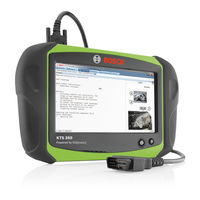
Bosch KTS 350 Manual Original (292 páginas)
Marca: Bosch
|
Categoría: Equipo de Pruebas
| Tamaño: 16 MB
Tabla de contenido
-
Deutsch
4-
Tabla de Contenido4
-
1 Verwendete Symbolik
5-
In der Dokumentation5
-
Warnhinweise - Aufbau und Bedeutung5
-
Symbole - Benennung und Bedeutung5
-
-
Auf dem Produkt5
-
-
2 Benutzerhinweise
5-
Wichtige Hinweise5
-
Sicherheitshinweise5
-
RED (Radio Equipment Directive)5
-
Drahtlose Funkverbindung6
-
Wichtige Hinweise zu WLAN und Bluetooth6
-
Hinweise Access-Point (WLAN)6
-
-
-
3 Produktbeschreibung
7-
Bestimmungsgemäße Verwendung7
-
Open Source Software7
-
Transport7
-
Lieferumfang7
-
Gerätebeschreibung7
-
Schnittstellen8
-
Funktion Ein-/Aus-Taste mit LED8
-
-
Touchscreen8
-
Externes DVD-Laufwerk8
-
-
4 Erstinbetriebnahme
9-
Akku Einsetzen9
-
Anschluss9
-
Konfiguration Betriebssystem9
-
Esi[Tronic] 2.0 Software-Lizenzierung9
-
Software Installieren9
-
-
5 Bedienung
10-
Ausschalten10
-
Steuergeräte-Diagnose mit Esi[Tronic]10
-
5.4 Einstellung Energieoptionen10
-
Spannungsversorgung10
-
5.7 Touchscreen mit Taststift10
-
Systemeinstellungen11
-
Touchscreen Kalibrieren11
-
-
Drucken11
-
Hinweise bei Störungen11
-
-
6 Instandhaltung
12-
Kts12
-
6.1.3 DVD-Laufwerk12
-
6.2 Ersatzteile und Verschleißteile12
-
6.4 Recovery-Prozess13
-
-
7 Außerbetriebnahme
13-
Ortswechsel13
-
7.2 Entsorgung und Verschrottung13
-
-
8 Technische Daten
14-
8.1 Temperatur und Luftfeuchtigkeit14
-
8.3 Bluetooth Class14
-
RED (Radio Equipment Directive)14
-
Kommunikationsprotokoll14
-
Netzteil14
-
-
-
English
15-
1 Symbols Used
16-
In the Documentation16
-
Warning Notices - Structure and Meaning16
-
Symbols in this Documentation16
-
-
On the Product16
-
-
2 User Information
16-
Important Notes16
-
Safety Instructions16
-
RED (Radio Equipment Directive)16
-
Wireless Link17
-
Important Information on WLAN and Bluetooth17
-
Notes on Access Point (WLAN)17
-
-
-
3 Product Description
18-
Intended Use18
-
Open Source Software18
-
Transport18
-
Scope of Delivery18
-
Device Description18
-
Interfaces19
-
Functions of Power Key with LED19
-
-
Touch Screen19
-
External DVD Drive19
-
-
4 Initial Commissioning
20-
Fitting the Storage Battery20
-
Port20
-
Configuration of the Operating System20
-
Esi[Tronic] 2.0 Software Licensing20
-
Software Installation20
-
Switching off21
-
16 5.3 Control Unit Diagnosis with21
-
Esi[Tronic] 2.021
-
-
16 5.4 Setting Power Options21
-
16 5.6 Storage Battery Operation21
-
16 5.7 Touch Screen with Stylus21
-
16 5.8 On-Screen Keyboard22
-
16 5.9 System Settings22
-
17 5.9.1 Volume Adjustment22
-
Calibrating Touch Screen22
-
-
Print22
-
Troubleshooting22
-
Kts23
-
18 6.1.2 Data Carrier23
-
18 6.1.3 DVD Drive23
-
-
18 6.2 Spare and Wearing Parts23
-
19 6.3 Storage Battery Replacement23
-
19 6.4 Recovery Process24
-
Change of Location24
-
20 7.2 Disposal and Scrapping24
-
-
20 8. Technical Data
25-
20 8.1 Temperature and Humidity25
-
20 8.3 Bluetooth Class25
-
RED (Radio Equipment Directive)25
-
Interface Protocols25
-
Power Supply Unit25
-
-
-
Français
26-
1 Symboles Utilisés
27-
Dans la Documentation27
-
Avertissements - Conception et Signification27
-
Symboles - Désignation27
-
Et Signification XXX27
-
-
Sur le Produit27
-
-
2 Consignes D'utilisation
27-
Remarques Importantes27
-
Consignes de Sécurité27
-
RED (Directive RED)27
-
Liaison Radio Sans Fil28
-
Remarques Relatives à la Borne D'accès (WLAN)28
-
-
-
3 Description du Produit
29-
Utilisation Conforme29
-
Logiciel Open Source29
-
Transport29
-
Contenu de la Livraison29
-
Description de L'appareil29
-
Ports30
-
Fonction de la Touche Marche/Arrêt30
-
-
Ecran Tactile30
-
Lecteur de DVD Externe30
-
-
4 Première Mise en Service
31-
Mettre L'accu en Place31
-
Raccordement31
-
Configuration du Système D'exploitation31
-
Enregistrement de Licence du Logiciel31
-
Esi[Tronic] 2.031
-
-
Installation du Logiciel31
-
-
5 Utilisation
32-
27 5.1 Mise en Marche32
-
Eteindre32
-
Esi[Tronic]32
-
-
27 5.4 Réglage des Options D'alimentation32
-
27 5.5 Alimentation Électrique32
-
Fonctionnement Sur Accu32
-
27 5.7 Ecran Tactile Avec Stylet32
-
27 5.8 Clavier Virtuel33
-
27 5.9 Réglages du Système33
-
27 5.9.1 Adaptation du Volume Sonore33
-
28 5.9.2 Calibrer L'écran Tactile33
-
-
Imprimer33
-
Remarques en cas de Dysfonctionnements33
-
Nettoyage34
-
Kts34
-
29 6.1.2 Supports de Données34
-
29 6.1.3 Lecteur de DVD34
-
-
29 6.2 Pièces de Rechange et D'usure34
-
29 6.3 Remplacement de L'accu34
-
29 6.4 Processus de Récupération35
-
-
7 Mise Hors Service
35-
30 7.2 Elimination et Mise au Rebut35
-
-
8 Caractéristiques Techniques
36-
31 8.1 Température et Humidité de L'air36
-
31 8.3 Bluetooth Classe36
-
31 8.4 RED (Radio Equipment Directive)36
-
Protocoles D'interface36
-
31 8.6 Bloc Secteur36
-
Transporte40
-
Conservación45
-
Limpieza45
-
Simboli Utilizzati49
-
Nella Documentazione49
-
Sul Prodotto49
-
Istruzioni Per L'utente49
-
Indicazioni Importanti49
-
Indicazioni DI Sicurezza49
-
Descrizione del Prodotto51
-
Impiego Previsto51
-
Descrizione del Dispositivo51
-
Touchscreen52
-
Prima Messa in Esercizio53
-
Inserimento Della Batteria Ricaricabile53
-
Installazione del Software53
-
Alimentazione DI Tensione54
-
Touchscreen con Stilo54
-
Impostazioni del Sistema55
-
Lettore DVD56
-
Ricambi E Parti Soggette a Usura56
-
Messa Fuori Servizio57
-
Cambio DI Ubicazione57
-
Smaltimento E Rottamazione57
-
Dati Tecnici58
-
Använda Symboler60
-
Varningsanvisningar - Uppbyggnad Och Betydelse60
-
Symboler - Benämning Och Betydelse60
-
Tillåten Användning62
-
I Leveransen Ingår62
-
Första Användningen64
-
Sätta I Batteriet64
-
Installera Programvara64
-
Anvisningar VID Fel66
-
Reserv- Och Slitdelar67
-
Byte Av Arbetsplats68
-
Avfallshantering Och Skrotning68
-
Tekniska Data69
-
Gebruikte Symbolen71
-
Op Het Product71
-
Belangrijke Opmerkingen71
-
Veiligheidsinstructies71
-
Productbeschrijving73
-
Beoogd Gebruik73
-
Touchscreen74
-
Eerste Inbedrijfstelling75
-
Accu Plaatsen75
-
Software Installeren75
-
Systeeminstellingen77
-
Instructies Bij Storingen77
-
Reserve- en Slijtdelen78
-
Verwijderen en Tot Schroot Verwerken79
-
Technische Gegevens80
-
Símbolos Utilizados82
-
Instruções de Utilização82
-
Instruções de Segurança82
-
Descrição Do Produto84
-
Utilização Adequada84
-
Âmbito Do Fornecimento84
-
Descrição Do Aparelho84
-
Drive de DVD Externo85
-
Primeira Colocação Em Funcionamento86
-
Colocar O Acumulador86
-
Instalar Software86
-
Teclado Virtual da Tela88
-
Definições Do Sistema88
-
Manutenção89
-
Peças de Substituição E de Desgaste89
-
Substituição Do Acumulador89
-
Colocação Fora de Serviço90
-
Mudança de Local90
-
Eliminação E Transformação Em Sucata90
-
Dados Técnicos91
-
Protocolos de Interface91
-
Fonte de Alimentação91
-
Ohjeita Käyttäjälle93
-
Tärkeitä Suosituksia93
-
Määräystenmukainen Käyttö95
-
Toimituksen Sisältö95
-
Laitteen Kuvaus95
-
Ensimmäinen Käyttöönotto97
-
Ohjelmiston Asennus97
-
Pariston Vaihto100
-
Käytöstä Poisto101
-
Osien Hävittäminen Ja Romuttaminen101
-
Tekniset Tiedot102
-
Anvendte Symboler104
-
Advarsler - Opbygning Og Betydning104
-
Vigtige Henvisninger104
-
Symboler - Betegnelse Og Betydning104
-
Trådløs Forbindelse105
-
Tilsigtet Anvendelse106
-
Open Source-Software106
-
Touchscreen107
-
Første Ibrugtagning108
-
Isætning Af Batteri108
-
Installation Af Software108
-
Kalibrering Af Touchscreen110
-
Reserve- Og Sliddele111
-
Bortskaffelse Og Ophugning112
-
Tekniske Data113
-
Symboler Som Brukes115
-
Advarsler - Struktur Og Betydning115
-
Viktige Henvisninger115
-
Beregnet Bruk117
-
Første Gangs Bruk119
-
Installere Programvare119
-
Reserve- Og Slitedeler122
-
Sette Ut Av Drift123
-
Stosowane Symbole126
-
Ostrzeżenia - Struktura I Znaczenie126
-
Wskazówki Dla Użytkownika126
-
Ważne Wskazówki126
-
Zasady Bezpieczeństwa126
-
Symbole - Nazwa I Znaczenie126
-
Opis Produktu128
-
Zastosowanie Zgodne Z Przeznaczeniem128
-
Zakres Dostawy128
-
Opis Urządzenia128
-
Ekran Dotykowy129
-
Pierwsze Uruchomienie130
-
Wkładanie Akumulatora130
-
Instalacja Oprogramowania130
-
Ustawienia Systemowe132
-
Kalibracja Ekranu Dotykowego132
-
Obsługa Techniczna133
-
CzęśCI Zamienne I Eksploatacyjne133
-
Wymiana Akumulatorów133
-
Wyłączenie Z Eksploatacji134
-
Zmiana Miejsca134
-
Usuwanie I Złomowanie134
-
Dane Techniczne135
-
Použitá Symbolika137
-
Upozornění Pro Uživatele137
-
Důležitá Upozornění137
-
Bezpečnostní Pokyny137
-
Popis Výrobku139
-
Použití K Určenému Účelu139
-
Obsah Dodávky139
-
Popis Přístroje139
-
Dotykový Displej140
-
První Uvedení Do Provozu141
-
Instalace Softwaru141
-
Systémová Nastavení143
-
Upozornění PřI Poruchách143
-
Technická Údržba144
-
Náhradní Díly a Spotřební Materiál144
-
Vyřazení Z Provozu145
-
Změna Místa145
-
Likvidace a Sešrotování145
-
Technické Údaje146
-
Használt Szimbólumok148
-
Fontos Tanácsok148
-
Biztonsági Utasítások148
-
Rendeltetésszerű Használat150
-
Szállítási Terjedelem150
-
Az Eszköz Leírása150
-
Első Üzembe Helyezés152
-
Akkumulátoros Üzem153
-
Üzemen KíVül Helyezés156
-
Műszaki Adatok157
-
Korišteni Simboli159
-
Važne Napomene159
-
Sigurnosne Upute159
-
Opis Proizvoda161
-
Propisna Upotreba161
-
Opseg Isporuke161
-
Opis Uređaja161
-
Zaslon Osjetljiv Na Dodir162
-
Kalibracija Zaslona Osjetljivog Na Dodir165
-
Tehnički Podaci168
-
Simboluri Utilizate170
-
ObservaţII Importante170
-
Instrucţiuni de Siguranţă170
-
ObservațII Importante Privind WLAN ŞI Bluetooth171
-
Descriere Produs172
-
Utilizarea Conform Destinației172
-
Pachet de Livrare172
-
Prima Punere În Funcțiune174
-
Configurarea Sistemului de Operare174
-
Mod de Utilizare175
-
IndicațII În Caz de Defecțiuni176
-
Suport de Date177
-
Piese de Schimb ŞI Consumabile177
-
Înlocuirea Acumulatorului177
-
Scoaterea Din Funcţiune178
-
Schimbarea Locului de Amplasare178
-
Date Tehnice179
-
Alimentator de Rețea179
-
Kullanılan Semboller181
-
KullanıCı Uyarıları181
-
Önemli Bilgiler181
-
Güvenlik Uyarıları181
-
Ürün Üzerinde181
-
Ürün TanıtıMı183
-
Talimatlara Uygun KullanıM183
-
Teslimat Kapsamı183
-
Dokunmatik Ekran184
-
Sistem Ayarları187
-
Arıza Durumlarına Ilişkin Bilgiler187
-
Yedek Parçalar Ve Aşınma Parçaları188
-
Uzun Süre Devre Dışı Bırakma189
-
Yer DeğIşIMI189
-
İmha Ve Hurdaya Ayırma189
-
Teknik Veriler190
-
Arabirim Protokolleri190
-
-
