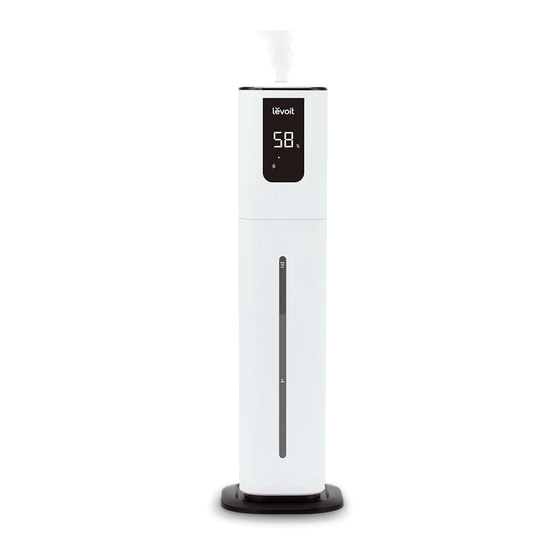
Levoit OasisMist Guia De Inicio Rapido
Tabla de contenido
Idiomas disponibles
Idiomas disponibles
Enlaces rápidos
Figure 1.1
Figure 1.2
Working with VeSync
To download the VeSync app, scan the QR code or search "VeSync" in
1.
the Apple App Store® or Google Play Store.
Open the VeSync app. Log In or Sign Up.
2.
Follow the in-app instructions to finish setting up your smart humidifier.
3.
Smart
Control
QU ICK STA RT GUI DE
Place the humidifier on a hard, flat surface. Remove the water tank cover. Use
1.
the handle to lift the water tank from the base. [Figure 1.1]
Fill tank with water, place it back on the base, and replace the water tank
2.
cover. [Figure 1.2]
Note:
•
We recommend using purified or distilled water.
•
Do not pour water into the base chamber.
•
Change water daily to avoid bacteria growth.
Plug in your humidifier. Tap
3.
the controls to adjust the mist.
Note: If your humidifier isn't misting:
•
Make sure there is water in the tank.
•
In Auto Mode, the humidifier will not mist if the humidity level is above 60%.
To continue misting, turn off Auto Mode and manually adjust the mist level.
Voice
Auto
Control
Mode
OasisMist™
Smart Humidifier
to turn on the humidifier, then use
Add Water
Reminder
EN
Tabla de contenido

Manuales relacionados para Levoit OasisMist


Resumen de contenidos para Levoit OasisMist
-
Página 5: Funcionamiento Con Vesync
OasisMist™ Humidificador inteligente GU ÍA DE INI CIO RÁPIDO Coloque el humidificador sobre una superficie dura y lisa. Quite la tapa del depósito de agua. Tire del asa hacia arriba para sacar el depósito de la base. [Figura 1.1] Llene el depósito de agua, vuelva a colocarlo en la base y coloque de nuevo la tapa del depósito de agua. -
Página 6: Controles
Garantía de calidad ¿Tiene alguna pregunta o duda? Su producto se suministra con una garantía de 2 años que support.eu@levoit.com comienza en la fecha de la compra. support.uk@levoit.com support.de@levoit.com Esta garantía no limita sus derechos a tenor de la legislación support.es@levoit.com... - Página 11 Notes...