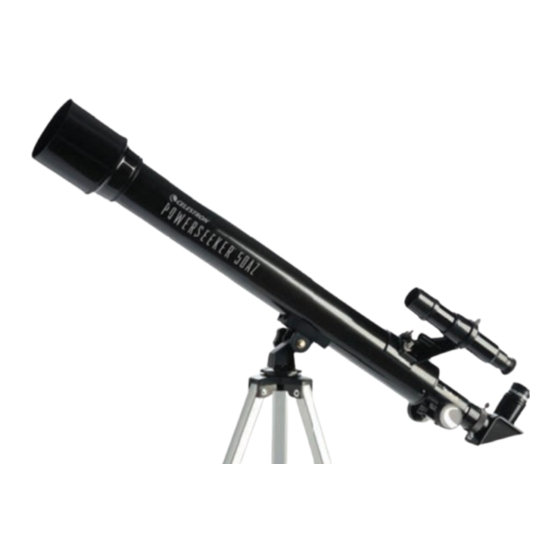
Celestron POWERSEEKER 50AZ Guía De Instalación Rápida
Tabla de contenido
Idiomas disponibles
Idiomas disponibles
Enlaces rápidos
Q U I C K S E T U P G U I D E
E N G L I S H
1
1
Unpack your telescope and verify that all parts are present.
Your PowerSeeker 50AZ includes: optical tube w/ lens shade
attached; tripod with center support bracket and accessory tray;
three eyepieces; a 3x Barlow lens, star diagonal, finderscope with
bracket, and a 1.5x image erecting eyepiece.
4
Check to ensure that all three legs are the same height once
extended to provide a level platform for the telescope.
7
Remove the threaded bolt from the underside of the telescope tube.
50AZ
#21039
2
To set up the tripod, spread the legs outward until they are fully
extended and push down center leg brace.
5 5
5
To mount the accessory tray, remove the fastener from the lower
support bracket.
8
Line up the hole in the mount with the holes on the underside of the
optical tube as shown above.
3
Extend the center portion of each of the three tripod legs down about
6 to 12 inches. Flip the tightening lever inward on each leg to secure
the extended leg in place.
6
Place accessory tray on lower support bracket and then tighten
fastener.
9
Replace the threaded bolt to secure the optical tube to the mount.
E NG LISH | 1
Tabla de contenido

Manuales relacionados para Celestron POWERSEEKER 50AZ


Resumen de contenidos para Celestron POWERSEEKER 50AZ
- Página 17 Extienda la sección central de cada una de las tres patas del trípode Desembale el telescopio y compruebe que estén presentes todas las piezas. Su PowerSeeker 50AZ incluye: tubo óptico con parasol para totalmente extendidas y presione hacia abajo el soporte de las patas hacia abajo entre 6 y 12 pulgadas (15 y 30 cm).
-
Página 18: Necesita Ayuda
AVISO SOLAR: No intente nunca observar el sol por un telescopio sin un fi ltro solar adecuado. ¿NECESITA AYUDA? Contacte con el soporte técnico de Celestron celestron.com/pages/technical-support 09-19 2 | ESPAÑOL... -
Página 19: Localizador
ALINEAR EL LOCALIZADOR El localizador es una de las piezas más importantes de su telescopio. Le ayuda a El localizador es una de las piezas más importantes de su telescopio. Le ayuda a localizar objetos y centrarlos en el ocular. La primera vez que monte el telescopio, localizar objetos y centrarlos en el ocular. - Página 20 Puede tener que ajustar los mandos de enfoque cuando cambie oculares, para asegurarse de obtener la imagen más defi nida posible. La app gratuita de Celestron SkyPortal para iOS y Android puede ayudarle a localizar e identifi car una amplia gama de objetos celestes rápida y fácilmente.