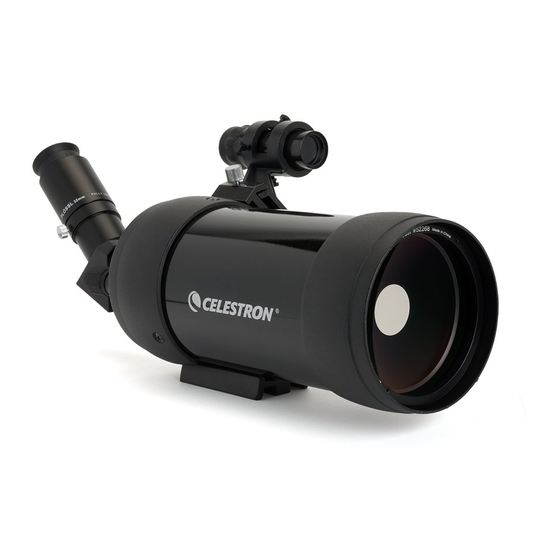
Celestron C90 MAK Manual De Instrucciones
Tabla de contenido
Idiomas disponibles
Idiomas disponibles
Enlaces rápidos
Congratulations on your purchase of a Celestron spotting scope! Whether your interest is in sports, bird watching, nature, wildlife, casual astronomy,
or other activities, this spotting scope offers very high optical quality to allow you years of viewing pleasure.
Lens Cap
Assembly
To attach the Erect Image Diagonal and an Eyepiece:
1.
Remove any caps from the rear of the optical tube, the erect image diagonal, and the eyepiece.
2.
Loosen all thumbscrews on the rear part of the optical tube and the erect image diagonal so that the threads do not protrude into the barrels.
3.
Slide the chrome portion of the erect image diagonal into the rear of the optical tube as shown in the left image below. Then, tighten the
thumbscrews to hold the erect image diagonal in place.
4.
Slide the chrome portion of the eyepiece (use the 32 mm) into the erect image diagonal (see right image below). Then, tighten the thumbscrew
to hold the eyepiece in place.
5.
To use other eyepieces of varying powers, reverse the installation of the eyepiece above and install other eyepieces. Any 1.25" eyepiece will
work with this spotting scope. Celestron offers a wide selection of optional eyepieces.
To attach the 8x21 Erect Image Finderscope:
The finderscope is an aid to locating objects to view as it is an 8 power instrument with a much wider field of view than the spotting scope itself.
The finderscope itself comes pre-assembled and is mounted inside the bracket of the finderscope.
1.
Loosen the thumbscrew on the mounting bracket on the optical tube (left image below).
2.
Slide the finder bracket (with finderscope attached) into the mounting bracket on the optical tube (center image below).
3.
The finderscope bracket will slide in from the back. The finderscope should be oriented so that the objective lens (larger piece of glass) is toward
the front end of the spotting scope.
4.
Tighten the thumbscrew on the mounting bracket to hold the finderscope firmly in place. The finderscope is correctly attached as shown in the
right image below.
C90 MAK
SPOTTING SCOPE
INSTRUCTION MANUAL
MODEL 52268
Optical Tube
Finderscope
Tripod Adapter
Eyepiece
Erect Image Diagonal
Tabla de contenido

Manuales relacionados para Celestron C90 MAK


Resumen de contenidos para Celestron C90 MAK
-
Página 10: Telescopio Terrestre C90 Mm Maksutov
Nº 52268 Le felicitamos por su compra del telescopio terrestre Celestron. Bien esté interesado en deportes, en observar aves, la naturaleza, la fauna e incluso los astros ocasionalmente, u otras actividades, estos telescopios le ofrecen la mejor calidad óptica garantizándole años de satisfacción. - Página 11 (vea la imagen de la página 1) que tiene un orificio roscado de 1/4x20 para permitir conectar el trípode al telescopio. Celestron ofrece trípodes opcionales de fotos y vídeo. Uso de su telescopio terrestre Antes de usar su telescopio terrestre, retire la tapa de la lente anterior.
-
Página 12: Especificaciones
Los telescopios terrestres de Celestron tienen la garantía limitada durante la vida útil del producto de Celestron para los clientes de EE.UU. y Canadá. Para obtener todos los detalles sobre el derecho de los clientes y la información sobre la garantía en otros países, visite el Sitio Web de Celestron.