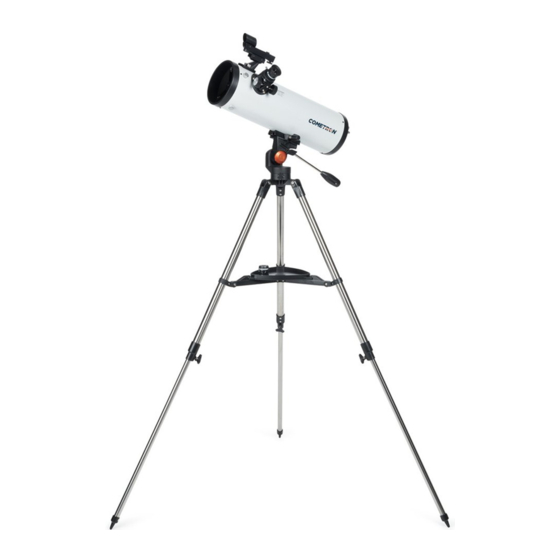
Celestron COMETRON 114AZ Folleto De Instrucciones
Idiomas disponibles
Idiomas disponibles
Enlaces rápidos
InstructIon sheet
english
1. Your Cometron 114AZ includes an optical
tube, tripod with altazimuth mount, accessory
tray, red-dot finderscope, and TheSkyX
DVD-ROM astronomy software.
Fastening
screws
Mount
4. Now slide the dovetail bar on the bottom of
the optical tube into the clamp assembly on
the top of the mount. Be sure to back out the
fastening screw to allow enough clearance
for the dovetail bar.
7. Loosen the thumbscrews on the focuser
and remove focuser cap.
2. To setup tripod spread the legs outward
until they are fully extended. Loosen the
knobs at the end of the legs to extend the
tripod to the desired height. Tighten the
knobs to lock the legs.
Dovetail
5. Center the dovetail in the mount and tighten
the fastening screw.
8. Insert the chrome barrel of the eyepiece into
the focuser and secure with set screws.
3. To attach the accessory tray, line up the
notches and turn the tray clockwise until
the tray tabs lock in place with the tripod
brackets.
6. To install finderscope, remove nuts on side
of tube, place bracket over threaded posts
and replace the nuts.
9. Remove main telescope lens cap.

Manuales relacionados para Celestron COMETRON 114AZ


Resumen de contenidos para Celestron COMETRON 114AZ
-
Página 5: Folleto De Instrucciones
Folleto de InstruccIones español 1. Su Cometron 114AZ incluye un tubo óptico, 2. Para instalar el trípode, separe las patas 3. Para colocar la bandeja de accesorios, un trípode con soporte altazimut, bandeja hacia fuera hasta que estén totalmente alinee las ranuras y gire la bandeja en el de accesorios, localizador de punto rojo y desplegadas. - Página 6 El diseño y las especificaciones del producto están sujetos a cambios sin notificación previa. ©2013 Celestron Celestron y su símbolo son marcas comerciales de Celestron, LLC. Todos los derechos reservados. 2835 Columbia Street • Torrance, CA 90503 EE.UU. aVISo Solar: No intente nunca observar...