Uline H-5488 Manual Del Usuario
Idiomas disponibles
Idiomas disponibles
Enlaces rápidos
H-5488
SHELF FOR
FLAT SCREEN CART
Bracket Bolt x 2
NOTE: Flat screen cart should be fully
assembled with flat screen mounted before
attaching shelf.
1.
Unscrew pre-installed bolts from back of mounting
bracket. Position bracket at desired height and
screw bolts back into place. (See Figure 1)
Figure 1
2. Attach shelf support to mounting bracket using
bracket bolts. (See Figure 2)
Figure 2
PAGE 1 OF 3
1-800-295-5510
uline.com
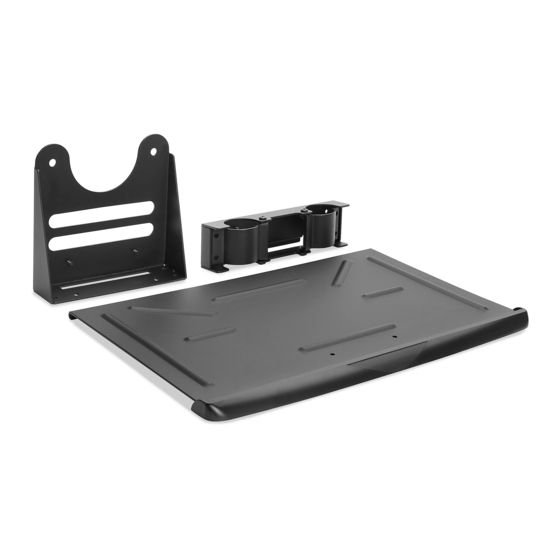
Mounting Bracket x 1
PARTS
Shelf Support x 1
ASSEMBLY
3. Unscrew pre-installed bolts from top of shelf support
using Allen wrench. Align shelf with holes in top of
shelf support and screw bolts back in place.
(See Figure 3)
4. Snap shelf guard onto front of shelf. (See Figure 3)
Figure 3
Para Español, vea página 2.
Pour le français, consulter la page 3.
TOOLS NEEDED
Phillips Screwdriver
Shelf x 1
Shelf Guard x 1
Shelf Guard
Allen Wrench
(Included)
0521 IH-5488

Manuales relacionados para Uline H-5488


Resumen de contenidos para Uline H-5488
- Página 2 H-5488 800-295-5510 HERRAMIENTAS NECESARIAS uline.mx REPISA DE CARRITO PARA PANTALLA PLANA Desarmador Llave Allen Estrella (Incluida) PARTES 2 Pernos para Soportes 1 Soporte de Montaje 1 Soporte para Repisa 1 Repisa 1 Protector para Repisa ENSAMBLE NOTA: El carrito para pantalla plana deberá...