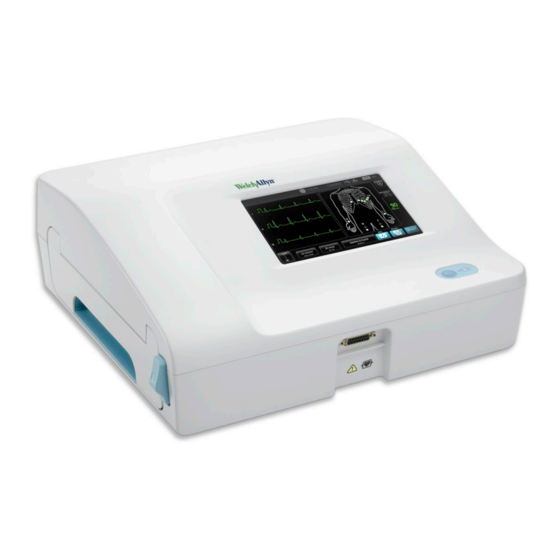
Welch Allyn CP 150 Manual Del Usuario
Ocultar thumbs
Ver también para CP 150:
- Instrucciones de uso (62 páginas) ,
- Manual del usuario (28 páginas)
Tabla de contenido
Idiomas disponibles
Idiomas disponibles
Enlaces rápidos
Dear Welch Allyn CP 150™ 12-lead electrocardiograph owner:
Enclosed is a new software update, version 2.00.02, to improve the functionality of your
electrocardiograph.
Improvements include:
•
Added ECG print preview option to view acquired and analyzed tests prior to printing
•
Added option to continue with rhythm (continuous) printing using same-patient data as part of the
Auto ECG
•
Added ECG preview formats 3x1, 3x4, 6x1, and 6x2
•
Added print options include:
•
Send PDF to a network folder
•
Print an ECG to internal printer and send PDF to a network folder
•
Print an ECG to internal printer and send PDF to a USB drive
•
Added worklist support. Manually enter patient information at the start of the day, download individual
patient data from CPWS, or download worklists with HL7 interface.
•
Added Comments field to Auto report patient entry
•
Added power down option. Complete power shutdown saves battery capacity if the device is unused
for extended periods.
•
Added Italian, Finnish, and Danish language support
•
Added Thai keyboard support
Updating your CP 150 software to version 2.00.02
Before you begin
To perform the update, you will need the following:
•
The USB drive that contains the update utility.
•
The CP 150 you plan to update.
•
A cable to connect the CP 150 to AC power.
•
An AC power outlet.
Mat. 721444, 80019027 Ver. C
© 2014, Welch Allyn, Inc.
Welch Allyn Technical Support
7d
(www.welchallyn.com/support)
welchallyn.com
Tabla de contenido

Manuales relacionados para Welch Allyn CP 150


Resumen de contenidos para Welch Allyn CP 150
- Página 24 CP 150™ 12 — 2.00.02 ECG“ ” “ “ ” ” CP 150 CP 150...
-
Página 25: Entre Las Mejoras Se Incluyen
La unidad de USB que contiene la utilidad de mejora. • El dispositivo CP 150 que va a mejorar. • Un cable para conectar el dispositivo CP 150 a una fuente de alimentación de corriente alterna (CA). • Una toma de alimentación de CA. -
Página 26: Mejora Del Software
Para comprobar la versión de software: a. Toque la pestaña Configuración. b. Toque la pestaña Dispositivo. c. Toque la pestaña Acerca de. d. Compruebe que la versión de software correcta aparece incluida para el dispositivo CP 150. Está listo para usar el software mejorado.