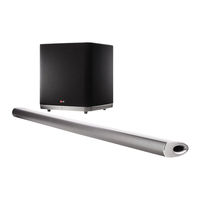
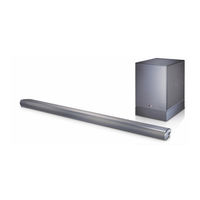
Barra de Sonido Hi-Fi del canal 4.1
Tabla de contenido
-
-
-
-
Symbols Used in this Manual
6
-
-
-
-
-
Installing the Sound Bar
9
-
Connecting the AC Adapter
12
-
-
Optional Equipment Connection
16
-
-
-
-
-
-
-
-
-
-
-
-
-
-
Controlling a TV with the Supplied Remote Control
25
-
Setting up the Remote to Control Your TV
25
-
-
Trademarks and Licenses
29
-
-
-
-
In dieser Bedienungsanleitung Verwendete Symbole
35
-
-
-
-
Austauschen der Batterie
37
-
Montageanleitung für Wandhalterung
40
-
Anschluss von Zusatzgeräten
46
-
-
Automatische Abschaltung
50
-
Einstellen des Sleep-Timers
50
-
-
-
Bedienung eines Fernsehgerätes über die Mitgelieferte Fernbedienung
55
-
Fernbedienung zur Bedienung Ihres Fernsehgerätes Einstellen
55
-
-
-
-
-
-
-
-
-
-
-
Fonctionnalités Uniques
66
-
-
Symboles Utilisés Dans Ce Manuel
66
-
-
Remplacement de la Pile
67
-
-
-
Installation de la Barre de Son
69
-
-
Matériel de Préparation
70
-
Connexion Sans Fil au Caisson de Basses
72
-
Raccordement de L'adaptateur
72
-
-
-
Raccordement à Votre Téléviseur
73
-
Profitez de la Diffusion du Son des Chaînes Via la Barre de Son
74
-
Présentation de la Technologie SIMPLINK
74
-
Utilisation D'un Câble HDMI
74
-
Fonction ARC (Canal de Retour Audio)
75
-
Informations Supplémentaires Concernant la Technologie HDMI
75
-
-
Raccordement D'appareils Auxiliaires
76
-
-
PORT Raccordement (Portable)
77
-
Raccordement à L'entrée Optique
77
-
Impératifs à Respecter pour les Périphériques USB
78
-
Périphériques USB Compatibles
78
-
-
DRC (Contrôle de la Gamme Dynamique)
79
-
Désactivation Temporaire du Son
79
-
-
Synchronisation Audiovisuelle
79
-
-
Utilisation en Mode USB
79
-
Affichage de la Source D'entrée et du Fichier
80
-
ALIMENTATION AUTOMATIQUE Marche/Arrêt
80
-
-
Réglage du Minuteur Veille
80
-
Synchronisation Sonore LG
81
-
Utilisation de la Technologie Bluetooth
82
-
À Propos de la Technologie Bluetooth
82
-
-
Jumelage de Votre Appareil Avec un Périphérique Bluetooth
83
-
Écoute de Musique Stockée Sur des
83
-
Règle Automatiquement le Niveau du Volume
84
-
Réglage de L'effet Son
84
-
Réglage des Paramètres de Niveau du Caisson de Basse
84
-
-
Commande D'un Téléviseur à L'aide de la Télécommande Fournie
85
-
Réglage de la Télécommande pour Commander Votre Téléviseur
85
-
-
-
-
-
Manipulation de L'appareil
89
-
Marques de Commerce et Licences
89
-
-
-
-
Gebruikte Symbolen in Deze Handleiding
96
-
-
-
-
Vervangen Van de Batterij
97
-
-
-
De Sound Bar Installeren
99
-
Het Hoofdapparaat Aan de Muur Bevestigen
100
-
-
De AC-Adapter Aansluiten
102
-
Draadloze Subwoofer-Aansluiting
102
-
-
Met Gebruik Van Een OPTISCHE Kabel
103
-
Geniet Van Vol Uitgezonden Geluid Van Het Kanaal Door de Sound Bar
104
-
Met Behulp Van Een HDMI-Kabel
104
-
-
Aanvullende Informatie Voor HDMI
105
-
ARC-Functie (Audio Return Channel)
105
-
Aansluiten Van Optionele Apparatuur
106
-
-
OPTICAL IN-Aansluiting
107
-
PORT. (Draagbare) IN-Aansluiting
107
-
-
Afspeelbare Bestanden
108
-
Compatibele USB-Apparaten
108
-
Vereisten Voor USB-Apparaten
108
-
-
DRC (Dynamic Range Control)
109
-
-
Het Bestand en de Invoerbron Weergeven
109
-
Het Geluid Tijdelijk Uitschakelen
109
-
-
-
Automatisch Uitschakelen
110
-
De Sleeptimer Instellen
110
-
-
Met Behulp Van Bluetooth Technologie
112
-
-
Muziek Luisteren die Op Een
113
-
Het Apparaat en Het Bluetoothapparaat Koppelen
113
-
De Niveau-Instellingen Voor de Woofer Aanpassen
114
-
-
Geluidseffect Instellen
114
-
Pas Het Volumeniveau Automatisch
114
-
De Afstandsbediening Instellen Voor de Bediening Van Uw Tv
115
-
Een Tv Bedienen Met de Bijgeleverde Afstandsbediening
115
-
-
-
-
Handelsmerken en Licenties
119
-
Omgaan Met Het Apparaat
119
-
Uporabniški Priročnik
121
-
Varnostne Informacije
122
-
-
-
-
-
-
Simboli, Ki so Uporabljeni V Tem
126
-
-
Daljinski Upravljalnik
127
-
-
-
-
Namestitev Glavne Enote Na Zid
130
-
BrezžIčna Povezava Globokotonca
132
-
-
Priključitev AC Pretvornika
132
-
Priključitev Na Televizor
133
-
Uporaba OPTIČNEGA Kabla
133
-
-
-
Uživajte V Bogatem Zvoku Kanala Pek Zvočnikov Sound Bar
134
-
Dodatne Informacije Za HDMI
135
-
Funkcija ARC (Povratni Kanal Za Zvok)
135
-
-
Priključitev Izbirne Opreme
136
-
Povezava PORT. (Prenosne) in
137
-
-
Priključitev Na Optični Vhod OPTICAL in
137
-
Datoteka, Ki Jo Je Mogoče Predvajati
138
-
Zahteve Za USB Naprave
138
-
Združljive USB Naprave
138
-
-
DRC (Dynamic Range Control)
139
-
-
-
Prikaz Datoteke in Vhodnega Vira
139
-
-
-
AUTO POWER Vklopljen/Izklopljen
140
-
Samodejni Izklop Napajanja
140
-
Nastavitev Časovnika Za Spanje
140
-
Funkcija LG Sound Sync
141
-
Uporaba Tehnologije Bluetooth
142
-
Poslušanje Glasbe, Shranjene V
143
-
-
Nastavitev Učinkov Zvoka
144
-
Nastavi Raven Glasnosti Samodejno
144
-
Nastavitev Ravni Nizkotonca
144
-
-
Nastavitev Daljinskega Upravljalnika Za Tvv
145
-
Upravljanje TV-Ja S Priloženim Daljinskim Upravljalnikom
145
-
-
-
-
Blagovne Znamke in Licence
149
-
-
-
Informazioni DI Sicurezza
152
-
-
-
Sostituzione Della Batteria
157
-
-
-
-
Godetevi una Trasmissione Audio del Canale Dalla Barra Audio
164
-
-
-
Requisito Per Dispositivo USB
168
-
-
Operazioni Principali
169
-
-
Spegnere Temporaneamente Il Suono
169
-
-
Con Collegamento Cablato
171
-
Con Il Collegamento Wireless
172
-
Regolazione del Suono
174
-
Regola Automaticamente Il Livello del Volume
174
-
Controllo Della TV con Il Telecomando Fornito
175
-
-
Marchi Commerciali E Licenze
179
-
-
-
-
-
-
-
-
-
-
-
-
-
-
-
-
-
-
-
-
-
-
-
-
-
-
-
-
-
-
-
-
-
-
-
-
-
-
-
-
-
-
-
-
-
-
-
-
-
-
-
-
-
-
-
-
-
-
-
-
-
-
Πληροφορίες Ασφαλείας
212
-
-
Αντικατάσταση Μπαταρίας
217
-
-
-
-
-
Informação sobre Segurança
242
-
-
-
-
Características Únicas
246
-
Símbolos Utilizados Neste Manual
246
-
-
Substituição da Bateria
247
-
-
-
-
Para Desfrutar Apenas de Som
256
-
Para Desfrutar de Som E Imagem
256
-
-
Ouvir Música a Partir de Leitor Portátil
257
-
Compatível Com Dispositivos
258
-
Ficheiro Reproduzível
258
-
Requisitos Do Dispositivo USB
258
-
Desligar O Som Temporariamente
259
-
-
-
Desligamento Automático
260
-
-
-
Emparelhar a Unidade E O Dispositivo Bluetooth
263
-
Ouvir Música Armazenada Em Dispositivos Bluetooth
263
-
-
Ajustar O Volume Automaticamente
264
-
Definir O Efeito de Som
264
-
Configurar O Controlo Remoto para Controlar a TV
265
-
Resolução de Problemas
266
-
-