Juniper Networks SSG 20 Manuales
Manuales y guías de usuario para Juniper Networks SSG 20. Tenemos 1 Juniper Networks SSG 20 manual disponible para descarga gratuita en PDF: Guía De Instalación Y Configuración De Hardware
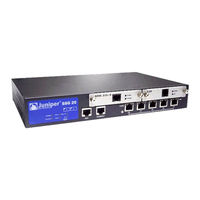
Juniper Networks SSG 20 Guía De Instalación Y Configuración De Hardware (594 páginas)
Marca: Juniper Networks
|
Categoría: Sistema de Seguridad
| Tamaño: 43 MB
Tabla de contenido
-
Tabla de Contenido3
-
About this Guide7
-
Organization8
-
Webui Conventions8
-
CLI Conventions9
-
Obtaining Documentation and Technical Support10
-
Hardware Overview11
-
Port and Power Connectors12
-
Front Panel13
-
System Status Leds13
-
Port Descriptions15
-
Ethernet Ports15
-
Console Port15
-
AUX Port16
-
Mini Physical Interface Module Port Descriptions16
-
Back Panel18
-
Power Adapter18
-
Radio Transceivers18
-
Grounding Lug18
-
Antennae Types19
-
USB Port19
-
Installing and Connecting the Device21
-
Before You Begin22
-
Installing Equipment22
-
Connecting Interface Cables to a Device24
-
Connecting the Power24
-
Connecting a Device to a Network25
-
Connecting a Device to an Untrusted Network25
-
Ethernet Ports25
-
Serial (Aux/Console) Ports25
-
Connecting Mini Pims to an Untrusted Network26
-
ADSL2/2+ Mini PIM26
-
ISDN, T1, E1, and V.92 Mini Pims27
-
Connecting a Device to an Internal Network or a Workstation27
-
Ethernet Ports27
-
Wireless Antennae28
-
Configuring the Device29
-
Accessing a Device30
-
Using a Console Connection30
-
Using the Webui31
-
Using Telnet32
-
Default Device Settings33
-
Basic Device Configuration35
-
Root Admin Name and Password35
-
Date and Time36
-
Bridge Group Interfaces36
-
Administrative Access37
-
Management Services37
-
Hostname and Domain Name38
-
Default Route38
-
Management Interface Address38
-
Backup Untrust Interface Configuration39
-
Basic Wireless Configuration39
-
Mini PIM Configuration43
-
ADSL2/2+ Interface43
-
Virtual Circuits44
-
VPI/VCI and Multiplexing Method44
-
Pppoe or Pppoa45
-
Static IP Address and Netmask46
-
ISDN Interface47
-
T1 Interface47
-
E1 Interface48
-
V.92 Modem Interface49
-
Basic Firewall Protections50
-
Verifying External Connectivity50
-
Resetting a Device to Factory Defaults51
-
Required Tools and Parts53
-
Replacing a Mini-Physical Interface Module53
-
Removing a Blank Faceplate54
-
Removing a Mini PIM54
-
Installing a Mini PIM55
-
Upgrading Memory56
-
Physical60
-
Electrical60
-
Environmental Tolerance60
-
Certifications61
-
Safety61
-
EMC Emissions61
-
EMC Immunity61
-
Etsi61
-
T1 Interface62
-
Connectors62
-
Initial Configuration Wizard65
-
Rapid Deployment Window66
-
Administrator Login Window66
-
WLAN Access Point Window67
-
Physical Interface Window67
-
ADSL2/2+ Interface Window68
-
T1 Interface Windows70
-
E1 Interface Windows75
-
ISDN Interface Windows77
-
9. V.92 Modem Interface Window80
-
10. Eth0/0 Interface (Untrust Zone) Window80
-
11. Eth0/1 Interface (DMZ Zone) Window81
-
12. Bgroup0 Interface (Trust Zone) Window82
-
13. Wireless0/0 Interface (Trust Zone) Window83
-
14. Interface Summary Window84
-
15. Physical Ethernet DHCP Interface Window85
-
16. Wireless DHCP Interface Window85
-
17. Confirmation Window86
-
À Propos du Présent Guide91
-
Organisation92
-
Conventions de L'interface Utilisateur Web92
-
Conventions CLI93
-
Obtention de la Documentation et D'une Assistance Technique94
-
Ports et Connecteurs D'alimentation96
-
Panneau Avant97
-
DEL D'état Système97
-
Descriptions des Ports99
-
Ports Ethernet99
-
Port Console99
-
Port aux100
-
Descriptions des Ports des Mini-Modules D'interface Physique100
-
Panneau Arrière102
-
Adaptateur Électrique102
-
Émetteurs-Récepteurs Radio102
-
Œillet du Câble de Mise à la Terre102
-
Types D'antennes102
-
Port USB102
-
Avant-Propos106
-
Installation de L'équipement106
-
Connexion des Câbles D'interface à un Appareil108
-
Connexion de L'alimentation108
-
Connexion de L'appareil à un Réseau109
-
Connexion de L'appareil à un Réseau Non Sécurisé109
-
Ports Ethernet109
-
Ports Série (Aux/Console)109
-
Connexion des Mini-Modules D'interface Physique à un Réseau Non Sécurisé110
-
Mini-Module D'interface Physique ADSL2/2110
-
Mini-Modules D'interface Physique RNIS, T1, E1 et V.92111
-
Connexion de L'appareil à un Réseau Interne ou un Poste de Travail112
-
Ports Ethernet112
-
Antennes Sans Fil112
-
Configuration de L'appareil113
-
Accès à L'appareil114
-
Utilisation D'une Connexion de Console114
-
Utilisation de L'interface Utilisateur Web115
-
Utilisation de Telnet116
-
Paramètres Par Défaut de L'appareil117
-
Configuration de Base de L'appareil119
-
Nom et Mot de Passe de L'administrateur Racine119
-
Date et Heure120
-
Interfaces du Groupe Pont120
-
Accès Administratif121
-
Services de Gestion121
-
Nom D'hôte et Nom de Domaine122
-
Route Par Défaut122
-
Adresse de L'interface de Gestion122
-
Configuration de L'interface Non Sécurisée Secondaire123
-
Configuration Sans Fil de Base123
-
Configuration des Mini-Modules D'interface Physique127
-
Interface ADSL2/2127
-
Circuits Virtuels128
-
VPI/VCI et Méthode de Multiplexage128
-
Pppoe ou Pppoa129
-
Adresse IP Statique et Masque de Réseau130
-
Interface RNIS131
-
Interface T1132
-
Interface E1132
-
Protections Pare-Feu de Base134
-
Vérification de la Connectivité Externe135
-
Restauration des Paramètres Par Défaut de L'appareil135
-
Entretien de L'appareil137
-
Pièces et Outils Nécessaires137
-
Remplacement D'un Mini-Module D'interface Physique137
-
Dépose D'une Plaque Avant de Protection138
-
Dépose D'un Mini-Module D'interface Physique138
-
Installation D'un Mini-Module D'interface Physique139
-
Mise à Niveau de la Mémoire141
-
Spécifications145
-
Spécifications Physiques146
-
Spécifications Électriques146
-
Tolérance Environnementale146
-
Homologations147
-
Sécurité147
-
Émissions CEM147
-
Immunité CEM147
-
Etsi147
-
Interface T1148
-
Connecteurs148
-
Initial Configuration Wizard151
-
Fenêtre de Déploiement Rapide152
-
Fenêtre de Connexion de L'administrateur152
-
Fenêtre du Point D'accès au Réseau Local Sans Fil153
-
Fenêtre de L'interface Physique153
-
Fenêtre de L'interface ADSL2154
-
Fenêtres de L'interface T1156
-
Fenêtres de L'interface E1161
-
Fenêtres de L'interface RNIS163
-
Fenêtre de L'interface à Modem166
-
Fenêtre de L'interface Eth0/0 (Zone Untrust)167
-
Fenêtre de L'interface Eth0/1 (Zone DMZ)168
-
Fenêtre de L'interface Bgroup0 (Zone Trust)169
-
Fenêtre de L'interface Wireless0/0 (Zone Trust)170
-
14. Fenêtre du Récapitulatif de L'interface171
-
15. Fenêtre de L'interface DHCP Ethernet Physique172
-
16. Fenêtre de L'interface DHCP Sans Fil172
-
17. Fenêtre de Confirmation173
-
Index175
-
Zu diesem Handbuch179
-
Organisation180
-
Webui-Konventionen180
-
Konventionen für die Befehlszeilenschnittstelle181
-
Abrufen von Dokumentationen und Technischem Support182
-
Verbindungs- und Netzanschlüsse184
-
Bedienfeld185
-
Systemstatus-Leds185
-
Anschlüsse - Beschreibungen187
-
Ethernet-Anschlüsse187
-
Konsolenanschluss187
-
AUX-Anschluss187
-
Mini Physical Interface Module - Anschlussbeschreibungen188
-
Rückseite190
-
Stromadapter190
-
Funktransceiver190
-
Erdungsansatz190
-
Antennentypen191
-
USB-Anschluss191
-
Installieren und Anschließen des Geräts193
-
Einleitung194
-
Installieren der Geräte194
-
Anschließen von Schnittstellenkabeln an ein Gerät196
-
Anschließen der Stromversorgung196
-
Anschließen eines Geräts an ein Netzwerk197
-
Anschließen des Geräts an ein nicht Vertrauenswürdiges Netzwerk197
-
Ethernet-Anschlüsse197
-
Serielle (AUX-/Konsol-) Anschlüsse197
-
Anschließen von Mini-Pims an ein nicht Vertrauenswürdiges Netzwerk198
-
ADSL2/2+ Mini-PIM198
-
ISDN, T1, E1 und V.92-Mini-Pims199
-
Anschließen des Geräts an ein Internes Netzwerk oder eine Arbeitsstation200
-
Ethernet-Anschlüsse200
-
Wireless-Antennen200
-
Konfigurieren des Geräts201
-
Zugriff auf das Gerät202
-
Verwenden einer Konsolenverbindung202
-
Verwenden der Webui203
-
Verwenden von Telnet204
-
Standardmäßige Geräteeinstellungen205
-
Grundlegende Gerätekonfiguration207
-
Administrator auf Stammebene - Name und Kennwort207
-
Datum und Uhrzeit208
-
Bridge-Gruppenschnittstellen208
-
Administratorzugriff209
-
Verwaltungsdienste209
-
Host- und Domänenname210
-
Standardroute210
-
Adresse der Verwaltungsschnittstelle210
-
Konfiguration der Untrust Sicherungsschnittstelle211
-
Grundlegende Wireless-Konfiguration211
-
Konfiguration des Mini-PIM215
-
ADSL2/2+-Schnittstelle215
-
Virtuelle Verbindungen216
-
VPI/VCI und Multiplexingmethode216
-
Pppoe oder Pppoa217
-
Statische IP-Adresse und Netzmaske218
-
ISDN ISDN-Schnittstelle219
-
T1-Schnittstelle220
-
E1-Schnittstelle220
-
V.92 Modemschnittstelle221
-
Grundlegender Firewallschutz222
-
Überprüfen der Externen Verbindung223
-
Zurücksetzen eines Geräts auf die Werkseitigen Standardeinstellungen223
-
Erforderliche Werkzeuge und Teile225
-
Ersetzen eines Mini-Physical Interface Module225
-
Entfernen einer Unbeschrifteten Frontscheibe226
-
Entfernen eines Mini-PIM226
-
Einbauen eines Mini-PIM227
-
Erweitern des Arbeitsspeichers228
-
Technische Daten231
-
Physisch232
-
Elektrik232
-
Umgebungstoleranz232
-
Zertifizierungen233
-
Sicherheit233
-
EMC-Emissionen233
-
EMC-Störfestigkeit233
-
Etsi233
-
T1-Schnittstelle234
-
Stecker234
-
Fenster für die Schnellkonfiguration238
-
Fenster für die Administratoranmeldung238
-
Fenster für den WLAN-Zugriffspunkt239
-
Fenster für die Konfiguration der Physischen Schnittstelle239
-
ADSL2/2+ Interface - Fenster240
-
Fenster für die Konfiguration der T1-Schnittstelle242
-
Fenster für die Konfiguration der E1-Schnittstelle247
-
Fenster für die Konfiguration der ISDN-Schnittstelle250
-
Fenster für die Konfiguration der V.92-Modemschnittstelle253
-
10. Eth0/0 Interface (Untrust Zone) - Fenster254
-
11. Eth0/1 Interface (DMZ Zone) - Fenster255
-
12. Bgroup0 Interface (Trust Zone) - Fenster256
-
Fenster für die Konfiguration der Wireless0/0-Schnittstelle (Trust Zone)257
-
14. Fenster für die Schnittstellenzusammenfassung258
-
Fenster für die Konfiguration der Physischen Ethernet-DHCP-Schnittstelle259
-
16. Fenster für die Konfiguration der Wireless-DHCP-Schnittstelle259
-
17. Bestätigungsfenster260
-
Index261
-
Organización266
-
Convenciones CLI267
-
Panel Frontal271
-
Puertos Ethernet273
-
Puerto aux273
-
Panel Trasero276
-
Tipos de Antenas277
-
Puerto USB277
-
Antes de Empezar280
-
Puertos Ethernet283
-
Mini PIM ADSL2/2284
-
Puertos Ethernet286
-
Fecha y Hora294
-
Interfaz ADSL2/2301
-
Pppoe O Pppoa303
-
Interfaz RDSI305
-
Interfaz T1305
-
Interfaz E1306
-
Certificaciones319
-
Seguridad319
-
Emisiones EMC319
-
Inmunidad EMC319
-
Etsi319
-
Interfaz T1320
-
Conectores320
-
Índice347
-
本ガイドについて353
-
Webui 使用上の注意354
-
Cli 使用上の注意355
-
ドキュメントとテクニカルサポートの問い合わせ355
-
ポートと電源のコネクタ357
-
フロントパネル358
-
システムステータス Led358
-
ポート360
-
イーサネットポート360
-
コンソールポート361
-
Aux ポート361
-
ミニ物理インターフェースモジュールポート361
-
バックパネル363
-
電源アダプタ363
-
無線トランシーバ363
-
接地ラグ363
-
アンテナのタイプ363
-
Usb ポート363
-
Ssg 20 の取り付けと接続365
-
使用準備365
-
機器の設置366
-
Ssg 20 とインターフェースケーブルの接続367
-
電源の接続367
-
ネットワークと Ssg 20 の接続368
-
SSG 20 と Untrust ネットワークの接続368
-
イーサネットポート368
-
シリアル( Aux/ コンソール)ポート368
-
Mini PIM と Untrust ネットワークの接続368
-
ADSL2/2+ Mini PIM369
-
ISDN、T1、E1、V.92 Mini PIM370
-
Ssg 20 と内部ネットワークまたはワークステーションとの接続370
-
イーサネットポート370
-
ワイヤレスアンテナ371
-
第 3 章 Ssg 20 の構成373
-
Ssg 20 のアクセス374
-
コンソール接続の使用374
-
Webui の使用374
-
Telnet の使用376
-
Ssg 20 のデフォルト設定377
-
Ssg 20 の基本構成379
-
ルート管理者名とパスワード379
-
日付と時刻379
-
ブリッジグループインターフェース379
-
管理アクセス381
-
管理サービス381
-
ホスト名とドメイン名381
-
デフォルトルート382
-
管理インターフェースのアドレス382
-
バックアップ Untrust インターフェースの構成382
-
基本ワイヤレス構成383
-
Mini PIM 構成387
-
Adsl2/2+ インターフェース387
-
仮想回路387
-
Vpi/VCI と複合方式388
-
Pppoe または Pppoa389
-
静的 Ip アドレスおよびネットマスク390
-
インターフェース391
-
E1 インターフェース392
-
モデム インターフェース393
-
基本的ファイアウォール保護394
-
外部との接続性の確認394
-
Ssg 20 の出荷時のデフォルト設定へのリセット394
-
Ssg 20 の点検397
-
必要なツールとパーツ397
-
ミニ物理インターフェースモジュールの交換397
-
ブランク面板の取り外し398
-
Mini PIM の取り外し398
-
Mini PIM の取り付け399
-
メモリのアップグレード400
-
付録 a403
-
物理的仕様403
-
電気的仕様403
-
環境耐性404
-
安全性404
-
Emc エミッション404
-
Emc (イミュニティ )404
-
Etsi405
-
インターフェース405
-
コネクタ405
-
关于本指南435
-
组织结构436
-
Webui 约定436
-
Cli 约定437
-
获取文档和技术支持437
-
端口和电源连接器440
-
前面板441
-
系统状态 Led441
-
端口说明442
-
以太网端口442
-
小型物理接口模块端口说明444
-
后面板446
-
电源适配器446
-
无线电收发器446
-
接地片447
-
天线类型447
-
Usb 端口447
-
准备工作450
-
安装设备450
-
将接口电缆连接到设备452
-
连接电源452
-
将设备连接到网络452
-
将设备连接到不可信网络452
-
以太网端口452
-
串行 (Aux/ 控制台 ) 端口452
-
将小型 Pim 连接到不可信网络454
-
Adsl2/2+ 小型 Pim454
-
Isdn、T1、E1 和 V.92 小型 Pim455
-
以太网端口455
-
无线天线455
-
访问设备458
-
使用控制台连接458
-
使用 Webui459
-
使用 Telnet460
-
缺省设备设置460
-
基本设备配置462
-
根 Admin 名称和密码462
-
桥接组接口463
-
管理存取464
-
管理服务464
-
主机名和域名464
-
缺省路由465
-
管理接口地址465
-
备份 Untrust 接口配置465
-
基本无线配置466
-
小型 Pim 配置469
-
Adsl2/2+ 接口469
-
虚拟电路470
-
Vpi/VCI 和多路传输方法471
-
Pppoe 或 Pppoa471
-
静态 Ip 地址和网络掩码472
-
Isdn 接口473
-
T1 接口474
-
E1 接口474
-
调制解调器接口475
-
基本防火墙保护476
-
验证外部连通性476
-
将设备重置为出厂缺省值477
-
更换小型物理接口模块479
-
移除空面板480
-
移除小型 Pim480
-
安装小型 Pim481
-
升级内存482
-
环境忍耐力486
-
Emc 辐射487
-
Etsi487
-
T1 接口488
-
连接器488
-
前面板523
-
系統狀態 Led523
-
Aux 連接埠525
-
Usb 連接埠528
-
將裝置連接到網路533
-
將裝置連接到不信任的網路533
-
乙太網路連接埠533
-
序列 (Aux/ 主控台 ) 連接埠533
-
將迷你 Pim 連接到不信任的網路534
-
Adsl2/2+ 迷你 Pim534
-
Isdn、T1、E1 及 V.92 迷你 Pim535
-
將裝置連接到內部網路或工作站535
-
乙太網路連接埠535
-
無線天線535
-
存取裝置538
-
使用主控台連接538
-
使用 Webui539
-
使用 Telnet540
-
預設裝置設定540
-
基本裝置組態542
-
根管理名稱及密碼542
-
橋接群組介面543
-
管理式存取544
-
管理服務544
-
主機名稱及網域名稱544
-
預設路由545
-
管理介面位址545
-
備份 Untrust 介面組態545
-
基本無線組態546
-
迷你 Pim 組態549
-
Adsl2/2+ 介面549
-
Vpi/VCI 及多工法550
-
Pppoe 或 Pppoa551
-
靜態 Ip 位址及網路遮罩551
-
Isdn 介面553
-
T1 介面553
-
E1 介面554
-
數據機介面555
-
基本防火牆保護556
-
驗證外部連接性556
-
將裝置重設為出廠預設設定557
-
更換迷你實體介面模組559
-
移除空白面板560
-
移除迷你 Pim560
-
安裝迷你 Pim561
-
升級記憶體562
-
電器設備566
-
環境容忍度566
-
Emc 輻射567
-
T1 介面568
-
連接器568