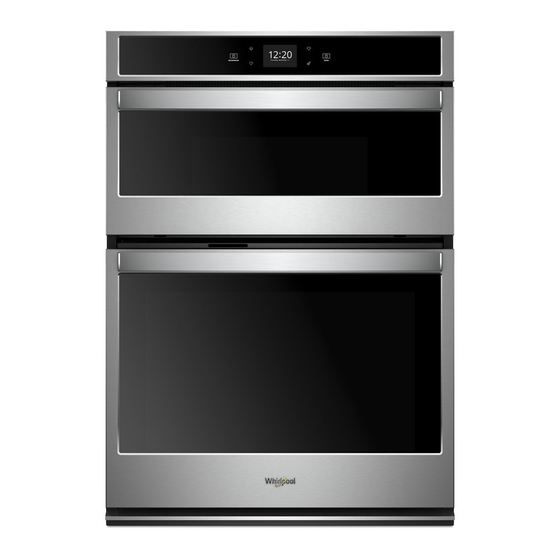
Whirlpool WOC54EC0HS Manual De Instrucciones
Tabla de contenido
Idiomas disponibles
Idiomas disponibles
Enlaces rápidos
Built-In Electric Microwave Oven Control Guide
WARNING: To reduce the risk of fire, electric shock, or injury to persons, read the IMPORTANT SAFETY INSTRUCTIONS, located in
your appliance's Owner's Manual, before operating this appliance.
This manual covers several models. Your model may have some or all of the items listed. Refer to these instructions or Frequently Asked
Questions (FAQs) section of our website at www.whirlpool.com for more detailed instructions. In Canada, reference the Customer
Service section at www.whirlpool.ca.
KEYPAD
Tools
Home
Favorites
Oven Light
Oven Power/ Cancel
Microwave Power/
Cancel
Touch Panel
The touch panel houses the control menu and function controls.
The touch keypads are very sensitive and require only a light
touch to activate. Scroll up, down, left, or right to explore the
different options and features.
For more information about the individual controls, see their
respective sections in this manual.
Display
The display is for both the menu and microwave oven function
controls. The touch panel allows you to scroll through the oven
menus. The display is very sensitive and requires only a light
touch to activate and control.
When a oven/microwave oven is in use, the display will show the
clock, mode, microwave oven temperature, kitchen timer, and
microwave oven timer, if set. If the oven/microwave oven timer is
not set, you can set it from this screen.
After approximately 2 minutes of inactivity, the display will go into
sleep mode and the display will dim. When the oven is in
operation, the display will remain bright. During use, the display
will show menus and the appropriate selections for the options
being chosen.
FEATURE GUIDE
FEATURE
INSTRUCTIONS
Oven Use
Enables you to personalize the audible tones and oven operation to suit your needs. See
Functions
the "Tools" section.
Home Screen
If pressed once, it enables the user to return to the "Cooking Methods" and "Assisted
Cooking" screen. If pressed twice, the time of day is displayed.
Favorites
The Favorites keypad allows the user to save the cycles that they use on a frequent basis.
Oven Cavity
The oven light is controlled by a keypad on the oven control panel. While the oven door is
closed, press the Oven Light keypad to turn the light on and off. When the oven door is
Light
opened, the oven light will automatically turn on.
Oven Function
The Oven Power/Cancel keypad turns the oven on and wakes it from Sleep mode.
Power/Cancel
If the oven is already on, the Oven Power/Cancel keypad stops any oven function except
the Clock, Timer, and Control Lock.
Microwave
The Microwave Power/Cancel keypad turns the microwave oven on and wakes it from
Function
Sleep mode. If the microwave oven is already on, the Microwave Power/Cancel keypad
stops any microwave oven function except the Clock, Timer, and Control Lock.
Display Navigation
If the microwave oven is off, touch the Microwave Oven Power/
Cancel keypad for the desired oven to activate the menu. From
this screen, all automatic cooking programs can be activated, all
manual cooking programs can be set, options can be adjusted,
and instructions, preparation, and tips can be accessed.
Setup and Demo Mode
1. Select STORE DEMO MODE to enter Demo Mode.
1. Select NEXT to enter into product use.
2. Follow the prompts on the display screen to select a
language, set up Wi-Fi/connect to network, accept the terms
of service, and set the time.
NOTE: The display screen will show the time and date
(default screen/standby mode).
3. Select TRY THE PRODUCT to explore various features and
options of the product.
OPTIONAL: Select VIEW PRODUCT VIDEOS to view a video
about how to navigate and interact with the product and
explore Voice Control.
4. Scroll and select EXPLORE.
5. Select the Tools keypad.
To exit Demo Mode, see the "Tools" section.
OR
1
Tabla de contenido

Manuales relacionados para Whirlpool WOC54EC0HS


Resumen de contenidos para Whirlpool WOC54EC0HS
-
Página 14: Horno De Microondas Convección Integrado Guía De Controles
Este manual abarca varios modelos. Su modelo puede contar con algunos o todos los elementos enumerados. Consulte este manual o la sección de “Preguntas frecuentes” de nuestra página de Internet, en www.whirlpool.com para obtener instrucciones más detalladas. En Canadá, consulte la sección de Servicio al cliente en www.whirlpool.ca. -
Página 15: Configuración Y Modo De Demostración
Configuración y modo de Tamaño y forma Los trozos más pequeños de alimentos se cocinarán con mayor demostración rapidez que los trozos más grandes. Igualmente los alimentos de forma regular se cocinarán con mayor uniformidad que los 1. Seleccione STORE DEMO MODE (Guardar modo de alimentos de forma irregular. -
Página 16: Utensilios De Cocina Y Vajilla
Utensilios de cocina y vajilla PORCENTAJE/ NOMBRE Los utensilios de cocina y la vajilla deben encajar en la bandeja giratoria. Siempre use guantes para hornear o agarraderas para Calentar arroz, pasta o guisados. manipular los utensilios, ya que cualquier plato puede calentarse Cocinar y calentar alimentos que por el calor transferido de los alimentos. -
Página 17: Métodos De Cocción
MÉTODOS DE COCCIÓN ADVERTENCIA Peligro de Intoxicación Alimentaria No deje sus alimentos en el horno por más de una hora antes o después de su cocción. No seguir esta instrucción puede ocasionar intoxicación alimentaria o enfermedad. La tecla Cooking methods (Métodos de cocción) permite que el usuario seleccione uno de los métodos siguientes según las necesidades de cocción: INSTRUCCIONES FUNCIÓN... -
Página 18: Cocción Al Vapor
INSTRUCCIONES FUNCIÓN CARACTERÍSTICA Soften Ablandar 1. Presione MICROWAVE (Microondas). 2. Seleccione COOKING METHODS (Métodos de cocción). 3. Seleccione SOFTEN (Ablandar). 4. Introduzca el tiempo de ablandado deseado en la pantalla. 5. Seleccione START (Inicio). 6. (Opcional) En cualquier momento mientras el horno de microondas está funcionando, presione +2 min, +1 min, o +30 sec para aumentar el tiempo de ablandado. -
Página 19: Cocción Asistida
Seleccione Remote ENABLE (Habilitar � Timers and Alerts (Temporizadores y alertas) (Habilitar remoto) remoto) para activar la capacidad de usar la aplicación Whirlpool ® � Buttons and Effects (Botones y efectos) NOTA: Remote Enable (Habilitar Display Settings (Ajustes de pantalla) remoto) se apaga cuando la puerta se Ajuste los parámetros de la pantalla... - Página 20 � Wi-Fi Terms and Conditions (Términos y condiciones de Wi-Fi): www.whirlpool.com/connect. � Términos y condiciones del software. ® ©2020 Whirlpool. All rights reserved. Used under license in Canada. ™ Tous droits réservés. Utilisé sous licence au Canada. Todos los derechos reservados. Se usa bajo licencia en Canadá.