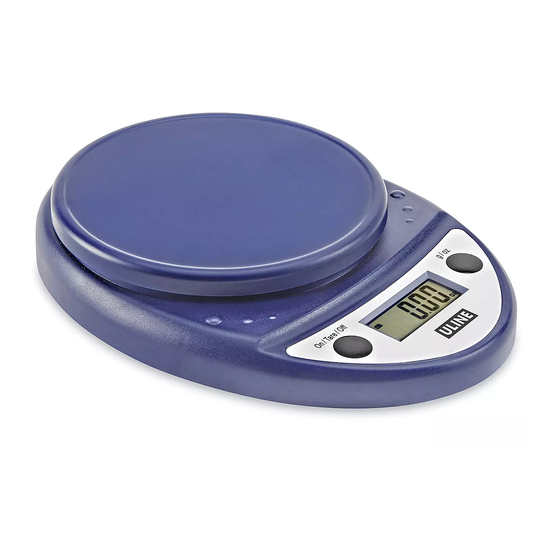
Uline H-9983 Manual De Instrucciones
Tabla de contenido
Idiomas disponibles
Idiomas disponibles
Enlaces rápidos
H-9983
DIGITAL FOOD SCALE
CONTROL PANEL
CONTROL FUNCTIONS
BUTTON
Turn on scale.
FUNCTION
Reset to zero weight.
Turn off scale.
WEIGHT MEASUREMENTS
1.
Press the ON/TARE/OFF button to turn on the scale.
2. Press the g/oz button to change to desired unit of
measurement.
3. Place an item on the scale in the center of the
platform. Scale will display weight of item.
PAGE 1 OF 6
1-800-295-5510
uline.com
OVERVIEW OF CONTROLS
On/Tare/Off
On/Tare/Off
g / oz
Change units of
measurement.
OPERATION
g / oz
TARE (ADD AND WEIGH)
IGNORE WEIGHT OF A CONTAINER
1.
Place a container on the platform before turning on
the scale.
2. Turn on scale.
3. Press the ON/TARE/OFF button, and zero weight will
display.
4. Add items into the container to be weighed.
Para Español, vea páginas 3-4.
Pour le français, consulter les pages 5-6.
0522 IH-9983
Tabla de contenido

Manuales relacionados para Uline H-9983


Resumen de contenidos para Uline H-9983
- Página 3 H-9983 800-295-5510 uline.mx BÁSCULA DIGITAL PARA ALIMENTOS RESUMEN DE LOS CONTROLES PANEL DE CONTROL On/Tare/Off g / oz FUNCIONES DEL CONTROL On/Tare/Off g / oz BOTÓN Enciende la báscula. Cambia la unidad FUNCIÓN Reinicia el peso a cero. de medida.
-
Página 4: Continuación De Funcionamiento
0.1 oz / 1 g Conversión lb, lb:oz, g Dimensiones de la Redonda de 5.5" Plataforma Dimensiones de la 8.5 x 6 x 1.5" Báscula Peso 0.33 lb. Funciona Con Dos baterías AA 800-295-5510 uline.mx PAGE 4 OF 6 0522 IH-9983...