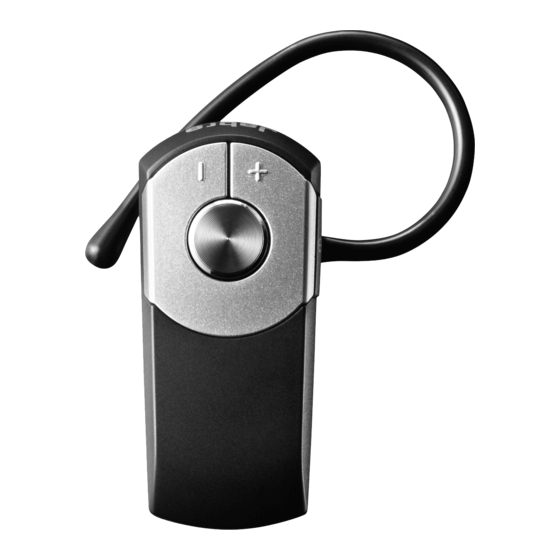
Jabra BT2050 Manual Del Usuario
Tabla de contenido
Idiomas disponibles
Idiomas disponibles
Enlaces rápidos
UK
PLEASE NOTE: Before using your new Jabra BT2050 headset, you must
All manuals and user guides at all-guides.com
fully charge it and set it up by 'pairing it' with your selected Bluetooth
device.
NB: Chapter headings and illustrations share the same number to aid
understanding
1 AboUt yoUr JAbrA bt2050
1 Answer/end button
2 On/off button
3 LED light
4 Charging socket
5 Volume up/volume down
6 Ear hook
2 ChArge yoUr heAdset
While charging the headset, the LED light will show solid light and after
the headset is charged, the LED light will turn off.
3 tUrning yoUr heAdset on And off
Press on/off button for appr. 2 secs to turn the headset on or off.
Tabla de contenido

Manuales relacionados para Jabra BT2050


Resumen de contenidos para Jabra BT2050
-
Página 29: Acerca De Su Jabra Bt2050
AVISO: Antes de utilizar su nuevo auricular Jabra BT2050, deberá cargarlo All manuals and user guides at all-guides.com completamente y configurarlo para “sincronizarlo” su dispositivo Bluetooth seleccionado. Nota: Los encabezados de capítulo e ilustraciones tienen la misma numeración para evitar confusiones. -
Página 30: Sincronizar El Auricular Con Su Teléfono
1. Apague el auricular. Pulse y mantenga pulsado hasta que la luz se ilumine constantemente. 2. Active Bluetooth en su teléfono. 3. Busque dispositivos Bluetooth y seleccione Jabra BT2050. 4. Pulse “OK” en el teléfono y confirme el código PIN = 0000 (4 ceros). 5 Cómo UsAr sU AUriCUlAr Responder una llamada - Pulse el botón responder/fin de su auricular para responder una llamada. -
Página 31: Cómo Llevarlo
- Pulse el botón subir/bajar volumen para ajustar el volumen. 6 Cómo lleVArlo Puede llevar el Jabra BT2050 con o sin gancho para la oreja. Para llevarlo con el gancho para la oreja, colóquelo en la oreja izquierda o derecha.