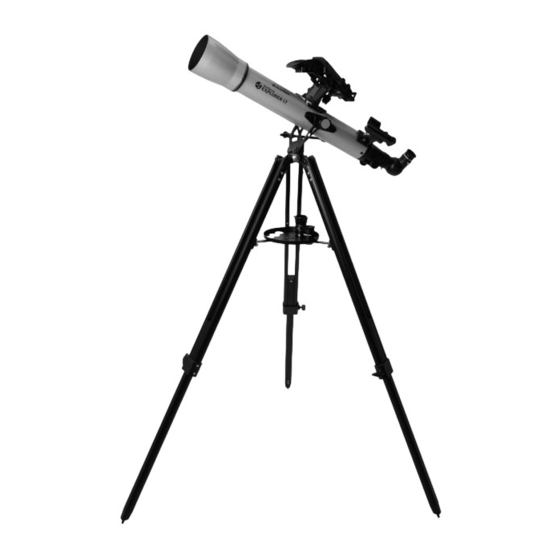
Celestron StarSense Explorer LT 70AZ Guía De Instalación Rápida
Tabla de contenido
Idiomas disponibles
Idiomas disponibles
Enlaces rápidos
Quick Setup Guide
ENGLISH
5
Place the eyepiece accessory tray on top of the
tripod's center leg brace. Thread the tray into the
threaded hole in the center of the leg brace until it
is fully seated.
NOTE: If necessary, rotate the accessory tray
counterclockwise until the accessory holes
are not covered by the leg brace arms as
shown here.
8
Tighten the altitude rod guide screw to hold the
telescope in place.
1
70AZ
Unpack your telescope and verify that all parts
ITEM #22450
are present. Your StarSense Explorer LT includes:
a telescope tube with altitude slow motion rod
attached, a lens cap, an accessory bag, a tripod with
alt-azimuth yoke mount and center leg brace attached,
a StarSense smartphone dock, two eyepieces, a 2x
Barlow lens, two tube mounting screws, an erect
image diagonal, an eyepiece accessory tray, a
StarPointer finderscope and StarSense Explorer
app code card.
3
Extend the center portion of each of the three tripod
legs down about 6 to 12 inches. Use the tightening
screw on each leg to secure the extended leg in place.
6
Loosen the knob on the altitude rod guide on the
side of the yoke mount so the hole is unobstructed.
9
Insert the two tube mounting screws through the
yoke mount and into the hubs on the telescope tube
to secure it in place.
2
To set up the tripod, spread the legs outward until
they are fully extended and push down the center
leg brace.
4
Check to ensure that all three legs are the same
height once extended to provide a level platform for
the telescope.
7
Slide the altitude rod
into the rod guide on the
mount and lower the altitude hubs on the telescope
tube into the cradles on the top of each yoke arm.
10
To install the finderscope, remove the two silver nuts
from the threaded posts on the top of the tube, near
the focuser.
ENGLISH
1
|
Tabla de contenido

Manuales relacionados para Celestron StarSense Explorer LT 70AZ


Resumen de contenidos para Celestron StarSense Explorer LT 70AZ
- Página 17 70AZ Guía de instalación rápida ESPAÑOL PRODUCTO # 22450 Desembale el telescopio y compruebe que estén Para instalar el trípode, separe las patas hacia fuera presentes todas las piezas. Su StarSense Explorer hasta que estén totalmente extendidas y empuje el LT incluye: un tubo de telescopio con mango de soporte de las patas central.
- Página 18 StarSense Explorer en su dispositivo móvil. naranja en la caja de su telescopio. Ejecute la Busque «Celestron StarSense Explorer» en Apple app. Cuando se solicite, introduzca el código de App Store o Google Play. La app tiene un gran activación de la tarjeta para activar la app.
-
Página 19: Alinear El Localizador
Movimiento del telescopio Para mover el soporte a izquierda y derecha, afloje el Aguante la pata del trípode con una mano y agarre mando de tensión de azimut situado en el soporte de el enfoque del tubo del telescopio, moviéndolo sujeción entre dos de las patas del trípode. - Página 20 Para obtener más información de este producto, visite la página de producto correspondiente en celestron.com AVISO SOLAR: No intente nunca observar el sol por un telescopio sin un filtro solar adecuado. www.celestron.com/pages/warranty ¿Necesita ayuda? Contacte con el soporte técnico de Celestron celestron.com/pages/technical-support 08-19 ESPAÑOL...