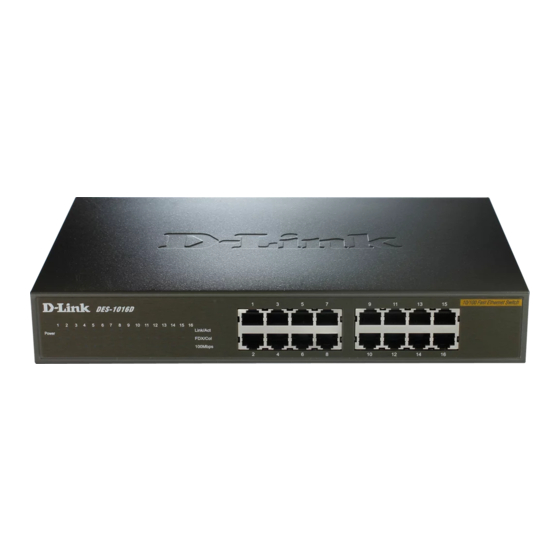
D-Link DES-1016D Manual De Instrucciones
Ocultar thumbs
Ver también para DES-1016D:
- Guia de instalacion (3 páginas) ,
- Guía de instalación rápida (28 páginas) ,
- Guía de instalación rápida (32 páginas)
Tabla de contenido
Idiomas disponibles
Idiomas disponibles
Enlaces rápidos
All manuals and user guides at all-guides.com
16-Port 10/100Mbps Fast Ethernet Switch
1
Setup
The setup of the Switch can be performed using the following steps:
The surface must support at least 5 kg.
The power outlet should be within 1.82 meters (6 feet) of the
device.
Visually inspect the power cord and see that it is secured fully to
the AC power connector.
Make sure that there is proper heat dissipation from and adequate
ventilation around the Switch. Do not place heavy objects on the
Switch.
2
Desktop or Shelf Installation
When installing the Switch on a desktop or shelf, the rubber feet
included with the device must be first attached. Attach these cushioning
feet on the bottom at each corner of the device. Allow enough
ventilation space between the device and the objects around it.
Fast Ethernet Switch installed on a Desktop or Shelf
Quick Install Guide
Quick Install Guide
Quick Install Guide
Quick Install Guide
DES-1016D
1
Tabla de contenido

Manuales relacionados para D-Link DES-1016D


Resumen de contenidos para D-Link DES-1016D
-
Página 10: Instalación
All manuals and user guides at all-guides.com Guía de instalación rápida Guía de instalación rápida Guía de instalación rápida Guía de instalación rápida DES-1016D Conmutador Fast Ethernet a 10/100 Mbps de 16 puertos Instalación La configuración del Conmutador se puede realizar mediante los siguientes pasos: La superficie donde instalará... -
Página 11: Instalación Sobre Un Soporte
All manuals and user guides at all-guides.com Conmutador Fast Ethernet instalado en una mesa o estante Instalación sobre un soporte Este conmutador se puede instalar sobre un soporte de tamaño estándar EIA de 19 pulgadas que se puede situar en un armario de instalación eléctrica con otros equipos. -
Página 12: Conexión Del Cable De Red
All manuals and user guides at all-guides.com Conexión del cable de red El Conmutador da soporte a cuatro puertos 10/100 Mbps. Estos puertos funcionan tanto en modo half-dúplex como full-dúplex mientras funciona a 10 Mbps o 100 Mbps. Estos puertos son de tipo Auto-MDI y se pueden transformar automáticamente en el tipo MDI-II o MDI-X, de modo que puede establecer una conexión sencilla sin tener que preocuparse de si utiliza un cable estándar o un cable cruzado.