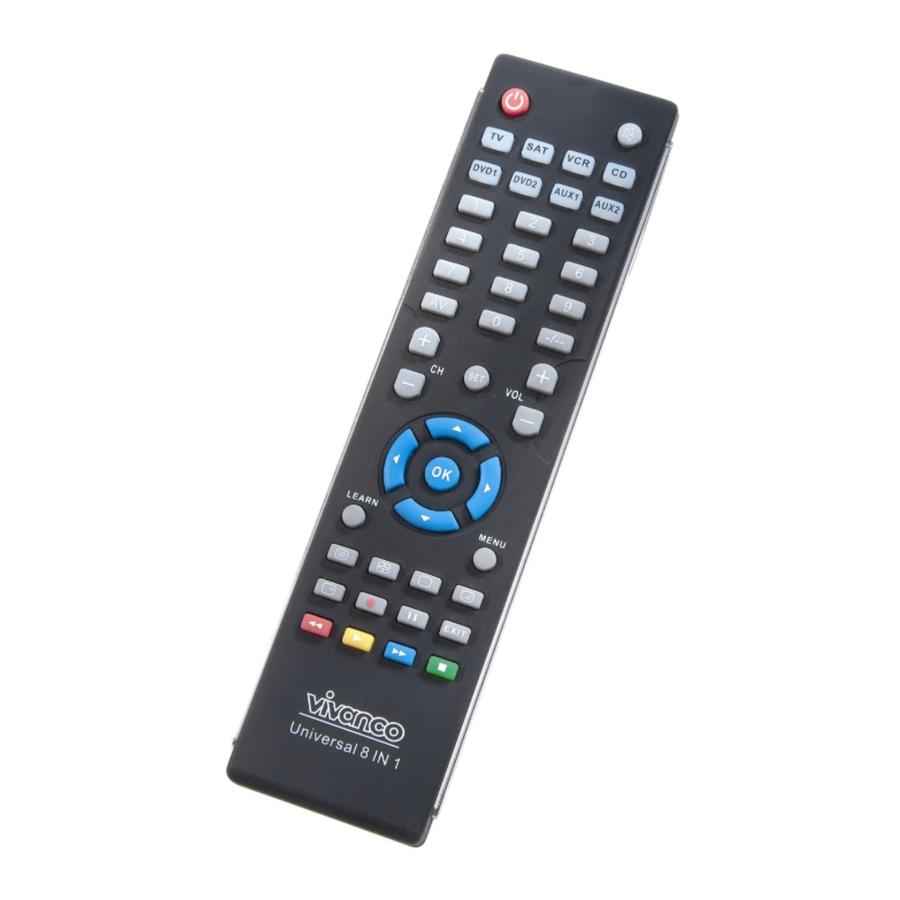
Vivanco UR 810 Instrucciones Para El Uso
Idiomas disponibles
Idiomas disponibles
Enlaces rápidos
(GB) Instructions
(D) Bedienungsanleitung
(F) Notice d'emploi
(E) Instrucciones para el uso
(I) Istruzioni per l'uso
(NL) Gebruiksaanwijzing
(PL) Instrukcja obsługi
(CZ) Návod k obsluze
(P) Manual de instruções
(DK) Betjeningsvejledning
(S) Bruksanvisning
(RUS)
(GR)
Vivanco GmbH, D-22926 Ahrensburg, E-Mail
UR 810 UNIVERSAL CONTROLLER
1
VIVANCO UR 810 remote control for almost all
3
TV, audio, video and other infrared-controllable
6
9
Inserting the batteries
11
Open the battery flap on the back of the remote
14
control, press the flap lightly downwards, then
16
insert 2 alkaline AAA batteries. Check that the
19
polarity markings on the batteries and in the
21
battery compartment are correctly lined up
24
(+=+), then close the flap carefully. – Always
26
use undamaged batteries.
28
31
Adapting to appliances
In order to control your appliances you must
adapt or set the remote control to them. There
are three ways of doing so: direct control code
entry, code search or learn.
If your UR 810 does not understand you, it
blinks several times and you can then repeat
the entry. Each understood entry is confirmed
by an appliance button blinking once briefly.
Direct control code entry using the
enclosed list
Example: setting to control a Panasonic
television set:
1.
The
example, the Panasonic Code 153.
Please make sure you have selected the
correct list for television sets (TV).
2.
To prepare code entry, press the
SET button, keep it pressend and then press
the
required
additionally until the lamp (LED) inside lights
constantly.
3.
Then press the number buttons
(e.g. 1 5 3) in sequence.
4.
Once the numbers have been
entered the button lamp goes out and the
remote control is ready to control your
appliance.
5.
Finally, test the control code setting
by trying to control (in this example) your
television set. If it does not work at all or not
correctly try a different code from the list or the
code search (see below).
6.
To set the remote control for other
appliances, proceed in the same way. Instead
of the TV appliance button, press another
button e.g. VCR, DVB (SAT, DECODER),
DVD).
Code search
If the brand of your appliance is not in the list
or none of the codes given fits, we recommend
a code search.
:
hotline@vivanco.de
, Helpline: +49 (0) 4102 231135
(GB) Instructions
appliances
enclosed
list
gives,
for
appliance
button,
e.g.
TV,
1

Manuales relacionados para Vivanco UR 810


Resumen de contenidos para Vivanco UR 810
- Página 9 Play/reproducir para buscar. Asegúrese de que códigos. ha introducido una cinta, un DVD o un CD en Caso que el UR 810 no le 'entienda', da dos casetes, reproductores y grabadoras. veces luz intermitente y usted puede repetir la – No se preocupe si haya notado demasiado introducción del código.
- Página 10 3 segundos hasta que de luz intermitente la del control remoto original apunte directamente lámpara (LED). hacia el diodo (LED) del UR 810. Este se Entonces, dirija el telemando hacia el encuentra en el extremo superior del control aparato a mandar mientras que el telemando remoto.