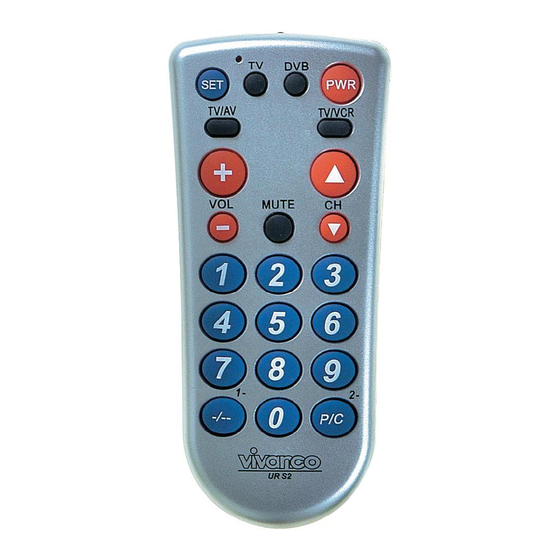
Vivanco UR S2 Instrucciones Para El Uso
Ocultar thumbs
Ver también para UR S2:
- Instrucciones para el uso (30 páginas) ,
- Manual de instrucciones (34 páginas)
Tabla de contenido
Idiomas disponibles
Idiomas disponibles
Enlaces rápidos
UR S2 UNIVERSAL TV- DVB CONTROLLER
(NL) Gebruiksaanwijzing
(GB) Instructions
VIVANCO UR S2 Remote Control
Inserting the batteries
Open the battery flap on the back of
the remote control, press the tongue
lightly
downwards,
then
Vivanco GmbH, D-22926 Ahrensburg, E-Mail
1
3
5
7
9
11
13
alkaline AA batteries. Check that the
polarity markings on the batteries and
in
the
battery
correctly lined up (+=+), then close the
flap
carefully.
undamaged batteries.
Adapting to appliances
In order to control e.g. your TV or DVB
you must adapt or set the remote
control to it. There are two ways of
doing so: direct control code entry or
code search.
Direct control code entry using the
enclosed list
Example: setting to control a
Panasonic television set:
1.
The attached list gives, for
example, the Panasonic Code 176.
Please make sure you have selected
the correct list for television sets (TV).
2.
To prepare code entry,
press the SET button, keep it pressed
and then press the required appliance
button, e.g. TV, additionally until the
lamp (LED) lights constantly.
3.
Then press the number
buttons (e.g. 1 7 6) in sequence.
4.
Once the numbers have
been entered the lamp goes out and
the remote control is ready to control
your appliance.
5.
Finally, test the control
code setting by trying to control (in this
example) your television set. If it does
not work at all or not correctly try a
different code from the list or the code
search (see below).
You can terminate the mode by
pressing any device button.
Code search
If the brand of your appliance is not in
the list or none of the codes given fits,
we recommend a code search.
insert
2
:
hotline@vivanco.de
15
17
19
21
23
25
27
compartment
are
-
Always
use
1
,
Tabla de contenido

Manuales relacionados para Vivanco UR S2


Resumen de contenidos para Vivanco UR S2
-
Página 7: (E) Instrucciones Para El Uso
Non adapté pour appareils de 400 kHz los dígitos, la lámpara en la tecla correspondiente apaga Garantie d'usine de 2 ans telemando está listo para controlar el En cas de défaut de votre UR S2 aparato. pendant une période de 2 ans à Para terminar, debe compter de la date d'achat, Vivanco la controlar el código de mando ajustado... - Página 8 3 dígitos: aparato p. ej TV para terminar de esta Presionar la tecla de aparato de manera el proceso de búsqueda. Se aquel aparato, cuyo código desea apaga la lámpara (LED). - El UR S2 lecturar, p.ej. TV. prosigue búsqueda donde Presionar SET (ajustar) y a la interrumpió.
- Página 24 UR S2 UNIVERSAL TV- DVB CONTROLLER % " , " 95*) *,/ * % . ) , *)).+ 294 + 2 /, ) , 7*,, TV- , - , 7. " " ; 0 7 /) , ,#( '01/ 201.
- Página 26 M UOM `KJMO WM R M J OJO` M NT RNK^. OJO` M XS J O (LED) b J R. NT RNK^ OUW T - Q? UR S2 CFNBXHRBD GMN ;N;RPGMCM P\U JK NT RN\. – VWN YK>BGB N; ;JI G? CMABH? J?F SD;=IJM=B. ZG;N CFNBXHCBGB ;N;RPGMCM, BJDGBFXYBH GK>?U...