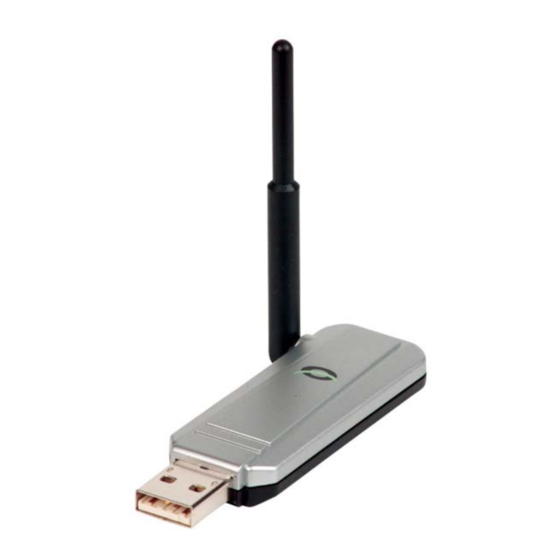
Conceptronic CBT100U Guia De Inicio Rapido
Tabla de contenido
Idiomas disponibles
Idiomas disponibles
Enlaces rápidos
NEDERLANS
Hartelijk gefeliciteerd met de aanschaf van uw
Conceptronic USB Bluetooth
In de bijgaande Snelstart handleiding wordt stap voor stap uitgelegd hoe u de
Conceptronic Bluetooth
Ingeval van problemen adviseren wij u onze support-site te bezoeken (ga
naar:
www.conceptronic.net
met veelgestelde vragen waar u hoogstwaarschijnlijk de oplossing voor uw
probleem kunt vinden.
Heeft u andere vragen over uw product die u niet op de website kunt vinden,
neem dan contact met ons op via e-mail:
Voor meer informatie over Conceptronic producten kunt u terecht op de
Conceptronic website: www.conceptronic.net.
Bij software/drivers installatie: Het is mogelijk dat onderstaande installatie iets
afwijkt van de installatie op uw computer. Dit is afhankelijk van de Windows
versie die u gebruikt.
1 Software installatie
! LET OP: Installeer eerst de software voordat u de Conceptronic
TM
Bluetooth
USB adapter (CBT100U) in uw systeem plaatst.
1.
Doe de Conceptronic driver CD-ROM in het CD-ROM station van uw
systeem.
2.
Als 'autorun' aanstaat, zal het startscherm van de Conceptronic
TM
Bluetooth
Application software' (installeer het stuurprogramma). Als de setup niet
automatisch start, dubbelklikt u op het icoon 'bsetup.exe' vanaf Windows
verkenner.
Snelstart handleiding
voor Windows 98 SE - 2000 - ME - XP
TM
Adapter installeert.
en klik op 'Support'). Hier vindt u een database
USB adapter verschijnen. Kies voor 'Install driver &
CBT100U
TM
support@conceptronic.net
- 1 -
Adapter.
Tabla de contenido

Manuales relacionados para Conceptronic CBT100U


Resumen de contenidos para Conceptronic CBT100U
-
Página 5: Instalación De Software
! NOTA: no inserte el adaptador Conceptronic CBT100U USB Bluetooth en su sistema antes de instalar los de software. Colóque el CD-ROM con los controladores de Conceptronic en la unidad de CD-ROM de su sistema. Estando el autoarranque activado aparecerá la pantalla de inicio "startup"... -
Página 6: Instalación De Los Controladores
ESPAÑOL Verá el siguiente mensaje ‘Welcome to the InstallShield Wizard for Conceptronic Bluetooth Software’, haga clic en la opción de: ‘Next’. Acepte la licencia y haga clic en ‘Next’. Por favor deje la carpeta de destino ‘Destination Folder’ tal y como está...