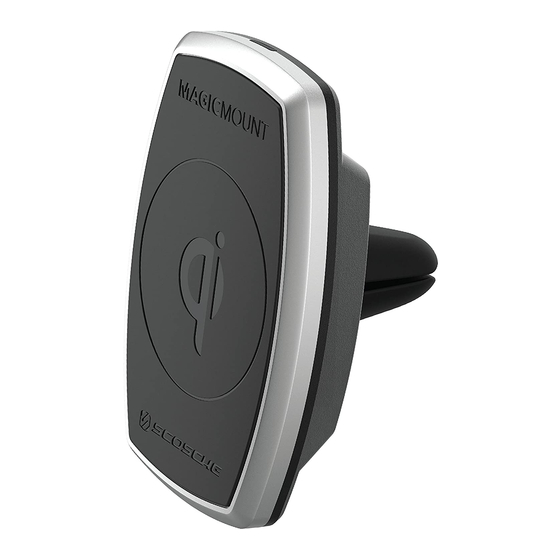
Scosche MAGICMOUNT MQ2V Manual Del Usuario
Tabla de contenido
Idiomas disponibles
Idiomas disponibles
Enlaces rápidos
Register your product onllM at
MAGICMOUNT"
MAGNETIC MOUNT
WITH Qi WIRELESS CHARGING
READ INSTRUCTIONS COMPLETELY BEFORE
INSTALLING THIS MOUNT KIT.
WARNING: Do not use the magnetic mount with any hard-drive
based devices such as: iPod classic, iPod video and Zune MP3
players. Use caution whenever removing or handling plastic parts
of any vehicle. Unnecessary force or pressure can cause pieces
to crack or break. Please use a plastic card to remove the metal
plates. Remove adhesive residue w�h a non-abrasive cleaner.
AIRBAG WARNING: Do not place this pad, or any other object,
on or near the airbag. In the event of deployment, objects
placed on or near airbag could cause serious injury.
Caution: This magnetic mount is not a toy. The small magnets are
@
harmful if swallowed. Keep away from children.
IF YOU NEEO ASSISTANCE OR REPLACEMENT PARTS
CALL US TOLL
HOURS MON-FRI 8AM-5:30PM (PS1J
©2019 SCOSCHE INDUSTRIES, INC.
www.scosche.com/register
IMPORTANT!
DO NOT RETURN PRODUCT
TO THE RETAILER
FREE:
1-800-363-4490 X1
SATURDAY 8AM-2PM (PS1J
SI 300MQ2V/MPQ2V 3/19
MQ2V/
MPQ2V
CHARGE
Tabla de contenido

Manuales relacionados para Scosche MAGICMOUNT MQ2V


Resumen de contenidos para Scosche MAGICMOUNT MQ2V
-
Página 17: Montaje Magnetico Con Cargador Inalambrico Qi
Registre su producto por internet en MQ2V/ @ SCDSCI-IE' MPQ2V MAGICMOUNT" CHARGE MONTAJE MAGNETICO CON CARGADOR INALAMBRICO Qi LEA LAS INTRUCCIONES COMPLETAMENTE ANTES DE INSTALAR ESTE SOPORTE. ADVERTENCIA: No utilice el soporte magnetico con todos los dispositivos de disco duro basado tales coma: iPod classic, iPod de video y reproductores de MP3 Zune. -
Página 18: Partes Incluidas
PARTES INCLUIDAS (1) Montaje magn8tico con cargador inalAmbrico y montar para ventilaci6n (1) Placa grande con plantilla gula para montar al dispos�ivo (2) Pequenas placas metalicas con plantilla gufa para montarlas en la funda (1) Adaptador de alimentaci6n para auto (1) Cable de carga micro-USB a USB (1) Pellcula protectora (2) Ganchos para cable... - Página 19 -··-•-- - ·- : ::: ·- - '----!r= - :::.. -==...
-
Página 20: Opciones De Montaje Magicplate
OPCIONES DE MONTAJE MAGICPLATE NOTA: Para instalarlo directamente en el dispositivo, utilice la placa grande con la plantilla gufa como se indica. � °"' 1. Remueva el papel protector de la placa. � 2. Alinee las flechas correspondientes de la plantilla guia con la parte inferior del telefono. -
Página 21: Colocacion De Soporte Universal
COLOCACION DE SOPORTE UNIVERSAL lnserte el acople T-notch en la abertura T-notch de la parte de atras del soporte (A). Deslice el T-notch hacia adelante y hacia arriba dentro de la ranura (B) para trabar la placa de montaje en su lugar. Escuche el sonido de clic para asegurar que T-notch este bloqueado (C). -
Página 22: C6Mo Colocar Su Dispositivo En El Magicmount Charge
CARGADOR INALAMBRICO Enchufe la base magnetica en el enchufe de 12 V de su vehlculo con el cable micro USB a USB y el adaptador de 12 V incluidos como se muestra (A y B). Opclonal: Coloque los ganchos autoadhesivos incluidos (C) en el tablero o la consola para fijar el cable. -
Página 23: Declaracion De Fcc
Esta equipo cumple con los limites de exposici6n a la radiaci6n IC RSS- 102 establecidos para un entorno no controlado. Este transmisor no debe ubicarse ni funcionar conjuntamente con ninguna otra antena o transmisor. Por detalles acerca de la garantia completa, visite www.scosche.com o Harne al (800) 363-4490...