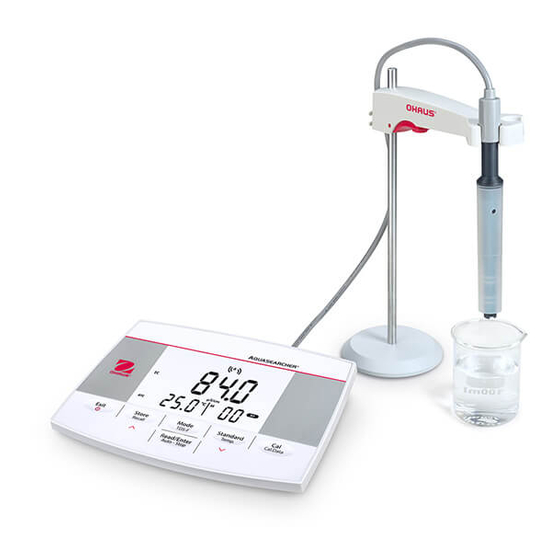
OHAUS a-AB23EC Guia De Inicio Rapido
Idiomas disponibles
Idiomas disponibles
Enlaces rápidos
Switch On/Off
On
Main screen
Off
Standard Solution Setup
Select the solution group
Note: Predefined standard solution: 10 μS/cm, 84 μS/cm, 1413 μS/cm,12.88 μS/cm
Calibration
Insert a probe into the
standard solution.
Measurement
Insert the probe into a sample.
Switch EC/TDS/SAL Mode
EC
SAL
Temperature Setup
Confirm
Calibrating
Completed
Completed
Measuring
Switch Endpoint Mode
TDS
Auto end point mode
Setup MTC temperature
(
/
Confirm
°C
°F)
Setup reference temperature
Calibration result
(shown for 3 seconds)
Store/Recall Data
Store measurement data:
After the measurement is
completed, press the Store
button.
Continuous reading mode
Confirm
Setup temperature compensation
TDS Factor Setup
Recall measurement data:
Recall calibration data:
press and hold the Store
After the calibration is
button to recall.
completed, press and hold
the Cal button to recall.
Confirm
Confirm

Manuales relacionados para OHAUS a-AB23EC


Resumen de contenidos para OHAUS a-AB23EC
- Página 3 Encender / Apagar Cambiar Modo EC / TDS / SAL Cambiar Modo de Punto Final Encendido Pantalla principal Modo de Punto Final Automático Modo de Lectura Continua Apagado Configuración de Solución Estándar Configuración de Temperatura Configurar la Temperatura del MTC Confirm Confirmar Confirmar...
- Página 4 Atornille la varilla de metal a la base. superior y pase el brazo a través de la varilla de metal. Escanee el código QR para obtener el manual de instrucciones de a-AB23EC. Versión B ©Ohaus Corporation 2021 Todos los derechos reservados.