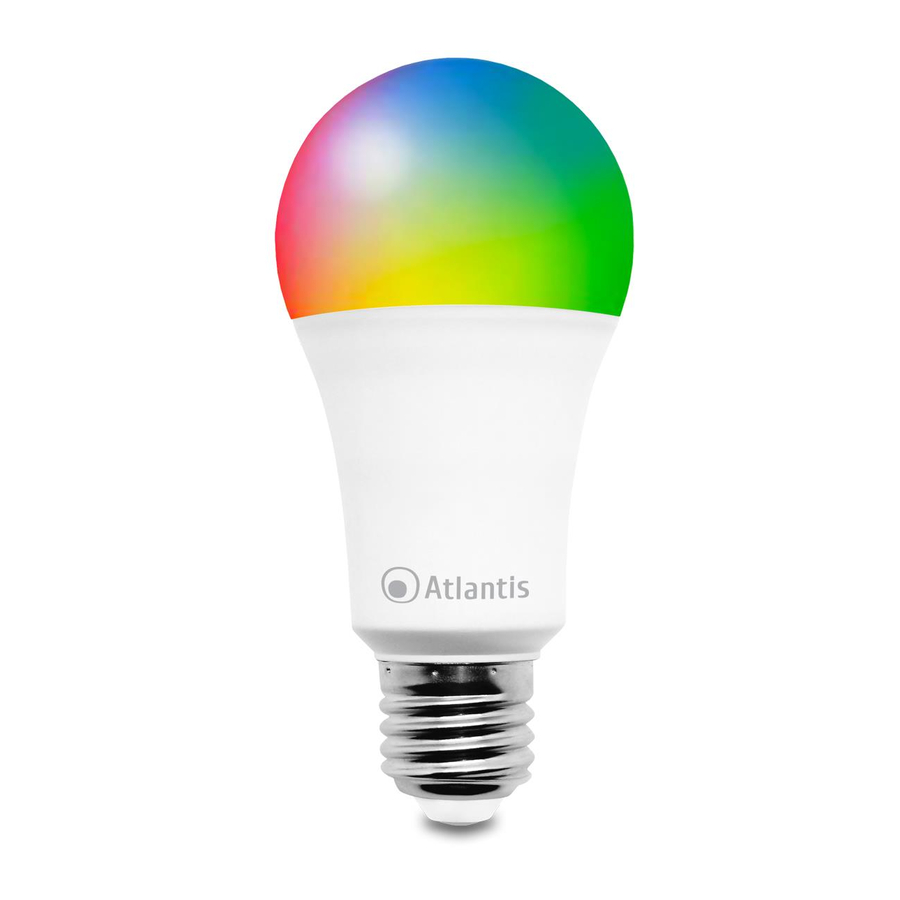
Atlantis A17-SB13-RGBW Manual Del Usuario
Tabla de contenido
Idiomas disponibles
Idiomas disponibles
Enlaces rápidos
Thank You for choosing Smart Wi-Fi RGBW(W) Bulb
Thank You for choosing an Atlantis Product. For more detailed instructions on configuring and using
the device, please refer to the online manual (www.atlantis-land.com).
Product Overview
The smart RGBW(W) bulb is a WiFi device able to be easily connected to home network.
Through the Tuya APP it can be turned on / off remotely, it can be programmed with time schedules
on a weekly basis and or operated with a timer.
It is possible to change the color (in the code A17-SB13-RGBW only) adjust its intensity or use it as
a traditional white light lamp with selectable color temperature (from 3000K to 6500K).
Control your lights with your voice using Alexa or Google Assistant.
It is possible to aggregate devices in groups to simplify control and create automations / scenarios
(activated weather conditions, temperature, motion detections from cameras, time schedules ect).
Finally, it is possible to add other various devices from the Atlantis Casa Smart line (or other Tuya
compatible), control them from the same application with an advanced level of interaction and make
your home truly smart.
System Requirements
Before installing this device, please verify the following points:
Mobile device Apple (running iOS
download app from Play Store) with 3G/4G/LTE connection.
Broadband internet connection (cable, DSL, etc.) and an existing Wi-Fi (2.4Ghz) network.
Package contents
Unpack the package and check all the items carefully. Also, keep the box and packing materials in
case you need to ship the unit in the future. The package should contain the following items: Smart
Wi-Fi RGBW Bulb or Smart Wi-Fi White Bulb, MultiLanguage Quick Start Guide, Warranty Card. If
any item contained is damaged or missing, please contact your local dealer as soon as
possible.
This manual is for multiple devices. Certain features described may only be
available on specific models.
The bulb is not suitable for totally enclosed fixtures
Risk of electric shock. Do not disassemble.
Do not use with dimmers. Using the APP you can change the light brightness.
Not for use in emergency lighting.
Product for indoor use.
Never touch the lamp when it is screwed on.
If the product is damaged, take it to a service center or do not use/repair it
and throw it in the appropriate containers for disposal.
Keep out of the reach of children.
Do not use the product near heat sources. Do not wet. Do not immerse in
water. Use a damp cloth to clean.
Before replacing the bulb, turn it off and let it cool for a long time.
Use only the voltage required for the bulb, as indicated on the product and
in this manual.
Observe the conditions of use indicated in this manual.
Before screwing / unscrewing the bulb, turn off the main power switch.
When the product is turned on, please keep a minimum distance of 20cm
from the product (exposure to radio frequencies).
For technical questions and support, please contact our help-desk by ticket
on http://www.atlantis-land.com/ita/supporto.php.
For generic informations, please send an e-mail to info@atlantis-land.com.
®
8 or higher) or Android
TM
1
(5.0 or higher and able to
ENG
Tabla de contenido

Manuales relacionados para Atlantis A17-SB13-RGBW

Resumen de contenidos para Atlantis A17-SB13-RGBW
-
Página 7: Panoramica Del Producto
Es posible cambiar el color (solo en el código A17-SB13-RGBW), ajustar su intensidad o usarlo como una lámpara de luz blanca tradicional con temperatura de color seleccionable (de 3000K a 6500K). -
Página 8: Contenido De La Caja
Dispositivo móvil Apple (con iOS ® 8 o superior) o Android (5.0 o superior y capaz de descargar la aplicación desde Play Store) con conexión 3G / 4G / LTE. Conexión a Internet de banda ancha (cable, DSL, etc.) y una red Wi-Fi (2.4GHz) existente. Contenido de la caja Una vez abierta la caja de cartón debería encontrar los siguientes componentes: Smart Wi-Fi RGBW Bulb/Smart Wi-Fi White Bulb, Manual de instalación plurilingüe, Certificado de Garantía. -
Página 9: Controle La Bombilla De Forma Remota
Seleccionar [ ] para cambiar el nombre de la bombilla. Un nombre simple facilitará el control de voz con Alexa / Google Home. Seleccionar Finalizado. Controle la bombilla de forma remota Una vez que la bombilla está sincronizada, puede buscar su producto en la pantalla predeterminada de la aplicación Tuya.