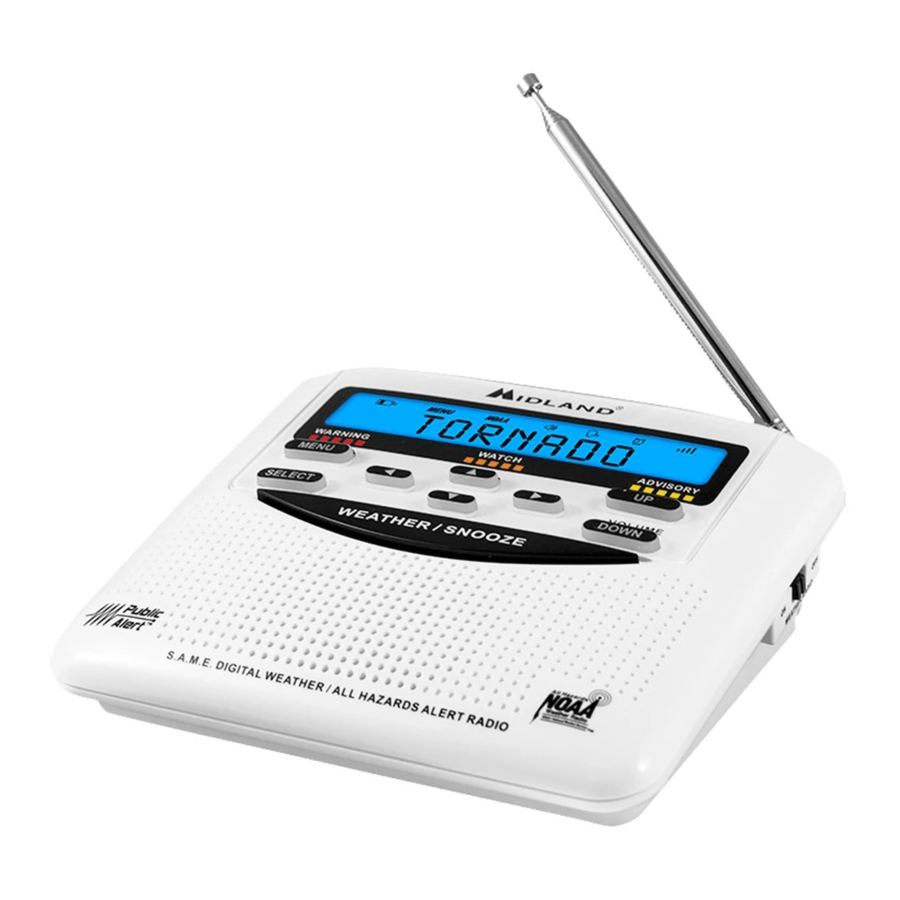
Midland WR120 Manual De Propietario
Ocultar thumbs
Ver también para WR120:
- Manual del usuario ,
- Manual de instrucciones (39 páginas) ,
- Manual del propietário (36 páginas)
Tabla de contenido
Idiomas disponibles
Idiomas disponibles
Enlaces rápidos
WR120 Owner's Manual
Quick Start Instructions:
1. Set the ON/OFF switch located on the right side of the radio to the ON position.
2. Pull out antenna and extend to its full length.
3. Insert 3 AA batteries (not included).
4. Plug the AC adapter into the POWER jack on the back of the radio and the other
end into a standard wall outlet.
5. Follow the prompts on the display screen using ▲ and ▼ to move through the
options and SELECT to choose the desired option.
• The radio will first display WELCOME, and then SET LANGUAGE.
• To SET LANGUAGE press the SELECT button:
- Choose your language by pressing ▲ or ▼, then SELECT.
• To SET LOCATION press the SELECT button:
- Press ▲ or ▼ until SINGLE is displayed, then press SELECT.
• To SET COUNTRY press SELECT to program your country for position 01:
- Press ▲ or ▼ to choose your country, then press SELECT.
- Press ▲ or ▼ to choose your state or province, then press SELECT.
- Press ▲ or ▼ to choose your county or area, then press SELECT.
• To SET TIME press the SELECT button:
- Set the time using ► ▲ ▼ and ◄ then press SELECT.
• To SET CHANNEL press the SELECT button:
- Tune the channel to the desired broadcast using ▲ or ▼.
• To SET VOLUME press the VOLUME UP or VOLUME DOWN buttons.
6. To complete set-up, press the SELECT button.
Directional
Pad
Menu
Select
page 1
ON/OFF
Switch
Volume
Up
Volume
Down
All Hazards
,
NOAA National Weather Service
s
TM
midlandusa.com
Capítulos
Tabla de contenido
Solución de problemas

Manuales relacionados para Midland WR120


Resumen de contenidos para Midland WR120
- Página 11 INFORMACIÓN DE CUMPLIMIENTO CON LA FCC Radio meteorológica MIDLAND (NOAA) Modelo WR120, “Radio digital de alertas de clima/peligro”. Este dispositivo cumple con la Parte 15 de las Reglas All Hazards de la FCC. El funcionamiento está sujeto a las siguientes dos condiciones: (1) NOAA National Weather Service este dispositivo no puede causar interferencia dañina y (2) este dispositivo...
-
Página 12: Conozca Su Radio Meteorológica
WR120 Owner’s Manual Manual del Propietario WR120 WR120 Owner’s Manual Manual del Propietario WR120 Conozca su radio meteorológica Configuración de su radio meteorológica Establecer la hora: Funciones de la MENU (Menú) 1. Oprima para abrir las opciones del menú. 1. Botón Seleccionar 2. -
Página 13: Código De Condado "Único
Manual del Propietario WR120 WR120 Owner’s Manual Manual del Propietario WR120 Cómo programar la radio para su área: Su radio WR120 de alertas meteorológicas contra todos los peligros viene Tipo de alerta Descripción preprogramada para recibir transmisiones de alertas meteorológicas y de Cuando se elige el tipo de alerta DISPLAY (En peligros para todos los códigos de Codificador de Mensajes para Áreas... -
Página 14: Retroiluminación
WR120 Owner’s Manual Manual del Propietario WR120 WR120 Owner’s Manual Manual del Propietario WR120 Establecer eventos: Retroiluminación: MENU (Menú) 1. Oprima para abrir las opciones del menú. MENU (Menú) 1. Oprima para abrir las opciones del menú. ▲ 2. Oprima para desplazarse por el menú... -
Página 15: Resolución De Problemas
Resolución de problemas: GARANTÍA LIMITADA (Estados Unidos y Canadá) Sujeto a las exclusiones establecidas más adelante, Midland Radio Corporation reparará o reemplazará, según su criterio y sin cargo, todo transceptor de Radio de alertas meteorológicas Midland que falle Problema Sugerencia debido a un defecto en el material o la manufactura en el plazo de UN AÑO después de la compra...