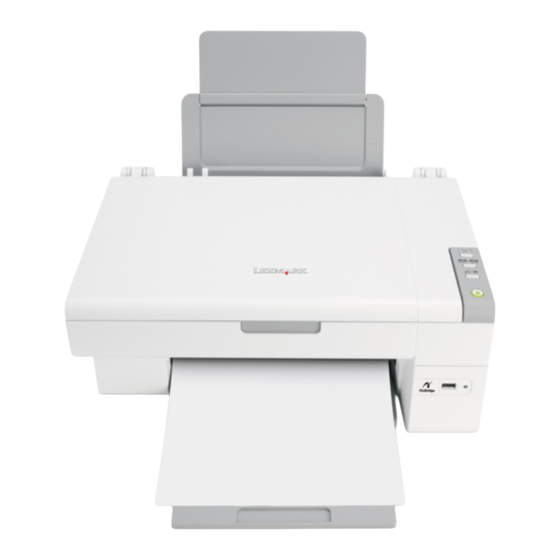
Lexmark 2400 Serie Introducción
Ocultar thumbs
Ver también para 2400 Serie:
- Guia del usuario (192 páginas) ,
- Manual del usuario (86 páginas) ,
- Manual de instrucciones (14 páginas)
Tabla de contenido
Idiomas disponibles
Idiomas disponibles
Enlaces rápidos
2400 Series
Getting Started
See the complete User's Guide on the CD for more
detailed information about the following tasks:
•
Setting up the printer
•
Learning about the printer
•
Loading paper and original documents
•
Printing
•
Working with photos
•
Copying
•
Scanning
•
Faxing
•
Networking the printer
•
Maintaining the printer
- Changing a print cartridge
- Ordering supplies
- Recycling Lexmark products
•
Troubleshooting
- Print, copy, scan, and fax troubleshooting
- Jams and misfeeds troubleshooting
- Error messages troubleshooting
•
Notices
Contents
Setup troubleshooting . . . . . . . . . . . . . . . . . . . . . . . . . . . . . . . . . . . . . . . . . . . . . . . . . .3
Removing and reinstalling the software . . . . . . . . . . . . . . . . 3
Checking the printer status . . . . . . . . . . . . . . . . . . . . . . . . . 3
Using the control panel . . . . . . . . . . . . . . . . . . . . . . . . . . . . . . . . . . . . . . . . . . . . . . . . . .4
Printing . . . . . . . . . . . . . . . . . . . . . . . . . . . . . . . . . . . . . . . . . . . . . . . . . . . . . . . . . . . . . . .4
Printing a document . . . . . . . . . . . . . . . . . . . . . . . . . . . . . . . 4
Printing other projects . . . . . . . . . . . . . . . . . . . . . . . . . . . . . 4
Copying . . . . . . . . . . . . . . . . . . . . . . . . . . . . . . . . . . . . . . . . . . . . . . . . . . . . . . . . . . . . . .4
Making a copy . . . . . . . . . . . . . . . . . . . . . . . . . . . . . . . . . . . 4
Scanning . . . . . . . . . . . . . . . . . . . . . . . . . . . . . . . . . . . . . . . . . . . . . . . . . . . . . . . . . . . . . .5
Scanning an item . . . . . . . . . . . . . . . . . . . . . . . . . . . . . . . . . 5
Working with photos . . . . . . . . . . . . . . . . . . . . . . . . . . . . . . . . . . . . . . . . . . . . . . . . . . . .5
Copying 4 x 6 photos . . . . . . . . . . . . . . . . . . . . . . . . . . . . . . 5
Using a PictBridge-enabled camera to print photos . . . . . . . 5
Understanding the software . . . . . . . . . . . . . . . . . . . . . . . . . . . . . . . . . . . . . . . . . . . . . .5
Using the Imaging Studio . . . . . . . . . . . . . . . . . . . . . . . . . . . 5
Using the All-In-One Center . . . . . . . . . . . . . . . . . . . . . . . . . 5
Using the Solution Center . . . . . . . . . . . . . . . . . . . . . . . . . . 6
Using Print Properties . . . . . . . . . . . . . . . . . . . . . . . . . . . . . 6
Using the Photo Editor . . . . . . . . . . . . . . . . . . . . . . . . . . . . . 6
Using the Web Toolbar . . . . . . . . . . . . . . . . . . . . . . . . . . . . 6
Print troubleshooting . . . . . . . . . . . . . . . . . . . . . . . . . . . . . . . . . . . . . . . . . . . . . . . . . . .6
Improving print quality . . . . . . . . . . . . . . . . . . . . . . . . . . . . . 7
US Statement of Limited Warranty . . . . . . . . . . . . . . . . . . . . . . . . . . . . . . . . . . . . . . . . .8
Canadian Statement of Limited Warranty . . . . . . . . . . . . . . . . . . . . . . . . . . . . . . . . . . .9
Aligning the print cartridge using the computer . . . . . . . . 7
Cleaning the print cartridge nozzles . . . . . . . . . . . . . . . . . 7
Wiping the print cartridge nozzles and contacts . . . . . . . 7
Capítulos
Tabla de contenido
Solución de problemas

Manuales relacionados para Lexmark 2400 Serie


Resumen de contenidos para Lexmark 2400 Serie
- Página 10 Solución de problemas de impresión ........14 – Reciclaje de productos Lexmark Mejora de la calidad de impresión .
-
Página 11: Solución De Problemas De Instalación
Mi PC. y que éste está instalado Haga doble clic en el icono Lexmark 2400 4 Haga doble clic en el icono de la correctamente. Series. unidad de CD-ROM. En caso Haga clic en Impresora y asegúrese de que... -
Página 12: Uso Del Panel De Control
Uso del panel de control Impresión Seleccione uno de los proyectos disponibles o haga clic en Ver más ideas de impresión. Siga las instrucciones que aparecen en la pantalla del equipo para finalizar el proyecto. Impresión de documentos Cargue papel. Copia Realización de copias Cargue papel. -
Página 13: Gestión De Fotografías
Programas o Todos los Estudio de imágenes. programas Lexmark Haga clic en Escanear. Puede conectar una cámara compatible con 2400 Series. PictBridge a la impresora y utilizar los botones de la 2 Seleccione Estudio de cámara para seleccionar e imprimir fotografías. -
Página 14: Solución De Problemas De Impresión
Solución de soluciones. • Manchas de problemas. una forma diferente. Utilice papel La barra de herramientas web de Lexmark se puede color negro fotográfico Premium de Lexmark si utilizar para imprimir versiones imprimibles de páginas • Rayas está imprimiendo fotografías o web. -
Página 15: Mejora De La Calidad De Impresión
• Utiliza el tipo de papel adecuado para el Haga clic en Mantenimiento. documento. Utilice papel fotográfico Premium de Lexmark si está imprimiendo fotografías Haga clic en Efectuar limpieza para eliminar o cualquier otro tipo de imágenes de alta bandas horizontales. -
Página 16: Declaración De Garantía Limitada
Lexmark más utilización por el usuario, y no para su venta, de Lexmark o un recuperar los daños que se hayan producido hasta el límite próximo, póngase en contacto con Lexmark en el número (800)