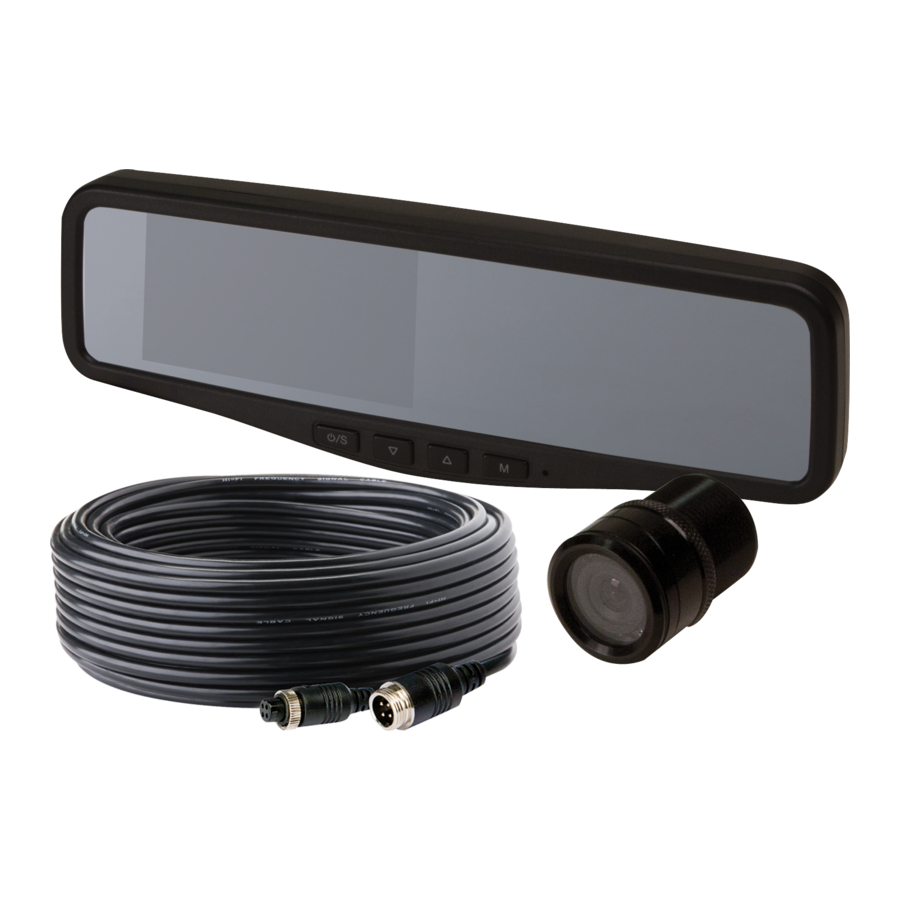
Ecco EC2015-C Manual Del Usario
Tabla de contenido
Idiomas disponibles
Idiomas disponibles
Enlaces rápidos
Introduction:
ECCO's Reversing Camera System is designed to provide visual cues to help drivers avoid collisions
when backing up. A driver using a properly installed and maintained rear view system can be alerted
to potential safety hazards and thus take the appropriate action to prevent an accident. This manual
provides information about installation, function, safety, maintenance, replacement parts, and warranty.
!
WARNING!
Failure to install or use this product according to manufacturer's recommendations may result in property
damage, serious bodily/personal injury, and/or death to you and those you are seeking to protect!
Do not install and/or operate this safety product unless you have read and understand the
safety information contained in this manual.
1. Proper installation combined with operator training in the use, care, and maintenance of vehicle camera systems
are essential to ensure the safety of you and those you are trying to protect.
2. Exercise caution when working with live electrical connections.
3. This product must be properly grounded. Inadequate grounding and/or shorting of electrical connections can cause high
current arcing, which can cause personal injury and/or severe vehicle damage, including fire.
4. Proper placement and installation are vital to the performance of this device. Install this product so that output
performance of the system is maximized and the controls are placed within convenient reach of the operator so that
s/he can operate the system without losing eye contact with the roadway.
5. It is the responsibility of the vehicle operator to ensure during use that all features of this product work correctly. In use,
the vehicle operator should ensure the projection of the signal is not blocked by vehicle components (i.e., open
trunks or compartment doors), people, vehicles, or other obstructions.
!
WARNING!
1. High voltage is present within the monitor. The opening of the case should be by professionals.
2. Do not watch the video while driving unless you are monitoring the rear view camera display.
IMPORTANT!
Occasionally, a few highlights or dark spots may occur on the LCD screen. This is a very
common phenomenon in active matrix display technology, and doesn't necessarily indicate any defects or
faults. Never try to repair this device by yourself. In case of any problems, please turn off the display at once
and notify our company or authorized dealer. The monitor is a complex device. Any disassembly or modification
may lead to damage and void the warranty.
IMPORTANT!
The pedestal bracket ball joints can be tight when the system is new. These should be checked
before the camera is mounted to the windshield. Both ball joints should be firm but moveable by hand with
moderate effort. If necessary, lubricate each ball joint with silicone spray and work it in before installation. If
the mirror is adjusted and the ball joints are too tight, the windshield could crack.
Installation Instructions
Reversing Camera/Monitor System
Page 1 of 6
Tabla de contenido

Manuales relacionados para Ecco EC2015-C


Resumen de contenidos para Ecco EC2015-C
-
Página 7: Introducción
Sistema de Monitor/Cámara de Reversa Introducción: El sistema de cámara de reversa ECCO está diseñado para brindar indicaciones visuales para que los conductores eviten los choques al retroceder con su vehículo. Un conductor que utiliza y mantiene el sistema de cámara retrovisora de manera adecuada puede recibir una alerta cuando existe un riesgo potencial de seguridad y, de este modo, tomar la decisión... - Página 8 CÁMARA EC2015-C-Montaje empo- MONITOR EC4204-M - ESPEJO RV 4,3” trado Imagen 4,3” LCD de Color, 4:3 Imagen Color CMOS Controlador 2 cámaras internas NTSC: 580*540 Voltaje 12-24 V PAL: 580*492 Consumo de energía Demanda de voltaje 12 V +/-1 V Imagen por espejo Consumo de energía...
-
Página 9: Identificación De Partes
Accesorios: 1. Cable AV y de alimentación eléctrica. 2. Soporte de montaje central. Identificación de partes: Pantalla color LCD Color LCD Screen Presionar para mostrar el menú o para seleccionar Press to show menus or to Mantenga presionado 3S por Long press 3S to turn on/o la configuración más baja select the lower setting... - Página 10 Menú: Presione MENÚ para visualizar las siguientes opciones y configuraciones: 1. Imagen 2. Opción Imagen: Las opciones de BRILLO, CONTRASTE, COLOR, OSCURECIMIENTO AUTOMÁTICO y AJUSTE DE ESCALA se mostrarán en la pantalla, como se muestra a continuación: • Presione M para seleccionar BRILLO PICTURE BRIGHT CONTRAST...
-
Página 11: Causas/Soluciones Posibles
La cámara no está instalada en forma pralela al piso o la Ajuste la abrazadera de ensamblaje de la cámara se encuentra girada en su ubicación de ensamb- cámara. Si la cámara es una EC2015-C, laje asegúrese que el autoadhesivo de la flecha roja esté... -
Página 12: Garantía Limitada Del Fabricante Y Limitación De La Responsabilidad
Garantía limitada del fabricante y limitación de la responsabilidad: El fabricante garantiza que, en la fecha de compra, este producto cumple con las especificaciones del fabricante para este producto (disponibles a solicitud del cliente). El fabricante también garantiza que este producto no posee ningún defecto en sus materiales o fabricación.