Manual de Moza TSW
Contenido
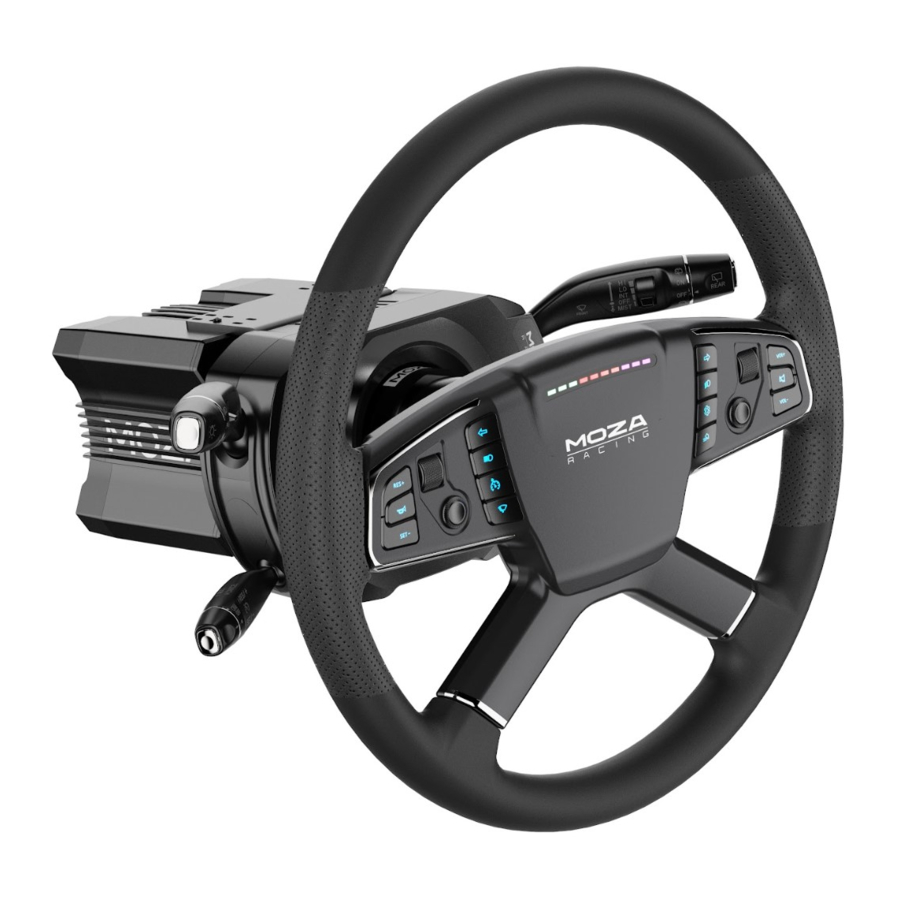
Instalación
Método A:

- Alinee los seis rodamientos de bolas en el sistema de liberación rápida del volante con las seis muescas en el soporte de liberación rápida de la base.
- Presione el sistema de liberación rápida sobre el soporte de la base, manteniendo los rodamientos y las muescas alineados.
- El sistema de liberación rápida se bloqueará automáticamente en su lugar. Si no lo hace, retírelo, vuelva a comprobar la alineación e inténtelo de nuevo.
- Para retirar el volante, apriete con ambas manos la parte negra de liberación rápida con el logotipo de MOZA hacia el volante y tire del volante al mismo tiempo.
Método B:

- Gire la base de la rueda hasta que localice la flecha directamente encima de la base.
- Centre el volante y fíjelo a la base de la rueda.
- Para retirar el volante, utilice ambas manos para apretar la parte negra de liberación rápida con el logotipo de MOZA hacia el volante y tire del volante al mismo tiempo.
Configuración del volante
Puede configurar el volante TSW de forma rápida y sencilla en el software MOZA Pit House.

- Joystick mode: Push buttons or D-pad.
- RPM indicator switch modes: Choice of three modes – RPM, off and constant.
- Indicator modes: There are two modes, Mode 1 and Mode 2, both are explained in detail when the mouse is hovered over the corresponding option.
- RPM indicator timing: Choose between early, normal, late or custom to fully match in-game RPM timing.
- RPM modes: It supports two modes – percentage and rev speed. In percentage mode, the shift indicator light activates when the RPM reaches a specified percentage of the maximum RPM setting. In rev speed mode, the shift indicator light activates when the RPM reaches a predetermined absolute value.
- Brightness: Adjust the brightness of the RPM/shift LEDs.
- Button combinations: Click on the button combination description tab in the upper right corner of the steering wheel page to show a list of button input numbers and programming input combinations.
- RPM light colour: When hovering the mouse over the RPM light, a colour palette will appear for changing the colours. Simply click on a preferred colour to set the indicator light colour. Alternatively, clicking the coloured icons on the palette opens the RGB colour editor for additional colour options.
- Change button colours: When hovering the mouse over the buttons on the steering wheel image, a colour palette will appear for changing the colours. Simply click on a preferred colour to set the button light. Alternatively, clicking the coloured icons on the palette opens the RGB colour editor for additional colour options.
Parámetros
| Size | 400 mm |
| Wheel rim material | Aluminio |
| Short-travel backlit buttons | 14 |
| Thumb encoders | 2 |
| 4-way switch | 2 |
| High brightness RGB LEDs | 10 |
| LED colours | Múltiples colores personalizables |
| Intelligent telemetry | Compatible |
| RPM LEDs fully adjustable through MOZA Pit House | Compatible |
| Release method | Sistema de liberación rápida totalmente de aluminio |
| Communication method | Inalámbrica y por cable |
| Compatibility | Compatible will all MOZA bases; works with 3rd party bases via the MOZA Hub |
✉ www.alza.co.uk/kontakt
✆ +44 (0)203 514 4411
Importador
Alza.cz a.s., Jankovcova 1522/53, Holešovice, 170 00 Praha 7, www.alza.cz
Referencias

Descargar el manual
Aquí puede descargar la versión PDF completa del manual. Puede contener instrucciones de seguridad adicionales, información de garantía, reglas de la FCC, etc.


