SOUNDPEATS Free2 Classic FAQ
-
1
FAQ BLUETOOTH
- 1.1 How to pair SoundPEATS Free2 classic? (¿Cómo emparejar los SoundPEATS Free2 classic?)
- 1.2 How to reset SOUNDPEATS Free2 classic? (¿Cómo resetear los SOUNDPEATS Free2 classic?)
- 1.3 Why is the Bluetooth connection unstable sometimes? (¿Por qué la conexión Bluetooth es inestable a veces?)
- 1.4 What can I do if the earbuds stopped connecting to my device? (¿Qué puedo hacer si los auriculares dejaron de conectarse a mi dispositivo?)
- 1.5 What can I do if the left earbud and the right earbud won't work together? (¿Qué puedo hacer si el auricular izquierdo y el auricular derecho no funcionan juntos?)
- 1.6 What can I do if the earbuds connect to my phone, but not my Mac-book/computer? (¿Qué puedo hacer si los auriculares se conectan a mi teléfono, pero no a mi Mac-book/ordenador?)
-
2
FAQ SOUND (Preguntas frecuentes sobre el sonido)
- 2.1 Why does the volume of the earbuds reduce after using a period of time? (¿Por qué el volumen de los auriculares se reduce después de usarlos durante un período de tiempo?)
- 2.2 What can I do if one earbud is quieter than the the other? (¿Qué puedo hacer si un auricular es más silencioso que el otro?)
-
3
FAQ CHARGING (Preguntas frecuentes sobre la carga)
- 3.1 What does the charging LED tell while charging the case? (¿Qué indica el LED de carga mientras se carga el estuche?)
- 3.2 How to charge the charging case? (¿Cómo cargar el estuche de carga?)
- 3.3 What should I do if the charging case won't charge? (¿Qué debo hacer si el estuche de carga no se carga?)
- 4 What can I do if any earbud stopped charging? (¿Qué puedo hacer si algún auricular dejó de cargarse?)
- 5 FAQ TOUCH CONTROL (Preguntas frecuentes sobre el control táctil)
- 6 FAQ CUSTOMER SERVICE TEAM (Preguntas frecuentes del equipo de atención al cliente)
- 7 Descargar el manual
- 8 En otros idiomas
FAQ BLUETOOTH
How to pair SoundPEATS Free2 classic? (¿Cómo emparejar los SoundPEATS Free2 classic?)
- Open the charging case lid, and take both earbuds. Two earbuds wilturn on and enter paring mode. (Abra la tapa del estuche de carga y saque ambos auriculares. Los dos auriculares se encenderán y entrarán en modo de emparejamiento.)
- When the earbuds pair successfully, the red and white lights on the main earbud wilflash alternately, the white light on the secondary earbud wilstay on. Now you can connect the earbuds to your device. (Cuando los auriculares se emparejen correctamente, las luces rojas y blancas del auricular principal parpadearán alternativamente, la luz blanca del auricular secundario permanecerá encendida. Ahora puede conectar los auriculares a su dispositivo.)
- Activate Bluetooth on your device and choose "Free2 classic" to connect. (Active Bluetooth en su dispositivo y elija "Free2 classic" para conectarse.)
How to reset SOUNDPEATS Free2 classic? (¿Cómo resetear los SOUNDPEATS Free2 classic?)
Try the following steps if you faibuilding connection between two earbuds, or between earbuds and device: (Pruebe los siguientes pasos si falla la conexión entre dos auriculares, o entre los auriculares y el dispositivo:)
- Open the case lid, make sure both earbuds are charging(the red lights on earbuds stay on). (Abra la tapa del estuche, asegúrese de que ambos auriculares se estén cargando (las luces rojas de los auriculares permanecen encendidas).)
- Press and hold the MFBs on both earbuds for 10s untithe red and white lights flash twice alternately, reset complete. (Mantenga presionados los MFB en ambos auriculares durante 10 segundos hasta que las luces rojas y blancas parpadeen dos veces alternativamente, reinicio completo.)
Why is the Bluetooth connection unstable sometimes? (¿Por qué la conexión Bluetooth es inestable a veces?)
| Reasons (Razones) | Workarounds (Soluciones) | |
| Case 1 (Caso 1) | When using the earbuds close to personacomputers, Wi-Fi routers, microwave ovens, refrigerators, etc. Refrigerators, microwave ovens, Wi-Fi routers, personacomputers, etc. are devices that emit radio waves. The earbuds may be affected by these radio waves when using them in a location with a mixture of multiple radio waves. (Cuando use los auriculares cerca de ordenadores personales, routers Wi-Fi, hornos microondas, refrigeradores, etc. Los refrigeradores, hornos microondas, routers Wi-Fi, ordenadores personales, etc. son dispositivos que emiten ondas de radio. Los auriculares pueden verse afectados por estas ondas de radio cuando se utilizan en un lugar con una mezcla de múltiples ondas de radio.) | Please use the earbuds away from Wi-Fi routers, personacomputers, microwave ovens, refrigerators, etc. in order to avoid radio wave interference. (Utilice los auriculares lejos de routers Wi-Fi, ordenadores personales, hornos microondas, refrigeradores, etc. para evitar la interferencia de ondas de radio.) |
| Case 2 (Caso 2) | When using the Bluetooth device in the pocket of the chest or pants, or a bag while listening to the audio. If the engine ear is diagonato the Bluetooth device, it wilaffect the Bluetooth signal. As human body is the biggest source of signablocking. (Cuando utilice el dispositivo Bluetooth en el bolsillo del pecho o los pantalones, o en una bolsa mientras escucha el audio. Si el oído del motor está en diagonal al dispositivo Bluetooth, afectará la señal de Bluetooth. Como el cuerpo humano es la mayor fuente de bloqueo de señal.) | When put the Bluetooth device in a pocket or bag, move the Bluetooth device to a place where there are no obstacles between Bluetooth device and earbuds (such as the human body) for Bluetooth communication. (Cuando coloque el dispositivo Bluetooth en un bolsillo o bolsa, mueva el dispositivo Bluetooth a un lugar donde no haya obstáculos entre el dispositivo Bluetooth y los auriculares (como el cuerpo humano) para la comunicación Bluetooth.) |
| Case 3 (Caso 3) |
When using the earbuds closes to the other Bluetooth devices. (Cuando utilice los auriculares cerca de otros dispositivos Bluetooth.) The earbuds may be affected by these radio waves when using them in a location with a mixture of multiple radio waves. (Los auriculares pueden verse afectados por estas ondas de radio cuando se utilizan en un lugar con una mezcla de múltiples ondas de radio.) |
Turn off the Bluetooth function of the other Bluetooth devices. (Desactive la función Bluetooth de los otros dispositivos Bluetooth.) |
| Case 4 (Caso 4) |
When using the device away from the earbuds, such as in a different room. (Cuando utilice el dispositivo lejos de los auriculares, como en una habitación diferente.) Bluetooth communication gradually becomes weaker the further away Bluetooth earbuds are placed from a Bluetooth player. When using Bluetooth earbuds and a Bluetooth player in different rooms with the doors closed, Bluetooth communication may be weak. (La comunicación Bluetooth se debilita gradualmente cuanto más lejos se colocan los auriculares Bluetooth de un reproductor Bluetooth. Cuando se utilizan auriculares Bluetooth y un reproductor Bluetooth en diferentes habitaciones con las puertas cerradas, la comunicación Bluetooth puede ser débil.) |
Keep the Bluetooth earbuds as close to the Bluetooth player as possible. (Mantenga los auriculares Bluetooth lo más cerca posible del reproductor Bluetooth.) |
| Case 5 (Caso 5) | When a lot of applications are running at the same time when use the Bluetooth function. (Cuando muchas aplicaciones se están ejecutando al mismo tiempo cuando se utiliza la función Bluetooth.) | Quit apps which you are not using on the device to reduce the load. (Cierre las aplicaciones que no esté utilizando en el dispositivo para reducir la carga.) |
What can I do if the earbuds stopped connecting to my device? (¿Qué puedo hacer si los auriculares dejaron de conectarse a mi dispositivo?)
- Clear the pairing record between the earbuds and all of the previous devices. (Borre el registro de emparejamiento entre los auriculares y todos los dispositivos anteriores.)
- Try to clear some Bluetooth listings on your device and restart the device. (Intente borrar algunas listas de Bluetooth en su dispositivo y reinicie el dispositivo.)
- Put the earbuds into the charging case to reset. (Coloque los auriculares en el estuche de carga para restablecerlos.)
- Take the earbuds out of the charging case and leave some time for them to pair with each other. Then please open the Bluetooth of your device to connect. (Saque los auriculares del estuche de carga y espere un tiempo para que se emparejen entre sí. Luego, abra el Bluetooth de su dispositivo para conectarse.)
What can I do if the left earbud and the right earbud won't work together? (¿Qué puedo hacer si el auricular izquierdo y el auricular derecho no funcionan juntos?)
- Please use a bit of light sandpaper or microfiber cloth with a bit of rubbing alcohoto clean the charging connectors to ensure the earbuds charge well. (Utilice un poco de papel de lija ligero o un paño de microfibra con un poco de alcohol para limpiar los conectores de carga para asegurarse de que los auriculares se carguen bien.)
- Put them into the charging case to reset. (Colóquelos en el estuche de carga para reiniciarlos.)
What can I do if the earbuds connect to my phone, but not my Mac-book/computer? (¿Qué puedo hacer si los auriculares se conectan a mi teléfono, pero no a mi Mac-book/ordenador?)
- UNPAIR the earbuds from the phone, then the earbuds will lose Bluetooth connection to the phone and enter into pairing mode. (DESEMPAREJE los auriculares del teléfono, entonces los auriculares perderán la conexión Bluetooth con el teléfono y entrarán en modo de emparejamiento.)
- Put the earbuds into the charging case to reset. (Coloque los auriculares en el estuche de carga para restablecerlos.)
- Take them out of the case, then open the Bluetooth of your Mac-book/computer to connect. (Sáquelos del estuche, luego abra el Bluetooth de su Mac-book/ordenador para conectarse.)
- If those do not help, you may need to update your computer's Bluetooth driver. There is no driver for the earbuds. Bluetooth driver must come from the specific manufacturer for your exact computer model. Download and install the appropriate Bluetooth driver from the computer vendor's website, then restart your system before attempting to pair and connect to your SoundPEATS earbuds. (Si eso no ayuda, es posible que deba actualizar el controlador Bluetooth de su ordenador. No hay ningún controlador para los auriculares. El controlador Bluetooth debe provenir del fabricante específico para su modelo de ordenador exacto. Descargue e instale el controlador Bluetooth apropiado del sitio web del proveedor del ordenador, luego reinicie su sistema antes de intentar emparejar y conectarse a sus auriculares SoundPEATS.)
FAQ SOUND (Preguntas frecuentes sobre el sonido)
Why does the volume of the earbuds reduce after using a period of time? (¿Por qué el volumen de los auriculares se reduce después de usarlos durante un período de tiempo?)
It may be caused by the sound hole being blocked by foreign objects. Please try to gently clean off the screen with a little alcohol to avoid dust or secretions blocking. (Puede ser causado por el agujero de sonido bloqueado por objetos extraños. Intente limpiar suavemente la pantalla con un poco de alcohol para evitar que el polvo o las secreciones lo bloqueen.)
What can I do if one earbud is quieter than the the other? (¿Qué puedo hacer si un auricular es más silencioso que el otro?)
- Please try to gently clean off the screen with a little alcohol to avoid dust or secretions blocking. (Intente limpiar suavemente la pantalla con un poco de alcohol para evitar que el polvo o las secreciones lo bloqueen.)
- Please change other songs or videos. For some songs and videos, the sound effect is unstable. (Cambie otras canciones o vídeos. Para algunas canciones y vídeos, el efecto de sonido es inestable.)
- Please change other devices. (Cambie otros dispositivos.)
You can try this way: (Puede probar de esta manera:)
- UNPAIR and delete from your original device (DESEMPAREJAR y eliminar de su dispositivo original)
- Pair to a new device and play music (Emparejar a un nuevo dispositivo y reproducir música)
- UNPAIR and delete from this new device - Pair back with original device (DESEMPAREJAR y eliminar de este nuevo dispositivo - Emparejar de nuevo con el dispositivo original)
- Try to reset the earbuds. (Intente restablecer los auriculares.)
Why the other side could not hear me when calling? (¿Por qué la otra parte no me escucha cuando llamo?)
- Please choose to pick up phone calls via the earbuds. (Elija contestar las llamadas telefónicas a través de los auriculares.)
- Please do not mute the phone calls. (No silencie las llamadas telefónicas.)
- Please clean the mic holes to avoid dust or secretions blocking. (Limpie los orificios del micrófono para evitar que el polvo o las secreciones los bloqueen.)
- Please kindly adjust the volume through the earbuds and devices. (Ajuste amablemente el volumen a través de los auriculares y dispositivos.)
- If you are using the earbuds with an Android phone, please check the settings to see if you have allowed both phone audio and media audio to be transmitted through the earbuds. (Si está utilizando los auriculares con un teléfono Android, verifique la configuración para ver si ha permitido que tanto el audio del teléfono como el audio de los medios se transmitan a través de los auriculares.)
- Please change other devices to have a try. (Cambie otros dispositivos para intentarlo.)
FAQ CHARGING (Preguntas frecuentes sobre la carga)
What does the charging LED tell while charging the case? (¿Qué indica el LED de carga mientras se carga el estuche?)
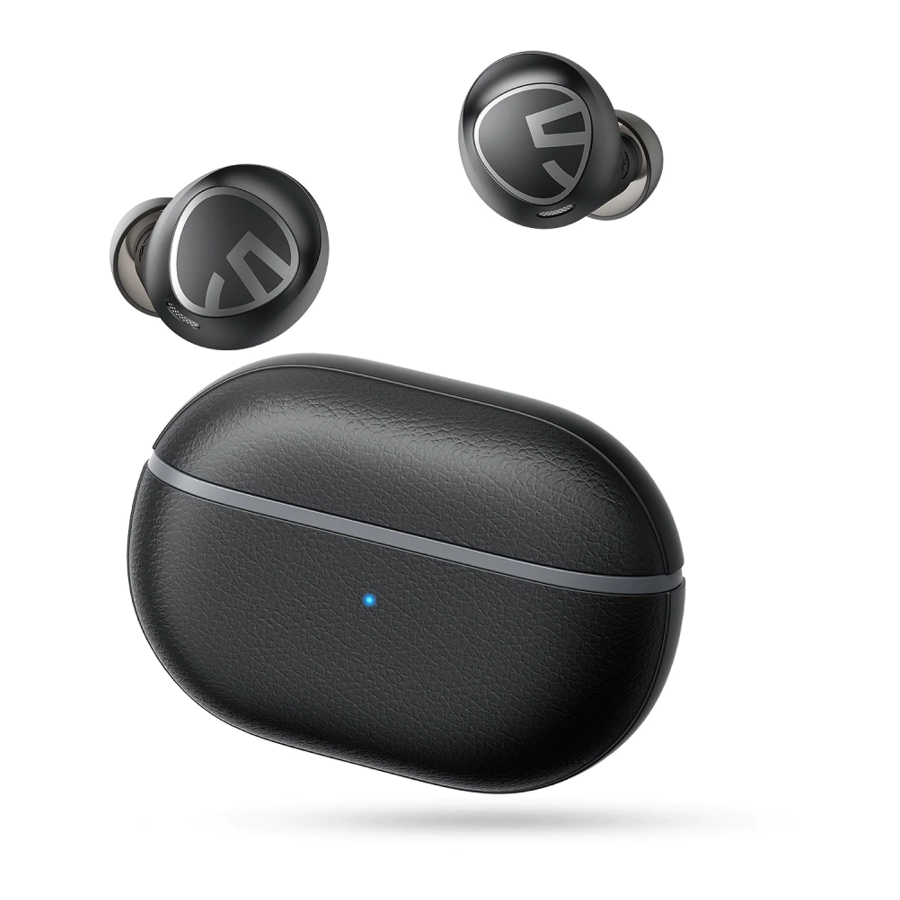
When charging the case, the indicator light shows: (Al cargar el estuche, la luz indicadora muestra:)
- Charging: blue light flashes (Cargando: la luz azul parpadea)
- Fully charged: blue lights stay on. (Completamente cargado: las luces azules permanecen encendidas.)
How to charge the charging case? (¿Cómo cargar el estuche de carga?)
- Use a Type-C adapter to charge the case(current no more than 1A) (Utilice un adaptador Tipo-C para cargar el estuche (corriente no superior a 1A))
- Please charge the earbuds and charging cases at least once per 3 months when not in use for a long time. (Cargue los auriculares y los estuches de carga al menos una vez cada 3 meses cuando no estén en uso durante un largo período de tiempo.)
What should I do if the charging case won't charge? (¿Qué debo hacer si el estuche de carga no se carga?)
Please try to use another known working charging cable to charge the charging case for more than 10 hours through your computer. Compared to other electronics, the headphones are low power products. Hence for charging safety, please do not use fast charger. (Intente utilizar otro cable de carga que se sepa que funciona para cargar el estuche de carga durante más de 10 horas a través de su ordenador. En comparación con otros productos electrónicos, los auriculares son productos de baja potencia. Por lo tanto, por seguridad de la carga, no utilice un cargador rápido.)
What can I do if any earbud stopped charging? (¿Qué puedo hacer si algún auricular dejó de cargarse?)
It is possible that your battery is completely empty, and it needs a bit of time to activate itself. There might not be any sign of activity during the first minutes of charging. (Es posible que su batería esté completamente vacía y necesite un poco de tiempo para activarse. Es posible que no haya ninguna señal de actividad durante los primeros minutos de carga.)
First, confirm if your symptom is resolved after charging your device for more than 5 minutes. (Primero, confirme si su síntoma se resuelve después de cargar su dispositivo durante más de 5 minutos.)
If the LED indicator on the earbud stays off, please use some microfiber cloth with a bit of rubbing alcohol to clean the charging connectors and try to adjust the earbuds to ensure the led light is on, then make sure to try and fully charge the earbud. This may take several hours. (Si el indicador LED del auricular permanece apagado, utilice un paño de microfibra con un poco de alcohol para limpiar los conectores de carga e intente ajustar los auriculares para asegurarse de que la luz LED esté encendida, luego asegúrese de intentar cargar completamente el auricular. Esto puede llevar varias horas.)
Warm tip: Please be careful not to press the earbud too hard in the charging case, so as not to damage the copper pillars in the charging case. (Consejo cálido: Tenga cuidado de no presionar demasiado el auricular en el estuche de carga, para no dañar los pilares de cobre en el estuche de carga.)
Why are the earbuds still connecting to my phone after placing them back and close the case lid? (¿Por qué los auriculares todavía se conectan a mi teléfono después de volver a colocarlos y cerrar la tapa del estuche?)
- The charging case has no remaining power. Placing the earbuds back into the charging case can't turn them off if the case battery is dead. (El estuche de carga no tiene energía restante. Volver a colocar los auriculares en el estuche de carga no puede apagarlos si la batería del estuche está agotada.)
- Please make sure the earbuds are correctly placed in the charging case, and make sure the charging contacts are clean. Please try to clean the places between the charging case and the earbuds with something like a microfiber cloth. (Asegúrese de que los auriculares estén colocados correctamente en el estuche de carga y de que los contactos de carga estén limpios. Intente limpiar los lugares entre el estuche de carga y los auriculares con algo como un paño de microfibra.)
FAQ TOUCH CONTROL (Preguntas frecuentes sobre el control táctil)
What can I do if the touch controls do not work always? (¿Qué puedo hacer si los controles táctiles no siempre funcionan?)
- Please touch the middle of the control zone. And when your hand is wet, the touch control may not work, please keep your hand dry. (Toque el centro de la zona de control. Y cuando su mano esté mojada, el control táctil puede no funcionar, mantenga su mano seca.)
- Please try to skip the songs more times, you will find the best frequency to control the earbuds. When you don't find the frequency you may think the earbuds don't work, please give it some patient. (Intente omitir las canciones más veces, encontrará la mejor frecuencia para controlar los auriculares. Cuando no encuentre la frecuencia, puede pensar que los auriculares no funcionan, tenga paciencia.)
- Another way for you to have a try: discharge the earbuds, then charge and reset. (Otra forma de intentarlo: descargue los auriculares, luego cárguelos y reinícielos.)
FAQ CUSTOMER SERVICE TEAM (Preguntas frecuentes del equipo de atención al cliente)
What should I do if the problem about the earbuds is not mentioned in this FAQ? (¿Qué debo hacer si el problema con los auriculares no se menciona en estas preguntas frecuentes?)
If there is no solution for your problem in this FAQ, please feel free to contact our Customer Service Team and we will provide you a solution as soon as possible. If we confirm that the problem couldn't be solved, we will apply the replacement or refund for you. SoundPEATS provides an 12-month warranty for every product. Your satisfaction is always greatly important to us. (Si no hay una solución para su problema en estas preguntas frecuentes, no dude en ponerse en contacto con nuestro equipo de atención al cliente y le proporcionaremos una solución lo antes posible. Si confirmamos que el problema no se puede resolver, aplicaremos el reemplazo o el reembolso por usted. SoundPEATS ofrece una garantía de 12 meses para cada producto. Su satisfacción es siempre muy importante para nosotros.)
Descargar el manual
Aquí puede descargar la versión PDF completa del manual. Puede contener instrucciones de seguridad adicionales, información de garantía, reglas de la FCC, etc.
Descargar SOUNDPEATS Free2 Classic FAQ


