Yamaha BD-S1065 Manuales
Manuales y guías de usuario para Yamaha BD-S1065. Tenemos 2 Yamaha BD-S1065 manuales disponible para descarga gratuita en PDF: Manual De Instrucciones

Yamaha BD-S1065 Manual De Instrucciones (328 páginas)
Marca: Yamaha
|
Categoría: Reproductores de Blu-Ray
| Tamaño: 9 MB
Tabla de contenido
-
English
5-
Mains Plug2
-
Tabla de Contenido5
-
1 Introduction
6 -
About Discs
6-
Types of Discs that Can be Used with this Player6
-
Discs that Cannot be Used with this Player7
-
About the JPEG File Format7
-
Disc Precautions8
-
-
Getting Started
9-
Supplied Accessories9
-
The Icons Used in this Operation Manual9
-
Copyright9
-
-
Controls and Functions
10-
Front Panel10
-
Rear Panel10
-
Remote Control11
-
-
2 Connection
12 -
Introduction to Connections
12-
Video/Audio Terminal on this Player12
-
Video Jacks on this Player (Connect 1, 2, or 3)12
-
Audio Terminals/Jacks on this Player (Connect 1, 2, or 3)12
-
Connecting to the HDMI Terminal13
-
HDMI Connection13
-
Connecting to the Component Jacks14
-
Video Connections14
-
Connecting to the S Video or Video Jack15
-
Audio Connections16
-
Connecting to the Audio Jacks17
-
-
Broadband Internet Connection18
-
Connecting to the NETWORK Terminal and USB BD STORAGE/SERVICE Terminal18
-
-
Other Connections
19-
Connecting to the REMOTE CONTROL Jacks19
-
Connecting the Power Cable19
-
-
3 Disc Playback
20 -
Before Starting Playback
20-
Loading the Batteries in the Remote Control20
-
Turning the Power on20
-
Indicators on the Front Panel Display20
-
Setting the On-Screen Display Language21
-
Updating the Software of this Unit21
-
Setting the Audio Output22
-
Preparing for BD-LIVE22
-
Activating the Secondary Audio22
-
-
BD/DVD/CD Playback
24-
Loading a Disc24
-
Basic Playback Operation24
-
Repeat Playback25
-
Using BD/DVD Menus26
-
Using DVD-R/-RW Menu26
-
Playback by Selecting a Title26
-
Using the Audio CD Playback Menu27
-
Playback by Selecting a Track28
-
Enjoying BONUSVIEW or BD-LIVE28
-
Function Control Screen29
-
Function Control Operation Procedure30
-
Functions Which Can be Set30
-
-
Displaying the Disc Information31
-
-
JPEG File Playback
32-
Playing Back Still Images in Sequence32
-
Playing Back Still Images in a Selected Folder32
-
Playing Back Slide Show32
-
Setting Slide Show Speed/Repeat Playback32
-
-
4 Settings
33-
Common Operations33
-
Audio Video Settings34
-
Dynamic Range Control36
-
Speaker Settings36
-
Quick Start37
-
Auto Power off37
-
HDMI Control37
-
Playback Setting37
-
Version38
-
System Reset38
-
Communication Setup38
-
The Operation Procedure for Inputting Characters Manually39
-
USB Memory Management40
-
Software Update41
-
Country Code List42
-
Language Code List42
-
About the Audio Output Formats42
-
-
-
5 Additional Information
43 -
Troubleshooting
43-
Power43
-
Basic Operation43
-
Disc Playback43
-
Picture43
-
Sound44
-
Network44
-
Other45
-
Messages Relating to BD Disc and DVD Disc45
-
To Reset this Player45
-
Keylock Function45
-
-
-
Glossary
46 -
Specifications
47-
General47
-
Audio Performance47
-
Input/Output47
-
-
-
Français
49-
Disques
50-
Types de Disque Pouvant Être Lus Sur Ce Lecteur50
-
Disques Incompatibles Avec Ce Lecteur51
-
Précautions D'emploi pour les Disques52
-
-
1 Introduction
50 -
Pour Commencer
53-
Accessoires Fournis53
-
ICônes Utilisées Dans Ce Mode D'emploi53
-
Droits D'auteur53
-
-
Commandes et Fonctions
54-
Boîtier de Télécommande55
-
-
Présentation des Raccordements
56-
Prise Audio/VIDéo du Lecteur56
-
Prises VIDéo du Lecteur (Effectuez la Connexion à 1, 2 ou 3)56
-
Prises/Connecteurs Audio du Lecteur (Effectuez la Connexion à 1, 2 ou 3)56
-
Connexion Internet Haut Débit56
-
Connexion pour Périphérique USB56
-
-
2 Raccordements
56 -
Connexion HDMI
57-
Raccordement à la Prise HDMI57
-
-
Raccordements VIDéo
58-
Raccordement aux Connecteurs VIDéo Composantes58
-
Raccordement au Connecteur S VIDEO ou VIDEO59
-
-
Raccordements Audio
60-
Raccordement à un Connecteur Audio Numérique60
-
Raccordement aux Connecteurs Audio61
-
-
Connexion Internet Haut Débit
62-
Raccordement à la Prise NETWORK et à la Prise USB BD STORAGE/SERVICE62
-
-
Autres Connexions
63-
Raccordement aux Connecteurs63
-
Remote Control63
-
Raccordement du Câble D'alimentation63
-
-
Avant de Commencer la Lecture
64-
Insertion des Piles Dans la Télécommande64
-
Mise Sous Tension64
-
Témoins Sur L'afficheur de la Face Avant64
-
Réglage de la Langue de L'affichage à L'écran65
-
Mise à Jour du Logiciel de L'appareil65
-
Réglage de la Sortie Audio66
-
Préparatifs pour la Fonction BD-LIVE66
-
Activation du Son Secondaire66
-
Contrôle du Lecteur Blu-Ray Via la Fonction de Commande HDMI66
-
-
3 Lecture de Disques
64 -
Lecture de Disques BD, DVD et CD
68-
Chargement D'un Disque68
-
Opérations Élémentaires de Lecture68
-
Lecture en Boucle69
-
Utilisation des Menus BD/DVD70
-
Utilisation du Menu DVD-R/-RW70
-
Utilisation du Menu de Lecture de CD Audio71
-
Lecture en Sélectionnant une Plage72
-
Fonctions BONUSVIEW ou BD-LIVE72
-
Écran de Commande des Fonctions73
-
Comment Utiliser la Commande des Fonctions74
-
Fonctions Réglables74
-
-
Affichage des Informations Sur le Disque75
-
-
Lecture des Fichiers JPEG
76-
Lecture des Images Fixes en Ordre76
-
Lecture des Images Fixes Dans un Dossier Sélectionné76
-
Lecture du Diaporama76
-
Boucle76
-
-
4 Réglages
77-
Opérations Courantes77
-
Réglages Audio VIDéo78
-
Sélection de la Sortie VIDéo79
-
Sortie Audio79
-
-
Réglages D'enceintes80
-
Démarrage Rapide81
-
Extinction Auto81
-
Control HDMI81
-
Réglages de Lecture81
-
Version82
-
Réinitialisation Sys82
-
Réglage de Communication82
-
Marche à Suivre pour Saisir Manuellement des Caractères83
-
Gestion Clé USB84
-
Mise à Jour du Logiciel85
-
Liste des Codes de Pays86
-
Liste des Codes de Langue86
-
-
-
Guide de Dépannage
87-
Alimentation87
-
Opérations de Base87
-
Lecture de Disque87
-
Image87
-
Son88
-
Réseau88
-
Autre89
-
Messages Relatifs aux Disques BD et DVD89
-
Fonction de Verrouillage des Touches89
-
-
5 Informations Complémentaires
87 -
Glossaire
90 -
Caractéristiques Techniques
91-
Généralités91
-
Performances Audio91
-
Entrée/Sortie91
-
-
-
Deutsch
93-
Über Disks
94-
Mit diesem Player Verwendbare Disktypen94
-
Mit diesem Player nicht Verwendbare Disks95
-
Vorsichtsmaßnahmen für Disks96
-
-
1 Einleitung
94 -
Erste Schritte
97-
Mitgeliefertes Zubehör97
-
In dieser Bedienungsanleitung Verwendete Symbole97
-
Urheberrecht97
-
-
Bedienungselemente und Deren Funktion
98-
Vorderseite98
-
Rückseite98
-
Fernbedienung99
-
-
Einführung zu den Anschlüssen
100-
Video/Audio-Buchsen an diesem Player100
-
Video-Buchsen an diesem Player100
-
Audio-Buchsen an diesem Player100
-
Breitband-Internetanschluss100
-
USB-Anschluss100
-
-
2 Anschlüsse
100 -
HDMI-Anschluss
101-
Anschluss an HDMI-Buchse101
-
-
Videoanschlüsse
102-
Anschluss an Component-Buchsen102
-
Anschluss an S-Video- oder Video-Buchse103
-
-
Audio-Anschlüsse
104-
Anschluss an Digitale Audiobuchse104
-
Anschluss an Audiobuchsen105
-
-
Breitband-Internetanschluss
106-
Anschluss an NETWORK-Buchse und USB BD STORAGE/SERVICE-Buchse106
-
-
Weitere Anschlüsse
107-
Anschluss an REMOTE CONTROL-Buchsen107
-
Netzkabel Anschließen107
-
-
Vor dem Starten der Wiedergabe
108-
Batterien in die Fernbedienung Einlegen108
-
Einschalten108
-
Frontdisplay-Anzeigen108
-
Bildschirm-Menüsprache Ändern109
-
Software dieses Geräts Aktualisieren109
-
Audioausgang Einstellen110
-
Vorbereitungen für BD-LIVE110
-
Zweitton Aktivieren110
-
-
3 Disk-Wiedergabe
108 -
BD/DVD/CD-Wiedergabe
112-
Disk Einlegen112
-
Grundlegende Bedienung für Wiedergabe112
-
Wiederholbetrieb113
-
BD/DVD-Menüs Benutzen114
-
DVD-R/-RW-Menü Benutzen114
-
Wiedergabe durch Wählen eines Titels114
-
Audio-CD-Wiedergabe-Menü Benutzen115
-
Wiedergabe durch Wählen eines Tracks116
-
Spaß mit BONUSVIEW oder BD-LIVE116
-
Bildschirm der Funktionssteuerung117
-
Bedienung der Funktionssteuerung118
-
Einstellbare Funktionen118
-
-
Disk-Informationen Anzeigen119
-
-
JPEG-Dateien Wiedergeben
120-
Standbilder in Folge Wiedergeben120
-
Standbilder aus einem Gewählten Ordner Wiedergeben120
-
Diashow Wiedergeben120
-
Diashow-Tempo/Wiederholbetrieb Einstellen120
-
-
4 Einstellungen
121-
Allgemeine Bedienung121
-
Audio-/Video-Einstellungen122
-
Lautsprechereinstellungen124
-
Schnellstart125
-
Auto-Ausschaltung125
-
HDMI Steuerung125
-
Wiedergabe-Einstellungen125
-
Softw.-Version126
-
System-Rücksetzung126
-
Kommunikationssetup126
-
USB-Speicherverwaltung128
-
Software-Update129
-
Über Audioausgangsformate130
-
-
Fehlersuche
131-
Strom131
-
Grundbedienung131
-
Disk-Wiedergabe131
-
Bild131
-
Ton132
-
Netzwerk132
-
Sonstiges133
-
Meldungen zu BD- und DVD-Disks133
-
-
5 Zusätzliche Informationen
131 -
Glossar
134 -
Technische Daten
135-
Allgemeines135
-
Audio-Ausgabe135
-
Eingänge/Ausgänge135
-
-
-
Svenska
137-
Angående Skivor
138-
Skivtyper Som Kan Användas Med Denna Spelare138
-
Skivor Som Inte Kan Användas Med Denna Spelare139
-
Att Observera Angående Skivor140
-
-
1 Inledning
138 -
Förberedelser
141-
Medföljande Tillbehör141
-
Ikoner Som Används I Denna Bruksanvisning141
-
Upphovsrätt141
-
-
Kontroller Och Funktioner
142-
Frontpanel142
-
Bakpanel142
-
Fjärrkontroll143
-
-
Introduktion Till Anslutningar
144-
Video-/Ljuduttag På Denna Spelare144
-
Videojack På Denna Spelare144
-
Ljuduttag/Jack På Denna Spelare (Anslut 1, 2 Eller 3)144
-
Bredbandsanslutning Tiil Internet144
-
USB-Enhetsanslutning144
-
-
2 Anslutning
144 -
HDMI-Anslutning
145-
Anslutning Till HDMI-Uttaget145
-
-
Bildanslutningar
146-
Anslutning Till Komponentutgångarna146
-
Anslutning Till S-Video Eller Video-Utgång147
-
-
Ljudanslutningar
148-
Anslutning Till den Digitala Ijudutgången/-Uttaget148
-
Anslutning Till Ljudutgångarna149
-
-
Bredbandsanslutning Till Internet
150-
Anslutning Av NETWORK-Uttaget Och USB BD STORAGE/SERVICE-Uttaget150
-
-
Andra Anslutningar
151-
Anslutning Av Nätkabeln151
-
-
Innan Uppspelning Startas
152-
Isättning Av Batterier I Fjärrkontrollen152
-
Att Slå På Strömmen152
-
Indikatorer På Frontpanelens Display152
-
Uppdatering Av Receiverns Programvara153
-
Inställning Av Ljudutmatning154
-
Förberedelse Av BD-LIVE154
-
Aktivering Av Sekundärt Ljud154
-
HDMI™-Kontrollfunktionen155
-
-
3 Uppspelning Av Skiva
152 -
Uppspelning Av BD/DVD/CD
156-
Isättning Av en Skiva156
-
Repeterad Uppspelning157
-
Repeterad Uppspelning Av en Titel Eller Ett Kapitel157
-
Användning Av BD/DVD-Menyer158
-
Användning Av Popup-Menyn158
-
Användning Av DVD-R/-RW-Meny158
-
Uppspelning Genom Val Av Spår160
-
Användning Av BONUSVIEW Eller BD-LIVE160
-
Virtuellt Paket161
-
Skärm För Funktionskontroll161
-
Användning Av Funktionskontroll162
-
Inställningsbara Funktioner162
-
-
Visning Av Skivinformation163
-
-
Visning Av JPEG-Filer
164-
Visning Av Stillbilder I Följd164
-
Visning Av Stillbilder I Vald Mapp164
-
Bildspelsvisning164
-
Inställning Av Bildspelshastighet/Repeterad Visning164
-
-
4 Inställningar
165-
Gemensamma Manöver165
-
Inställningar Bild, Ljud166
-
Högtalarinställningar168
-
Snabbstart169
-
Autoströmavslag169
-
HDMI-Kontroll169
-
Uppspelningsinst169
-
Version170
-
Systemåterställning170
-
Kommunikationsinställning170
-
Manövreringsåtgärder För Manuell Inmatning Av Tecken171
-
Hantering Av USB-Minne172
-
Uppdatera Program173
-
Angående Format För Ljudutmatning174
-
-
Felsökning
175-
StröM175
-
Grundläggande Manövrering175
-
Skivuppspelning175
-
Bild175
-
Ljud176
-
Nätverk176
-
Övrigt177
-
Meddelanden För BD- Och DVD-Skivor177
-
För Att Återställa Spelaren177
-
-
5 Tillägsinformation
175 -
Ordlista
178 -
Teknisk Data
179-
Allmänt179
-
Ljudprestanda179
-
Ln-/Utgångar179
-
-
-
Italiano
181-
Informazioni Sui Dischi
182-
Tipi DI Dischi Utilizzabili con Questo Lettore182
-
Dischi Che Non Possono Essere Utilizzati con Questo Lettore183
-
Precauzioni Per I Dischi184
-
-
1 Introduzione
182 -
Avvio
185-
Accessori in Dotazione185
-
Icone Utilizzate in Questo Manuale DI Istruzioni185
-
Copyright185
-
-
Controlli E Funzioni
186-
Pannello Anteriore186
-
Pannello Posteriore186
-
Telecomando187
-
-
Introduzione Ai Collegamenti
188-
Terminali Audio/Video del Lettore188
-
Prese Video del Lettore (Collegare 1, 2, O 3)188
-
Terminali/Prese Audio del Lettore (Collegare 1, 2, O 3)188
-
Connessione Internet a Banda Larga188
-
Collegamento Dispositivo USB188
-
-
2 Collegamenti
188 -
Collegamento HDMI
189-
Collegamento al Terminale HDMI189
-
-
Collegamenti Video
190-
Collegamento alle Prese Component190
-
Collegamento Alla Presa S Video O Video191
-
-
Collegamenti Audio
192-
Collegamento Alla Presa/Terminale Audio Digitale192
-
Collegamento alle Prese Audio193
-
-
Connessione Internet a Banda Larga
194-
Collegamento al Terminale NETWORK E al Terminale USB BD STORAGE/SERVICE194
-
-
Altri Collegamenti
195-
Collegamento alle Prese REMOTE CONTROL195
-
Collegamento del Cavo DI Alimentazione195
-
-
Prima DI Iniziare la Riproduzione
196-
Caricamento Delle Batterie Nel Telecomando196
-
Accensione196
-
Indicatori Sul Display del Pannello Anteriore196
-
Impostazione Della Lingua da Visualizzare Sullo Schermo197
-
Aggiornamento del Software Dell'unità197
-
Impostazione Dell'uscita Audio198
-
Preparazione Per BD-LIVE198
-
Attivazione Dell'audio Secondario198
-
Funzione DI Controllo HDMI198
-
-
3 Riproduzione Disco
196 -
Riproduzione BD/DVD/CD
200-
Caricamento DI un Disco200
-
Operazioni Basilari DI Riproduzione200
-
Riproduzione Ripetuta201
-
Utilizzo del Menu BD/DVD202
-
Uso del Menu Pop-Up202
-
Utilizzo del Menu DVD-R/-RW202
-
Riproduzione Selezionando un Titolo202
-
Utilizzo del Menu Riproduzione CD Audio203
-
Riproduzione Selezionando una Traccia204
-
Riproduzione DI BONUSVIEW O BD-LIVE204
-
Schermata DI Controllo Della Funzione205
-
Procedura DI Funzionamento Per Il Controllo Della Funzione206
-
Funzioni Che si Possono Impostare206
-
-
Visualizzazione Delle Informazioni del Disco207
-
-
Riproduzione File JPEG
208-
Riproduzione DI Immagini Fisse in Sequenza208
-
Riproduzione DI Immagini Fisse in una Cartella Selezionata208
-
Riproduzione Della Presentazione Diapositive208
-
Impostazione Velocità Presentazione Diapositive/Riproduzione Ripetuta208
-
-
4 Impostazioni
209-
Operazioni Comuni209
-
Impostazioni Audio Video210
-
Audio Secondario211
-
Uscita Audio211
-
-
Impostazione Dei Diffusori212
-
Avvio Rapido213
-
Spegnimento Automatico213
-
Controllo HDMI213
-
Impostazioni Riproduzione213
-
Versione214
-
Ripristino Sistema214
-
Installazione Comunicazione214
-
Gestione Memoria USB216
-
Aggiornamento Software217
-
Informazioni Sui Formati DI Uscita Audio218
-
-
Risoluzione Dei Problemi
219-
Alimentazione219
-
Operazione Base219
-
Riproduzione Disco219
-
Immagini219
-
Sound220
-
Network220
-
Altro221
-
Messaggi Relativi al Disco BD E al Disco DVD221
-
Per Ripristinare Il Lettore221
-
Funzione Blocco Tasti221
-
-
-
5 Informazioni Aggiuntive
219 -
Glossario
222 -
Dati Tecnici
223-
Dati Generali223
-
Prestazioni Audio223
-
Ingresso/Uscita223
-
Precaución-I224
-
Para Empezar229
-
Conexiones HDMI233
-
Otras Conexiones239
-
Esta Unidad241
-
Audio Secundario255
-
Salida de Audio255
-
Comunicaciones258
-
Operación Básica263
-
Generalidades267
-
Especificaciones267
-
-
-
Dutch
269-
Discs
270-
Disctypen die U Met Deze Speler Kunt Gebruiken270
-
Discs die Niet in Deze Speler Kunnen Worden Gebruikt271
-
Voorzorgsmaatregelen Voor Discs272
-
-
1 Inleiding
270 -
Aan de Slag
273-
Meegeleverde Accessoires273
-
Pictogrammen in Deze Gebruiksaanwijzing273
-
Auteursrechten273
-
-
Bediening en Functies
274-
Voorpaneel274
-
Achterpaneel274
-
Afstandsbediening275
-
-
Inleiding Tot de Aansluitingen
276-
Video/Audio-Aansluiting Op Deze Speler276
-
Video-Aansluitingen Op Deze Speler (Sluit 1, 2 of 3 Aan)276
-
Audio-Aansluitingen Op Deze Speler (Sluit 1, 2 of 3 Aan)276
-
Breedband-Internetverbinding276
-
Aansluiting USB Apparaat276
-
-
2 Aansluitingen
276 -
HDMI Aansluiting
277-
Gebruik Van de HDMI-Aansluiting277
-
-
Video-Aansluitingen
278-
Gebruik Van de Componentaansluitingen278
-
Aansluiten Op de S Video of Video Aansluiting279
-
-
Audio-Aansluitingen
280-
Gebruik Van de Digitale Audio-Aansluiting280
-
Gebruik Van de Audio-Aansluitingen281
-
-
Breedband-Internetverbinding
282-
Gebruik Van de NETWORK Aansluiting en de USB BD STORAGE/SERVICE Aansluiting282
-
-
Overige Aansluitingen
283-
Gebruik Van de REMOTE CONTROL283
-
Aansluitingen283
-
Aansluiten Van Het Netsnoer283
-
-
Alvorens te Beginnen Met Afspelen
284-
De Speler Inschakelen284
-
Indicators Op de Display Van Het Voorpaneel284
-
De Beeldschermtaal Instellen285
-
De Software Van Dit Toestel Updaten285
-
De Audio-Uitgang Instellen286
-
BD-LIVE Voorbereiden286
-
De Secundaire Audio Activeren286
-
De Blu-Ray Disc-Speler Bedienen Met de HDMI™ Bedieningsfunctie286
-
-
3 Afspelen Van Discs
284 -
BD/DVD/CD Afspelen
288-
Een Disc Laden288
-
Basishandelingen Voor Het Afspelen288
-
Herhaalde Weergave289
-
Gebruik Van BD/DVD-Menu's290
-
Gebruik Van Het Pop-Up Menu290
-
Gebruik Van Het DVD-R/-RW Menu290
-
Gebruik Van Het Audio-CD Afspeelmenu291
-
Genieten Van BONUSVIEW of BD-LIVE292
-
Functiebedieningsscherm293
-
Functies die Ingesteld Kunnen Worden294
-
De Disc-Informatie Weergeven295
-
-
JPEG-Bestanden Afspelen
296-
Stilstaande Beelden Na Elkaar Afspelen296
-
Diavoorstelling Afspelen296
-
-
4 Instellingen
297-
Gewone Handelingen297
-
Audio-Video Instellingen298
-
Luidsprekerinstellingen300
-
Snelstart301
-
Automatisch Uitschakelen301
-
HDMI Instelling301
-
Afspeelinstellingen301
-
Versie302
-
Systeemreset302
-
Communicatie-Instelling302
-
Bedieningsprocedure Voor Het Handmatig Invoeren Van Tekens303
-
Beheer USB-Geheugen304
-
Software-Update305
-
Over de Audio-Uitgangsformaten306
-
-
Oplossen Van Problemen
307-
Stroom307
-
Basisbediening307
-
Afspelen Van Discs307
-
Beeld307
-
Geluid308
-
Netwerk308
-
Overige309
-
Meldingen over BD-Disc en DVD-Disc309
-
-
5 Aanvullende Informatie
307 -
Woordenlijst
310 -
Technische Gegevens
311-
Algemeen311
-
Audioprestaties311
-
Ingangen/Uitgangen311
-
-
(Aan Het Eind Van Deze Handleiding) Informatie over Software
313-
Garanzia Limitata Per L'area Economica Europea (AEE) E la Svizzera324
-
Beperkte Garantie Voor de Europese Economische Ruimte en Zwitserland326
-
-
Informazioni Sul Software
313
-
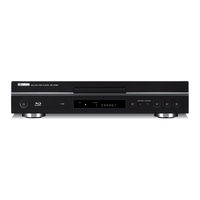
Yamaha BD-S1065 Manual De Instrucciones (156 páginas)
Marca: Yamaha
|
Categoría: Reproductores de Blu-Ray
| Tamaño: 4 MB
Tabla de contenido
-
English
5-
Important Safety Instructions2
-
Important3
-
Tabla de Contenido5
-
1 Introduction
6 -
About Discs
6-
Types of Discs that Can be Used with this Player6
-
Discs that Cannot be Used with this Player7
-
About the JPEG File Format7
-
Disc Precautions8
-
-
Getting Started
9-
Supplied Accessories9
-
The Icons Used in this Operation Manual9
-
Copyright9
-
-
Controls and Functions
10-
Front Panel10
-
Rear Panel10
-
Remote Control11
-
-
2 Connection
12 -
Introduction to Connections
12-
Video/Audio Terminal on this Player12
-
Video Jacks on this Player (Connect 1, 2, or 3)12
-
Audio Terminals/Jacks on this Player (Connect 1, 2, or 3)12
-
Connecting to the HDMI Terminal13
-
HDMI Connection13
-
Connecting to the Component Jacks14
-
Video Connections14
-
Connecting to the S Video or Video Jack15
-
Audio Connections16
-
Connecting to the Audio Jacks17
-
-
Broadband Internet Connection18
-
Connecting to the NETWORK Terminal and USB BD STORAGE/SERVICE Terminal18
-
-
Other Connections
19-
Connecting to the REMOTE CONTROL Jacks19
-
Connecting the Power Cable19
-
-
3 Disc Playback
20 -
Before Starting Playback
20-
Loading the Batteries in the Remote Control20
-
Turning the Power on20
-
Indicators on the Front Panel Display20
-
Setting the On-Screen Display Language21
-
Updating the Software of this Unit21
-
Setting the Audio Output22
-
Preparing for BD-LIVE22
-
Activating the Secondary Audio22
-
-
BD/DVD/CD Playback
24-
Loading a Disc24
-
Basic Playback Operation24
-
Repeat Playback25
-
Using BD/DVD Menus26
-
Using DVD-R/-RW Menu26
-
Using the Audio CD Playback Menu28
-
Playback by Selecting a Track28
-
Enjoying BONUSVIEW or BD-LIVE28
-
Function Control Screen29
-
Function Control Operation Procedure30
-
Functions Which Can be Set30
-
-
Displaying the Disc Information31
-
-
JPEG File Playback
32-
Playing Back Still Images in Sequence32
-
Playing Back Still Images in a Selected Folder32
-
Playing Back Slide Show32
-
Setting Slide Show Speed/Repeat Playback32
-
-
4 Settings
33-
Common Operations33
-
Audio Video Settings34
-
Dynamic Range Control36
-
Speaker Settings36
-
Quick Start37
-
Auto Power off37
-
HDMI Control37
-
Playback Setting37
-
Version38
-
System Reset38
-
Communication Setup38
-
The Operation Procedure for Inputting Characters Manually39
-
USB Memory Management40
-
Software Update41
-
Country Code List42
-
Language Code List42
-
About the Audio Output Formats42
-
-
-
5 Additional Information
43 -
Troubleshooting
43-
Power43
-
Basic Operation43
-
Disc Playback43
-
Picture43
-
Sound44
-
Network44
-
Other45
-
Messages Relating to BD Disc and DVD Disc45
-
To Reset this Player45
-
Keylock Function45
-
-
-
Glossary
46 -
Specifications
47-
General47
-
Audio Performance47
-
Input/Output47
-
Nous Vous Souhaitons un Plaisir Musical Durable49
-
-
-
Français
51-
Disques
52-
Types de Disque Pouvant Être Lus Sur Ce Lecteur52
-
Disques Incompatibles Avec Ce Lecteur53
-
Précautions D'emploi pour les Disques54
-
-
1 Introduction
52 -
Pour Commencer
55-
Accessoires Fournis55
-
ICônes Utilisées Dans Ce Mode D'emploi55
-
Droits D'auteur55
-
-
Commandes et Fonctions
56-
Boîtier de Télécommande57
-
-
Présentation des Raccordements
58-
Prise Audio/VIDéo du Lecteur58
-
Prises VIDéo du Lecteur (Effectuez la Connexion à 1, 2 ou 3)58
-
Prises/Connecteurs Audio du Lecteur (Effectuez la Connexion à 1, 2 ou 3)58
-
Connexion Internet Haut Débit58
-
Connexion pour Périphérique USB58
-
-
2 Raccordements
58 -
Connexion HDMI
59-
Raccordement à la Prise HDMI59
-
-
Raccordements VIDéo
60-
Raccordement aux Connecteurs VIDéo Composantes60
-
Raccordement au Connecteur S VIDEO ou VIDEO61
-
-
Raccordements Audio
62-
Raccordement à un Connecteur Audio Numérique62
-
Raccordement aux Connecteurs Audio63
-
-
Connexion Internet Haut Débit
64-
Raccordement à la Prise NETWORK et à la Prise USB BD STORAGE/SERVICE64
-
-
Autres Connexions
65-
Raccordement aux Connecteurs65
-
Remote Control65
-
Raccordement du Câble D'alimentation65
-
-
Avant de Commencer la Lecture
66-
Insertion des Piles Dans la Télécommande66
-
Mise Sous Tension66
-
Témoins Sur L'afficheur de la Face Avant66
-
Réglage de la Langue de L'affichage à L'écran67
-
Mise à Jour du Logiciel de L'appareil67
-
Réglage de la Sortie Audio68
-
Préparatifs pour la Fonction BD-LIVE68
-
Activation du Son Secondaire68
-
Contrôle du Lecteur Blu-Ray Via la Fonction de Commande HDMI68
-
-
3 Lecture de Disques
66 -
Lecture de Disques BD, DVD et CD
70-
Chargement D'un Disque70
-
Opérations Élémentaires de Lecture70
-
Lecture en Boucle71
-
Utilisation des Menus BD/DVD72
-
Utilisation du Menu Contextuel72
-
Utilisation du Menu DVD-R/-RW72
-
Utilisation du Menu de Lecture de CD Audio74
-
Lecture en Sélectionnant une Plage74
-
Fonctions BONUSVIEW ou BD-LIVE74
-
Écran de Commande des Fonctions75
-
Comment Utiliser la Commande des Fonctions76
-
Fonctions Réglables76
-
-
Affichage des Informations Sur le Disque77
-
-
Lecture des Fichiers JPEG
78-
Lecture des Images Fixes en Ordre78
-
Lecture des Images Fixes Dans un Dossier Sélectionné78
-
Lecture du Diaporama78
-
Boucle78
-
-
4 Réglages
79-
Opérations Courantes79
-
Réglages Audio VIDéo80
-
Sélection de la Sortie VIDéo81
-
Sortie Audio81
-
-
Réglages D'enceintes82
-
Démarrage Rapide83
-
Extinction Auto83
-
Control HDMI83
-
Réglages de Lecture83
-
Version84
-
Réinitialisation Sys84
-
Réglage de Communication84
-
Marche à Suivre pour Saisir Manuellement des Caractères85
-
Gestion Clé USB86
-
Mise à Jour du Logiciel87
-
Liste des Codes de Pays88
-
Liste des Codes de Langue88
-
-
-
Guide de Dépannage
89-
Alimentation89
-
Opérations de Base89
-
Lecture de Disque89
-
Image89
-
Son90
-
Réseau90
-
Autre91
-
Messages Relatifs aux Disques BD et DVD91
-
Fonction de Verrouillage des Touches91
-
-
5 Informations Complémentaires
89 -
Glossaire
92 -
Caractéristiques Techniques
93-
Généralités93
-
Performances Audio93
-
Entrée/Sortie93
-
Precaución-I94
-
Importante95
-
Para Empezar101
-
Conexiones HDMI105
-
Otras Conexiones111
-
Esta Unidad113
-
Del Disco123
-
Audio Secundario127
-
Salida de Audio127
-
Comunicaciones130
-
Operación Básica135
-
Generalidades139
-
Especificaciones139
-
Information about Software Información sobre el Software140
-
-
Information Sur le Logiciel
147-
A Propos de Uclibc148
-
A Propos de Directfb151
-
A Propos de Open SSL153
-
A Propos de Zlib154
-
Laser Safety155
-
-
