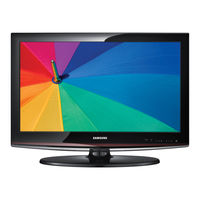
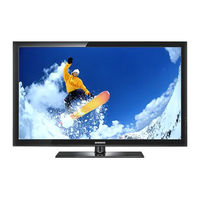
![Samsung 450 Serie Manual Del Usuario]()
Tabla de contenido
-
-
-
-
-
Viewing the Control Panel
5
-
Viewing the Connection Panel
6
-
-
Installing Batteries in the Remote Control
9
-
Connecting VHF and UHF Antennas
9
-
Connecting a Dvdplayer O Rcable Box/Satellite Receiver (Set-Top B Ox) V Iacomponent Cables
12
-
Connecting a Camcorder
12
-
-
Connecting a Digital Audio System
14
-
-
Connectinga DVD Playeror Cable Box/Satellitereceiver(Set-Topbox)Via HDMI
18
-
Connecting a Camcorder
19
-
-
Connecting a Digital Audio System
21
-
-
Turning the TV on and off
23
-
-
-
-
-
-
Using the TOOLS Button
26
-
Memorizing the Channels
26
-
-
To Edit the Input Source Name
28
-
-
Changing the Picture Standard
29
-
Customizing the Picture Settings
29
-
Adjusting the Detailed Settings
30
-
Configuring Picture Options
33
-
[] Resetting Ihe Picture Settings to the Factory Defaults
36
-
-
Changing the Sound Standard
37
-
-
Setting the Trusurround XT
38
-
Choosing a Multi-Channel Sound (MTS) Track - Digital
38
-
[] Choosing a Multi-Channel Sound (MTS) Track-Analog
39
-
Automatic Volume Control
39
-
Setting the TV Speakers On/Off
40
-
Connecting Headphones (Sold Separately)
40
-
-
Clearing Scrambled Channels- Digital
41
-
Adding and Erasing Channels
42
-
To Set-Up Your Favorite Channels
43
-
Using the Channel Lists -Analog
44
-
Viewing the Channel Lists
44
-
-
Fine Tuning Analog Channels
46
-
Checking the Digital-Signal Strength
46
-
Using Your TV as a Computer (PC) Display
47
-
-
Setting up the TV with Your PC
48
-
-
-
Selecting a Menu Language
53
-
-
Viewing Closed Captions (On-Screen Text Messages) -Analog
61
-
Viewing Closed Captions (On-Screen Text Messages) - Digital
62
-
[] Adjustingthe TV On/Off Melody Sound
63
-
Setting the Entertainment Mode
63
-
Using the Energy Saving Feature
64
-
Upgrading the Software
64
-
-
-
Connecting Anynet+Devices
65
-
-
Scanning and Switching between Anynet + Devices
66
-
-
Listening through a Receiver (Home Theater)
68
-
Troubleshooting for Anynet
68
-
-
-
Disconnecting the Stand
71
-
Auto Wall-Mount Adjustment (Soldseparately) (LN32A450C1D, LN37A450C1D, LN40A450C1D)
72
-
Wall Mount Kit Specifications (VESA)
73
-
Using the Anti-Theft Kensington Lock
74
-
-
-
-
-
-
-
-
-
-
-
-
-
-
-
-
-
-
-
-
-
-
-
-
-
-
-
-
-
-
-
-
-
-
-
-
-
-
-
-
-
-
-