Canon imageRUNNER ADVANCE C5250 Manuales
Manuales y guías de usuario para Canon imageRUNNER ADVANCE C5250. Tenemos 2 Canon imageRUNNER ADVANCE C5250 manuales disponible para descarga gratuita en PDF: Guía De Usuario, Manual Del Usuario
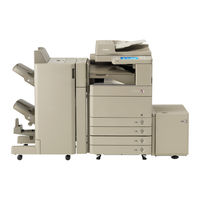
Canon imageRUNNER ADVANCE C5250 Guía De Usuario (424 páginas)
Marca: Canon
|
Categoría: Impresora Todo en uno
| Tamaño: 28 MB
Tabla de contenido
-
Manuals for the Machine4
-
Tabla de Contenido5
-
Preface7
-
How to Use this Manual8
-
Symbols Used in this Manual8
-
Important8
-
Keys and Buttons Used in this Manual8
-
Illustrations Used in this Manual8
-
Abbreviations Used in this Manual8
-
Trademarks9
-
How to Use this Manual (E-Manual)10
-
How to Install the E-Manual10
-
Top Page of the E-Manual11
-
Legal Notices12
-
Product Name12
-
EMC Requirements of EC Directive12
-
Laser Safety12
-
Additional Information12
-
International ENERGY STAR Program12
-
Ipv6 Ready Logo12
-
WEEE Directive13
-
R & TTE Directive13
-
Information Security Standard (IEEE 2600)13
-
Copyright13
-
Third Party Software13
-
The Software Subjected to the Other Conditions14
-
Disclaimers14
-
Legal Limitations on the Usage of Your Product and the Use of Images14
-
Super G314
-
Important Safety Instructions15
-
Installation15
-
Power Supply15
-
Handling16
-
Maintenance and Inspections17
-
Consumables18
-
Other Warnings18
-
Installation Location and Handling19
-
Installation Precautions19
-
Avoid Installing the Machine in the Following Locations19
-
Select a Safe Power Supply20
-
Moving the Machine20
-
Provide Adequate Installation Space20
-
Handling Precautions21
-
Periodic Inspection of the Breaker23
-
Checking the Breaker23
-
Check Sheet for the Periodic Inspection of the Breaker24
-
Backing Up/Exporting Data25
-
Flow of Basic Operations27
-
What this Machine Can Do28
-
Revolutionary Documentation Work with an Evolving Multitasking Machine28
-
Flow of Settings for Using the Desired Functions30
-
Logging in as an Administrator30
-
Network/Usb Connection31
-
Appletalk31
-
Scan and Store/Access Stored Files32
-
Sending Faxes/Printing33
-
Sending/Receiving Remote Fax33
-
Scan and Send/Remote Scan34
-
Remote UI/MEAP35
-
Parts and Their Functions36
-
External View36
-
Internal View38
-
Control Panel Parts and Functions39
-
Using Control Panel40
-
Using Touch Panel Display41
-
Main Power and Control Panel Power42
-
How to Turn on the Main Power42
-
Shutting down the Machine42
-
Energy Saver Key42
-
How to Make a Copy43
-
Sending a Fax44
-
Sending Scanned Data (E-Mail/I-Fax/File Servers)45
-
Storing Scanned Data46
-
Accessing Stored Files47
-
Operating the Machine from a Computer (Remote UI)48
-
Printing from a Computer49
-
Routine Maintenance51
-
Loading Paper52
-
Loading Paper into a Paper Drawer52
-
Important52
-
Adjusting a Paper Drawer to Hold a Diff Erent Paper Size53
-
Routine Maintenance54
-
Replacing the Stamp Cartridge (Feeder) (Optional)55
-
Duplex Color Image Reader Unit-E155
-
Color Image Reader Unit-F156
-
Replacing the Toner Cartridge/Waste Toner Container57
-
Replacing the Toner Cartridge57
-
Replacing the Waste Toner Container59
-
Routine Cleaning61
-
Platen Glass and Underside of the Feeder/Platen Cover61
-
Manual Feeder Cleaning61
-
Duplex Color Image Reader Unit-E161
-
Color Image Reader Unit-F162
-
Automatic Feeder Cleaning63
-
Cleaning the Inside of the Main Unit63
-
Cleaning the Dust Proof Glass64
-
Consumables65
-
Genuine Consumables66
-
Staple Cartridge66
-
When an Error Message/Error Code Is Displayed67
-
When an Error Message Is Displayed67
-
When an Error Code Is Displayed67
-
Service Call Message68
-
Contacting Your Local Authorized Canon Dealer68
-
Setting the Limited Functions Mode from the Service Call Message Screen69
-
Location of Staple/Paper Jams70
-
Locations of Paper Jams70
-
Locations of Staple Jams71
-
Appendix73
-
Specifi Cations74
-
Main Unit74
-
Duplex Color Image Reader Unit-E176
-
Color Image Reader Unit-F176
-
Color Image Reader Unit-F277
-
Cassette Feeding Unit-AD277
-
Envelope Feeder Attachment-D178
-
Paper Deck Unit-B278
-
Staple Finisher-J178
-
Booklet Finisher-J180
-
Inner Finisher-E182
-
Inner Finisher Additional Tray-A183
-
Inner 2 Way Tray-F183
-
Copy Tray-J183
-
Copy Card Reader-F184
-
Super G3 FAX Board-AE284
-
Send Function85
-
Network Environment86
-
Hardware Specifi Cations86
-
Software Specifi Cations86
-
Printer Settings86
-
Guides de la Machine88
-
Préface91
-
Présentation du Guide92
-
Conventions Adoptées92
-
Important92
-
Touches et Boutons Utilisés Dans Ce Guide92
-
Illustrations Utilisées Dans Ce Guide92
-
Abréviations Utilisées Dans Ce Guide92
-
Marques93
-
Présentation du Manuel Électronique94
-
Installation du Manuel Électronique94
-
Page D'accueil du Manuel Électronique95
-
Mentions Légales96
-
Nom du Produit96
-
Exigences CEM de la Directive Européenne96
-
Faisceau Laser96
-
Informations Complémentaires96
-
Programme International ENERGY STAR96
-
Logo Ipv6 Ready96
-
Directive DEEE97
-
Directive R & TTE97
-
Norme de Sécurité des Données (IEEE 2600)97
-
Copyright97
-
Logiciel de Tierce Partie97
-
Logiciels Soumis à D'autres Conditions98
-
Limites de Responsabilité98
-
Restrictions à L'usage de Votre Produit et à L'utilisation des Images98
-
Pour Éviter Toute Utilisation Illicite de la Machine98
-
Super G398
-
Consignes de Sécurité Importantes99
-
Installation99
-
Alimentation Électrique99
-
Manipulation100
-
Entretien et Inspections101
-
Consommables102
-
Autres Points Importants102
-
Emplacement et Manipulation103
-
Précautions D'installation103
-
Eviter les Conditions Suivantes103
-
Le Branchement Électrique Doit Être Sûr104
-
Déplacement de la Machine104
-
Prévoir une Surface Suffi Sante104
-
Précautions D'emploi105
-
Inspection Périodique du Disjoncteur107
-
Vérifi Cation du Disjoncteur107
-
Fiche de Contrôle pour L'inspection Périodique du Disjoncteur108
-
Sauvegarde/Exportation des Données109
-
Flux des Opérations de Base111
-
Fonctionnalités de Cette Machine112
-
Travail de Documentation Révolutionnaire Sur une Machine Multitâche Évolutive112
-
Paramétrage pour Utiliser les Fonctions Souhaitées114
-
Connexion en tant Qu'administrateur114
-
Connexion Réseau/Usb115
-
Appletalk115
-
Lire et Mémoriser/Accès aux Fi Chiers Enregistrés116
-
Envoi D'un Fax/Impression117
-
Envoi/Réception de Fax à Distance117
-
Lecture et Envoi/Lecture à Distance118
-
Interface Utilisateur Distante/Meap119
-
Nomenclature120
-
Vue Externe120
-
Vue Interne122
-
Panneau de Commande123
-
Utilisation du Panneau de Commande124
-
Utilisation de L'affi Cheur Tactile125
-
Sélection de Chaque Fonction125
-
Interrupteur Principal et Interrupteur du Panneau de Commande126
-
Mise Sous Tension de la Machine126
-
Fermeture de la Machine126
-
Comment Faire une Copie127
-
Envoi D'un Fax128
-
Envoi de Données Lues (E-Mail/I-Fax/Serveur de Fi Chiers)129
-
Mémorisation des Données Lues130
-
Début de la Lecture130
-
Accès aux Fi Chiers Enregistrés131
-
Fonctionnement de la Machine à Partir D'un Ordinateur (Interface Utilisateur Distante)132
-
Impression à Partir D'un Ordinateur133
-
Entretien Périodique135
-
Chargement du Papier136
-
Chargement du Papier Dans une Cassette136
-
Important136
-
Modifi Cation du Format Papier D'une Cassette137
-
Entretien Périodique138
-
Remplacement de la Cartouche D'agrafes (Chargeur) (en Option)139
-
Lecteur Couleur Recto Verso-E1139
-
Lecteur Couleur-F1140
-
Remplacement de la Cartouche de Toner/Du Réceptacle de Toner Usagé141
-
Remplacement de la Cartouche de Toner141
-
Remplacement du Réceptacle de Toner Usagé143
-
Entretien Courant145
-
Vitre D'exposition et Surface Intérieure du Chargeur/Cache D'exposition145
-
Nettoyage Manuel du Chargeur145
-
Lecteur Couleur Recto Verso-E1145
-
Lecteur Couleur-F1146
-
Nettoyage Automatique du Chargeur147
-
Nettoyage de L'intérieur de la Machine148
-
Nettoyage de la Vitre Antipoussière148
-
Consommables149
-
Consommables Canon150
-
Cartouche D'agrafes150
-
Affi Chage D'un Message D'erreur/Code D'erreur151
-
Lorsqu'un Message D'erreur S'affi Che151
-
Lorsqu'un Code D'erreur S'affi Che151
-
Message D'incident de Fonctionnement152
-
Contact Avec le Revendeur Agréé Canon Local152
-
Réglage du Mode Fonctions Limitées à Partir de L'écran Message D'incident de Fonctionnement153
-
Emplacements des Bourrages Papier/D'agrafes154
-
Emplacements des Bourrages Papier154
-
Emplacements des Bourrages D'agrafes155
-
Annexe157
-
Spécifi Cations158
-
Machine Proprement Dite158
-
Lecteur Couleur Recto Verso-E1160
-
Lecteur Couleur-F1160
-
Lecteur Couleur-F2161
-
Socle Double Cassette-AD2161
-
Module Enveloppes-D1162
-
Magasin Papier Latéral-B2162
-
Module de Finition Agrafage-J1162
-
Module de Finition P.A.C.-J1164
-
Unité de Perforation 2 Trous-B2/Unité de Perforation 2/4 Trous-B2/Unité de Perforation 4 Trous-B2165
-
Module de Finition Interne-E1166
-
Bac Séparateur pour Module de Finition Interne-A1167
-
Bac Séparateur Interne-F1167
-
Réceptacle-J1167
-
Lecteur de Carte-F1168
-
Carte FAX (Super G3)-AE2168
-
Fonction D'envoi169
-
Environnement Réseau170
-
Réglages D'impression170
-
Handbücher für das System172
-
Vorwort175
-
Aufbau der Anleitungen176
-
Markierungen und Symbole in dieser Anleitung176
-
Tasten- und Schaltfl Ächendarstellung in dieser Anleitung176
-
In diesem Handbuch Verwendete Abbildungen176
-
In diesem Handbuch Verwendete Abkürzungen176
-
Warenzeichen177
-
Aufbau der Anleitungen (E-Anleitung)178
-
Anweisung zum Installieren der E-Anleitung178
-
Die Oberste Seite der E-Anleitung179
-
Rechtliche Hinweise180
-
Name des Systems180
-
EMC-Anforderungen der EU-Richtlinie180
-
Sicherheit des Lasers180
-
Zusätzliche Informationen180
-
Ipv6 Ready-Logo180
-
Internationales ENERGY STAR-Programm180
-
WEEE Direktive181
-
R & TTE-Richtlinie181
-
Datensicherheitsstandard (IEEE 2600)181
-
Copyright181
-
Software von Drittanbietern181
-
Andere Bedingungen für die Software182
-
Hinweise zum Haftungsausschluss182
-
Rechtliche Beschränkungen zur Verwendung des Systems und der damit Produzierten Bilder182
-
Zur Vermeidung von Unbefugter Verwendung des Systems182
-
Super G3182
-
Hinweise zum Sicheren Betrieb183
-
Installation183
-
Stromversorgung183
-
Umgang184
-
Wartung und Inspektion185
-
Verbrauchsmaterialien186
-
Andere Warnhinweise186
-
Informationen zur Aufstellung und Handhabung187
-
Installationsbedingungen187
-
Vermeiden Sie die Aufstellung an einem der Folgenden Orte187
-
Auswahl einer Sicheren Stromversorgung188
-
Transport des Systems188
-
Der Platzbedarf des Systems188
-
Handhabung189
-
Die Regelmäßige Überprüfung des Schutzschalters191
-
Prüfen des Schutzschalters191
-
Prüfblatt für die Regelmäßige Inspektion des Schutzschalters192
-
Sichern/Exportieren von Daten193
-
Arbeitsablauf für Einfache Vorgänge195
-
Möglichkeiten dieses Systems196
-
Revolutionäre Dokumentationsarbeit mit einem Ständig Weiterentwickelten Multitaskingsystem196
-
Programmieren der Einstellungen für die Gewünschten Funktionen198
-
Einloggen als Administrator198
-
Netzwerk/Usb-Verbindung199
-
Appletalk199
-
Arbeitsablauf für Einfache Vorgänge199
-
Scannen und Speichern/Zugang zu Gespeicherten Dateien200
-
Senden von Faxen/Drucken201
-
Senden/Empfangen von Remote Fax201
-
Scannen und Senden/Remote Scan202
-
Remote UI/MEAP203
-
Aufbau und Funktionen204
-
Außenansicht204
-
Innenansicht206
-
Bedienfeld: Aufbau und Funktionen207
-
Verwendung des Bedienfelds208
-
Verwendung des Sensordisplays209
-
Stromzufuhr für System und Bedienfeld210
-
Einschalten des Systems am Hauptschalter210
-
Das Ausschalten der Einheit210
-
Kopien Erstellen211
-
Senden eines Fax212
-
Senden der Gescannten Daten (E-Mail/I-Fax/Dateiserver)213
-
Speichern Gescannter Daten214
-
Zugang zu Gespeicherten Dateien215
-
Bedienen des Systems von einem Computer (Remote UI)216
-
Drucken von einem Computer217
-
Einlegen von Papier220
-
Einlegen von Papier in eine Papierkassette220
-
Einrichten der Papierkassette auf andere Papierformate221
-
Austauschen der Stempelpatrone (Einzug) (Zusatzprodukt)223
-
Duplex Scanner + Originaleinzug D-ADF E1223
-
Color Scanner F1224
-
Routinemäßige Wartung224
-
Ersetzen der Tonerpatrone/Des Alttonerbehälters225
-
Ersetzen der Tonerpatrone225
-
Ersetzen des Alttonerbehälters227
-
Regelmäßige Reinigung229
-
Vorlagenglas und Unterseite von Einzug/Originalabdeckung229
-
Manuelles Reinigen des Einzugs229
-
Duplex Scanner + Originaleinzug D-ADF E1229
-
Color Scanner F1231
-
Automatisches Reinigen des Einzugs232
-
Reinigen der Haupteinheit Innen232
-
Reinigen des Staubschutzglases232
-
Verbrauchsmaterialien233
-
Wenn eine Fehlermeldung/Ein Fehlercode Angezeigt wird235
-
Wenn eine Fehlermeldung Angezeigt wird235
-
Wenn ein Fehlercode Angezeigt wird235
-
Serviceruf-Meldung236
-
Kontaktaufnahme mit Ihrem Canon-Vertriebspartner236
-
Einstellen des auf dem Display237
-
Orte für Heftklammern-/Papierstaus238
-
Orte für Papierstaus238
-
Orte für Heftklammerstaus239
-
Anhang241
-
Technische Daten242
-
Haupteinheit242
-
Duplex Scanner + Originaleinzug D-ADF E1244
-
Color Scanner F1244
-
Color Scanner F2245
-
Kassetteneinheit AD2245
-
Briefumschlagzuführung D1246
-
Papiermagazin B2246
-
Finisher J1246
-
Broschüren Finisher J1248
-
Externe Lochereinheit B2 (2-Loch)/Externe Lochereinheit B2 (2/4-Loch)/Externe Lochereinheit B2 (4-Loch)249
-
Finisher (Intern) E1250
-
Zusätzliches Finisherfach A1251
-
Internes Zusatzausgabefach F1251
-
Kopienauff Ang J1251
-
Kontrollzähler F1252
-
Super G3 Faxkarte AE2252
-
Sendefunktion253
-
Netzwerkumgebung254
-
Druckereinstellungen254
-
Manuali Per Questa Apparecchiatura256
-
Prefazione259
-
Come Utilizzare Il Presente Manuale260
-
Simboli Utilizzati Nel Manuale260
-
Tasti E Pulsanti Utilizzati Nel Manuale260
-
Illustrazioni Utilizzate Nel Manuale260
-
Abbreviazioni Utilizzate Nel Manuale260
-
Marchi DI Fabbrica261
-
Come Utilizzare Il Manuale (E-Manual)262
-
Come Installare L'e-Manual262
-
Prima Pagina Dell'e-Manual263
-
Note Legali264
-
Nome del Prodotto264
-
Requisiti DI Compatibilità Elettromagnetica (EMC) Della Direttiva CE264
-
Sicurezza del Raggio Laser264
-
Informazioni Supplementari264
-
International ENERGY STAR- Program264
-
Ipv6 Ready Logo264
-
Direttiva WEEE (RAEE)265
-
Direttiva R & TTE265
-
Standard Sulla Sicurezza Delle Informazioni (IEEE 2600)265
-
Diritti D'autore265
-
Software DI Terzi265
-
Software Soggetto ad Altre Condizioni266
-
Declino DI Responsabilità266
-
Limiti Legali Per L'uso del Prodotto E Delle Immagini266
-
Della Macchina266
-
Super G3266
-
Importanti Istruzioni DI Sicurezza267
-
Installazione267
-
Alimentazione Elettrica267
-
Precauzioni268
-
Manutenzione E Controlli269
-
Materiali DI Consumo270
-
Altre Avvertenze270
-
Luogo DI Installazione E Precauzioni271
-
Precauzioni Per L'installazione271
-
Evitare DI Installare la Macchina in Presenza Delle Condizioni Indicate271
-
Scegliere una Fonte DI Alimentazione Sicura272
-
Spostamento Della Macchina272
-
Lasciare Spazio Suffi Ciente Intorno Alla Macchina272
-
Precauzioni Per L'uso273
-
Controllo Periodico Dell'interruttore DI Sicurezza275
-
Controllo Dell'interruttore DI Sicurezza275
-
Foglio DI Raccolta Dati Per Il Controllo Periodico Dell'interruttore DI Sicurezza276
-
Backup/Esportazione Dei Dati277
-
Flusso Delle Operazioni Principali280
-
Possibilità Dell'apparecchiatura280
-
Un Lavoro DI Documentazione Rivoluzionario con una Macchina Multifunzione in Evoluzione280
-
Flusso Delle Impostazioni Per L'utilizzo Delle Funzioni Desiderate282
-
Accesso Come Amministratore282
-
Connessione DI Rete/Usb283
-
Appletalk283
-
Flusso Delle Operazioni Principali283
-
Scansione E Memorizzazione/Accesso a Fi le Memorizzati284
-
Utilizzo del Supporto Memoria284
-
Invio DI Fax/Stampa285
-
Invio/Ricezione Remote Fax285
-
Scansione E Invio/Scansione Remota286
-
IU Remota/Meap287
-
Parti E Relative Funzioni288
-
Parti Esterne288
-
Parti Interne290
-
Pannello Comandi - Parti E Relative Funzioni291
-
Utilizzo del Pannello Comandi292
-
Utilizzo del Menu Rapido292
-
Utilizzo del Pannello Digitale293
-
Interruttore Principale DI Accensione E Interruttore Sul Pannello Comandi294
-
Come Accendere la Macchina con L'interruttore Principale294
-
Arresto Della Macchina294
-
Tasto Risparmio Energetico294
-
Come Eseguire una Copia295
-
Invio DI un Fax296
-
Invio DI Dati Acquisiti (E-Mail/I-Fax/File Server)297
-
Memorizzazione Dei Dati Acquisiti298
-
Accesso a Fi le Memorizzati299
-
Utilizzo Della Macchina da un Computer (IU Remota)300
-
Stampa da un Computer301
-
Caricamento Della Carta304
-
Caricamento Della Carta Nei Cassetti304
-
Importante304
-
Regolazione del Cassetto Per Caricare un Formato Carta Diverso305
-
Sostituzione Della Cartuccia del Timbro (Alimentatore) (Opzionale)307
-
Duplex Color Image Reader Unit-E1307
-
Color Image Reader Unit-F1308
-
Sostituzione Della Cartuccia del Toner/Contenitore del Toner DI Scarto309
-
Sostituire la Cartuccia del Toner309
-
Sostituzione del Serbatoio del Toner DI Scarto311
-
Pulizia Periodica313
-
Vetro DI Lettura E Della Parte Inferiore Dell'alimentatore/Coperchio del Piano DI Lettura313
-
Pulizia Manuale Dell'alimentatore313
-
Duplex Color Image Reader Unit-E1313
-
Color Image Reader Unit-F1315
-
Pulizia Automatica Dell'alimentatore316
-
Pulizia Della Parte Interna Dell'unità Principale316
-
Pulizia del Vetro Antipolvere316
-
Materiali DI Consumo317
-
Cartuccia del Timbro318
-
Cartuccia Punti318
-
Quando Viene Visualizzato un Messaggio DI Errore/Codice DI Errore319
-
Quando Viene Visualizzato un Messaggio DI Errore319
-
Quando Viene Visualizzato un Codice DI Errore319
-
Messaggio DI Richiesta DI un Intervento DI Assistenza320
-
Come Contattare Il Rivenditore Autorizzato Canon Locale320
-
Impostazione del Modo Funzioni Limitate Dalla Schermata Messaggio DI Richiesta DI un Intervento DI Assistenza321
-
Posizione Degli Inceppamenti Carta E Punti DI Pinzatura322
-
Posizioni Degli Inceppamenti Carta322
-
Posizioni Degli Inceppamenti Punti323
-
Manutenzione Periodica324
-
Appendice325
-
Specifi Che326
-
Unità Principale326
-
Duplex Color Image Reader Unit-E1328
-
Color Image Reader Unit-F1328
-
Color Image Reader Unit-F2329
-
Cassette Feeding Unit-AD2329
-
Envelope Feeder Attachment-D1330
-
Paper Deck Unit-B2330
-
Staple Finisher-J1330
-
Booklet Finisher-J1332
-
Inner Finisher-E1334
-
Inner Finisher Additional Tray-A1335
-
Inner 2 Way Tray-F1335
-
Copy Tray-J1335
-
Copy Card Reader-F1336
-
Super G3 FAX Board-AE2336
-
Funzioni DI Invio337
-
Ambiente DI Rete338
-
Specifi Che Hardware338
-
Specifi Che Software338
-
Impostazioni Stampante338
-
Importante344
-
Prefacio344
-
Avisos Legales348
-
Seguridad Láser348
-
Directiva WEEE349
-
Copyright349
-
Super G3350
-
Instalación351
-
Manejo352
-
Consumibles354
-
Red/Conexión USB367
-
IU Remota/Meap371
-
Vista Exterior372
-
Vista Interior374
-
Apagar el Equipo378
-
Envío de un Fax380
-
Cargar Papel388
-
Importante388
-
Consumibles401
-
Apéndice409
-
Unidad Principal410
-
Función de Envío421
-
Entorno de Red422
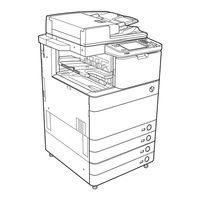
Canon imageRUNNER ADVANCE C5250 Manual Del Usuario (85 páginas)
Marca: Canon
|
Categoría: Impresora Todo en uno
| Tamaño: 6 MB
Tabla de contenido
-
Prefacio5
-
Copyright11
-
Super G312
-
Instalación13
-
Importante14
-
Manejo14
-
Consumibles16
-
Appletalk29
-
Cargar Papel50
-
Importante50
-
Consumibles63
-
Apéndice71
Productos relacionados
- Canon imageRUNNER ADVANCE C5255
- Canon imageRUNNER ADVANCE C5255i
- Canon imageRUNNER ADVANCE C5250i
- Canon imageRUNNER ADVANCE C5240i
- Canon imageRUNNER ADVANCE C5235i
- Canon imageRUNNER ADVANCE C5535i III
- Canon imageRUNNER ADVANCE C5560i
- Canon imageRUNNER ADVANCE C5550i
- Canon imageRUNNER ADVANCE C5540i
- Canon imageRUNNER ADVANCE C5535i


