Blackmagic Design ATEM 1 M/E Manuales
Manuales y guías de usuario para Blackmagic Design ATEM 1 M/E. Tenemos 1 Blackmagic Design ATEM 1 M/E manual disponible para descarga gratuita en PDF: Manual De Instalación Y Funcionamiento
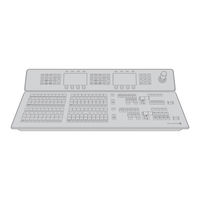
Blackmagic Design ATEM 1 M/E Manual De Instalación Y Funcionamiento (817 páginas)
Marca: Blackmagic Design
|
Categoría: Conmutadores de Red
| Tamaño: 55 MB
Tabla de contenido
-
Tabla de Contenido4
-
Getting Started7
-
Introducing ATEM7
-
What Is an M/E Switcher7
-
What Is an A/B Direct Switcher10
-
Understanding the ATEM Switcher11
-
Plugging in Multi View Monitoring12
-
Plugging in a Broadcast Panel13
-
Installing Blackmagic ATEM Software on Mac os X14
-
Installing Blackmagic ATEM Software on Windows15
-
Plugging in Your Computer16
-
Switcher Settings17
-
Plugging in Cameras and Other Video Sources18
-
Plugging in Audio19
-
Connecting to a Network20
-
Changing the Switcher Network Settings21
-
Understanding the Broadcast Panel Network Settings21
-
Setting the Broadcast Panel to Find the Switcher IP Location22
-
Changing the Broadcast Panel Network Settings23
-
Updating the Software24
-
How to Update the ATEM Software24
-
Updating the Switcher Software24
-
Updating the Broadcast Control Panel Software25
-
Connecting Video Outputs26
-
Using ATEM Software Control28
-
Interface Overview28
-
Switcher Control Panel28
-
Audio Mixer29
-
Media Manager30
-
Switcher Settings31
-
Using the Software Control Panel31
-
MIX Effects31
-
Program Bus Source Select Buttons32
-
Preview Bus Source Select Buttons32
-
Transition Control and Upstream Keyers32
-
Downstream Keyers34
-
Fade to Black (FTB)34
-
Processing Palettes34
-
Capture Palette36
-
Using the Media Manager and Media Pool38
-
Navigating the Browse Window39
-
Changing Switcher Settings40
-
Controlling Auxiliary Outputs44
-
Button Mapping45
-
Transition Control45
-
Saving and Restoring Switcher Settings45
-
Saving Your Settings45
-
Saving Your Startup State46
-
Using the ATEM 1 M/E Broadcast Panel47
-
Control Panel Overview47
-
Using the Control Panel47
-
MIX Effects47
-
Source Names Display47
-
Program Bus47
-
Preview Bus48
-
Shift48
-
Destination Display and Select Bus48
-
Transition Control and Upstream Keyers49
-
Downstream Keyers50
-
Fade to Black50
-
System Status51
-
System Control51
-
Menu Buttons51
-
Joystick and Numeric Keypad51
-
Button Mapping52
-
Using the ATEM 2 M/E Broadcast Panel53
-
Control Panel Overview53
-
Using the Control Panel53
-
MIX Effects53
-
Source Names Display53
-
Program Bus53
-
Preview Bus54
-
Shift54
-
Destination Bus and Select Bus54
-
Auxiliary Outputs55
-
Transition Control and Upstream Keyers55
-
Downstream Keyers56
-
Fade to Black57
-
System Status57
-
System Control57
-
Menu Buttons58
-
Joystick and M/E Pattern and Key Buttons58
-
Joystick and Numeric Keypad58
-
Button Mapping59
-
Controlling Two ATEM Switchers59
-
Operating Your ATEM Switcher61
-
Internal Video Sources61
-
Black61
-
Color Bars61
-
Color Generators61
-
Media Players61
-
Cut Transitions63
-
Auto Transitions65
-
Manual Transitions80
-
Preview Transition80
-
Keying on ATEM Switchers81
-
Understanding Keying81
-
Pre-Multiplied Key83
-
Performing an Upstream Luma/Linear Key84
-
DVE Key90
-
Adding DVE Borders91
-
Using Adobe Photoshop with ATEM97
-
Setting up Plug-In Switcher Location97
-
Preparing Graphics for Download97
-
Using Auxiliary Outputs98
-
Using Supersource (Picture in Picture)101
-
Using Tally104
-
Sending Tally Signals Via a GPI and Tally Interface104
-
Using Audio106
-
Connecting Other Audio Sources106
-
Making Your Own Audio Breakout Cable107
-
Using Embedded SDI and HDMI Audio Sources109
-
Using a Third Party Audio Mixer Control Surface110
-
Working with USB112
-
Using Blackmagic Media Express113
-
What Is Media Express113
-
The User Interface113
-
Capturing Video and Audio Files114
-
Playing Back Video and Audio Files118
-
Browsing Media119
-
Using Blackmagic Ultrascope121
-
What Is Blackmagic Ultrascope121
-
Blackmagic Ultrascope Interface122
-
Understanding Blackmagic Ultrascope Views123
-
Zoom Function124
-
Getting Help135
-
はじめに143
-
Atemについて143
-
M/Eスイ ッチャーとは143
-
A/Bスイ ッチャーとは146
-
Atemスイ ッチャーとは147
-
Multi Viewモニタリングを接続148
-
コントロールパネルを接続149
-
Blackmagic AtemソフトウェアをMac os Xにインストール150
-
Blackmagic AtemソフトウェアをWindowsにインストール151
-
コンピューターを接続152
-
スイ ッチャー設定153
-
カメラおよびその他のビデオソースを接続154
-
オーディオの接続155
-
ネットワークに接続156
-
スイ ッチャーのネットワーク設定を変更157
-
Broadcast Panelのネットワーク設定157
-
Broadcast Panelを設定しスイ ッチャーのIPロケーションを特定158
-
Broadcast Panelのネットワーク設定を変更159
-
ソフトウェア ・ アッ プデート160
-
Atemソフトウェアのアッ プデート方法160
-
スイ ッチャーソフトウェアのアッ プデート160
-
Broadcast Control Panelソフトウェアのアッ プデート161
-
ATEM Software Controlの使用164
-
インター フェース概要164
-
スイッチャー ・ コントロールパネル164
-
メディア管理166
-
スイッチャー設定167
-
ATEM Software Controlパネルの使用167
-
ミックス ・ エフェクト167
-
プログラムバスのソース選択ボタン168
-
プレビューバスのソース選択ボタン168
-
トランジションコントロールおよびアップストリームキーヤー168
-
ダウンストリームキーヤー170
-
フェード ・ トゥ ・ ブラック (Ftb170
-
処理パレット170
-
キャプチャーパレット172
-
メディア管理およびメディアプールの使用174
-
ブラウズ ・ ウィンドウをナビゲート175
-
Atemメディアプール175
-
スイッチャー設定を変更176
-
Aux出力コントロール180
-
ボタンマッピング181
-
トランジションコントロール181
-
スイ ッチャー設定の保存と復元181
-
起動時の状態を保存182
-
ATEM 1 M/E Broadcast Panelの使用183
-
コントロールパネル概要183
-
コントロールパネルの使用183
-
ミックス ・ エフェクト183
-
ソース名ディスプレイ183
-
プログラムバス183
-
Shift184
-
送信先ディスプレイおよび選択バス184
-
トランジションコントロールおよびアップストリームキーヤー185
-
ダウンストリームキーヤー186
-
フェード ・ トゥ ・ ブラック186
-
システムコントロール187
-
メニューボタン187
-
ジョイスティックおよびテンキーパッド187
-
ボタンマッピング188
-
ATEM 2 M/E Broadcast Panelの使用189
-
コントロールパネル概要189
-
コントロールパネルの使用189
-
ミックス ・ エフェクト189
-
ソース名ディスプレイ189
-
プログラムバス189
-
Shift190
-
送信先バスおよび選択バス190
-
Aux出力191
-
トランジションコントロールおよびアップストリームキーヤー191
-
ダウンストリームキーヤー192
-
フェード ・ トゥ ・ ブラック193
-
システム状況193
-
メニューボタン194
-
ジョイスティック、 M/Eパターンおよびキーボタン194
-
ジョイスティックおよびテンキーパッド194
-
ボタンマッピング195
-
2台のAtemスイ ッチャーをコントロール195
-
Atemスイ ッチャーの操作 内部ビデオソース197
-
ブラック カラーバー197
-
カラージェネレーター197
-
メディアプレーヤー197
-
カット ・ トランジション199
-
オート ・ トランジション201
-
マニュアル ・ トランジション216
-
プレビュートランジション216
-
Atemスイ ッチャーのキーイング217
-
キーイングとは217
-
Dveキー226
-
Dveボーダーの追加227
-
AtemでAdobe Photoshopを使用233
-
プラグインのスイッチャーロケーションの設定233
-
ダウンロードするグラフィックの準備233
-
Aux出力の使用234
-
Supersource (ピクチャー ・ イン ・ ピクチャー) の使用237
-
タリーの使用240
-
GPI and Tally Interface経由でタリー信号を送信240
-
オーディオの使用242
-
その他のオーディオソースを接続242
-
独自のオーディオ ・ ブレイクアウトケーブルを作成243
-
エンベデッドSdi/Hdmiオーディオソースを使用245
-
サードパーティ製のオーディオミキサー ・ コントロールサー フェスを使用246
-
Usb 3.0248
-
Blackmagic Media Expressの使用249
-
Media Expressとは249
-
ビデオ/オーディオファイルのキャプチャー250
-
ビデオ/オーディオファイルの再生254
-
メディ アをブラウズ255
-
Blackmagic Ultrascopeの使用257
-
Blackmagic Ultrascopeとは257
-
Blackmagic Ultrascopeインター フェース258
-
Blackmagic Ultrascopeのビューとは259
-
Mise en Route279
-
Introduction à L'atem279
-
Qu'est-Ce Qu'un Mélangeur M/E279
-
Qu'est-Ce Qu'un Mélangeur de Type A/B282
-
Comprendre les Mélangeurs ATEM283
-
Branchement du Contrôle Multi View284
-
Branchement du Panneau de Contrôle285
-
Installation du Logiciel Blackmagic ATEM Software Sous Mac os X286
-
Installation du Logiciel Blackmagic ATEM Software Sous Windows287
-
Branchement de Votre Ordinateur288
-
Paramètres du Mélangeur289
-
Branchement de Caméras et D'autres Sources VIDéo290
-
Branchement de L'audio291
-
Connexion à un Réseau292
-
Modification des Paramètres Réseau du Mélangeur293
-
Comprendre les Paramètres Réseau du Panneau de Diffusion293
-
Configuration du Panneau de Diffusion pour Localiser L'adresse IP du Mélangeur294
-
Modification des Paramètres Réseau du Panneau de Diffusion295
-
Mise à Jour du Logiciel296
-
Mise à Jour du Logiciel ATEM296
-
Mise à Jour du Logiciel pour le Mélangeur296
-
Mise à Jour du Logiciel pour le Broadcast Control Panel (Panneau de Diffusion)297
-
Connexion des Sorties VIDéo298
-
Utilisation de L'atem Software Control300
-
Aperçu de L'interface300
-
Panneau de Contrôle du Mélangeur300
-
Mixage Audio301
-
Gestionnaire de Médias302
-
Paramètres du Mélangeur303
-
Utilisation du Panneau de Contrôle du Logiciel (Software Control Panel)303
-
MIX Effects303
-
Boutons de Sélection des Sources du Bus Programme304
-
Boutons de Sélection des Sources du Bus Prévisualisation (Preview)304
-
Transition Control et Incrustateurs en Amont304
-
Incrustateurs en Aval (Downstream Keyers)306
-
Fade to Black (FTB)306
-
Palettes de Fonctions306
-
Palette Capture308
-
Utilisation du Gestionnaire de Médias et du Media Pool310
-
Utilisation de la Fenêtre de Navigation311
-
Changement des Paramètres du Mélangeur312
-
Contrôle des Sorties Auxiliaires316
-
Mappage des Boutons317
-
Contrôle des Transitions317
-
Sauvegarde et Restauration des Paramètres du Mélangeur317
-
Sauvegarde de Vos Paramètres de Démarrage318
-
Utilisation de L'atem 1 M/E Broadcast Panel319
-
Aperçu du Panneau de Contrôle319
-
Utilisation du Panneau de Contrôle319
-
MIX Effects319
-
Zone D'affichage des Noms de Sources319
-
Bus Programme319
-
Bus Prévisualisation (Preview)320
-
Shift320
-
Zone D'affichage de la Destination et Bus de Sélection (Select)320
-
Transition Control et Incrustateurs en Amont321
-
Incrustateurs en Aval (Downstream Keyers)322
-
Fondu au Noir (Fade to Black)322
-
État du Système323
-
Contrôle du Système323
-
Boutons de Menu323
-
Joystick et Pavé Numérique323
-
Mappage des Boutons (Button Mapping)324
-
Utilisation de L'atem 2 M/E Broadcast Panel325
-
Aperçu du Panneau de Contrôle325
-
Utilisation du Panneau de Contrôle325
-
MIX Effects325
-
Zone D'affichage des Noms de Sources325
-
Bus Programme325
-
Bus Prévisualisation (Preview)326
-
Shift326
-
Bus Destination et Bus de Sélection326
-
Sorties Auxiliaires327
-
Transition Control et Incrustations en Amont327
-
Incrustations en Aval (Downstream Keyers)328
-
Fondu au Noir (Fade to Black)329
-
État du Système329
-
Contrôle du Système329
-
Boutons de Menu330
-
Joystick et Boutons M/E PATT et M/E KEY330
-
Joystick et Pavé Numérique330
-
Mappage des Boutons (Button Mapping)331
-
Contrôle de Deux Mélangeurs ATEM331
-
Fonctionnement de Votre ATEM Switcher333
-
Souces VIDéo Internes333
-
Black333
-
Barres de Couleur333
-
Générateurs de Couleurs333
-
Lecteurs Multimédia333
-
Transitions Cut335
-
Transitions Auto337
-
Effectuer une Transition Auto Sur le Panneau de Diffusion338
-
Effectuer une Transition Wipe Sur le Panneau de Contrôle du Logiciel342
-
Transitions Manuelles352
-
Prévisualisation de la Transition352
-
Incrustations Sur les Mélangeurs ATEM353
-
Comprendre les Incrustations353
-
Incrustation en Luminance (Luma Key)354
-
Effectuer une Incrustation en Luminance/Linéaire en Amont356
-
Effectuer une Incrustation en Luminance/Linéaire en Aval357
-
Effectuer une Incrustation Chromatique en Amont358
-
Incrustation de Motif (Pattern Key)360
-
Effectuer une Incrustation de Motif361
-
Incrustation DVE362
-
Effectuer une Incrustation DVE en Amont362
-
Ajout de Bordures DVE363
-
Utilisation D'adobe Photoshop Avec Votre ATEM369
-
Configuration de L'emplacement du Mélangeur pour le Plug-In369
-
Préparation des Éléments Graphiques pour le Téléchargement369
-
Utilisation des Sorties Auxiliaires370
-
Utilisation de la Fonction Supersource (Image Dans L'image)373
-
Utilisation du Tally376
-
Envoi de Signaux Tally Via le Boîtier D'interface GPI and Tally Interface376
-
Utilisation de L'audio378
-
Branchement D'autres Sources Audio378
-
Créer Votre Propre Câble Épanoui Audio379
-
Utiliser des Sources Audio SDI et HDMI Intégrées381
-
Utiliser une Surface de Contrôle Audio Tierce382
-
Travailler Avec L'usb 3.0384
-
Utilisation de Blackmagic Media Express385
-
Qu'est-Ce que le Media Express385
-
Capturer des Fichiers VIDéo et Audio386
-
Lecture de Fichiers VIDéo et Audio390
-
Parcourir Vos Médias391
-
Utilisation de Blackmagic Ultrascope393
-
Qu'est-Ce que le Blackmagic Ultrascope393
-
Interface Blackmagic Ultrascope394
-
Comprendre les Modes de Visualisation de Blackmagic Ultrascope395
-
Fonction Zoom396
-
Foire aux Questions USB 3.0404
-
Avertissements408
-
Erste Schritte415
-
Einleitung ATEM415
-
Was ist ein M/E-Mischer415
-
Was ist ein A/B-Mischer418
-
Die ATEM-Mischer Vorgestellt419
-
Anschließen von Multi View Monitoring420
-
Anschließen eines Bedienpultes421
-
Installation von Blackmagic ATEM Software unter Mac os X422
-
Installation von Blackmagic ATEM Software unter Windows423
-
Anschließen Ihres Computers424
-
Mischereinstellungen425
-
Anschließen von Kameras und anderen Videoquellen426
-
Anschließen von Audio427
-
Anschließen an ein Netzwerk428
-
Ändern der Netzwerkeinstellungen des Mischers429
-
So Funktionieren die Netzwerkeinstellungen des Broadcast-Pultes429
-
Einstellen des Broadcast-Bedienpultes zum Auffinden des IP-Standorts des Mischers430
-
Ändern der Netzwerkeinstellungen des Broadcast-Bedienpultes431
-
Aktualisierung der Software432
-
So Aktualisieren Sie die ATEM-Software432
-
Aktualisierung der Mischer-Software432
-
Aktualisierung der Broadcast Control Panel Software433
-
Anschließen von Geräten an die Videoausgänge434
-
Arbeiten mit dem ATEM Software Control Panel436
-
Die Benutzeroberfläche IM Überblick436
-
Software-Bedienpanel des Mischers436
-
Audiomixer437
-
Media Manager438
-
Mischereinstellungen (Switcher Settings)439
-
Arbeiten mit dem Software-Bedienpanel (Software Control Panel)439
-
MIX-Effekte439
-
Quellenauswahl-Schaltflächen für den Programmbus440
-
Quellenauswahl-Schaltflächen für den Vorschaubus440
-
Übergangssteuerung- und Upstream-Keyer440
-
Downstream-Keyer (DSK)442
-
Fade to Black (FTB = Blende nach Schwarz)442
-
Menüpaletten442
-
Menüpalette „Capture444
-
Arbeiten mit Media Manager und Media Pool446
-
Navigieren des Browse-Fensters447
-
Ändern der Mischereinstellungen448
-
Steuerung der Auxiliary-Ausgänge452
-
Button Mapping (Tastenbelegung)453
-
Übergangssteuerung453
-
Mischereinstellungen Speichern und Wiederherstellen453
-
Speicherung des Status Beim Anlaufen454
-
Gebrauch des ATEM 1 M/E Broadcast Panels455
-
Das Bedienpult IM Überblick455
-
Gebrauch des Bedienpultes455
-
MIX-Effekte455
-
Quellnamen-Display455
-
Program Bus (Programmbus)455
-
Preview Bus (Vorschaubus)456
-
Shift456
-
Zielanzeige und Auswahlbus456
-
Übergangssteuerung und Upstream-Keyer457
-
Downstream-Keyer (DSK)458
-
Fade to Black (Blende nach Schwarz)458
-
Systemstatus459
-
Systemsteuerung (System Control)459
-
Menütasten459
-
Joystick und Ziffernblock459
-
Button Mapping (Tastenbelegung)460
-
Gebrauch des ATEM 2 M/E Broadcast Panels461
-
Das Bedienpult IM Überblick461
-
Gebrauch des Bedienpultes461
-
MIX-Effekte461
-
Quellnamen-Display461
-
Program Bus (Programmbus)461
-
Preview Bus (Vorschaubus)462
-
Shift462
-
Die Ziel- und Auswahlbusse462
-
Ausgänge463
-
Übergangssteuerung und und Upstream-Keyer)463
-
Downstream-Keyer (DSK)464
-
Fade to Black (Blende nach Schwarz)465
-
Systemstatus465
-
System Control (Systemsteuerung)465
-
Menütasten466
-
Joystick, M/E-Muster- und Key-Tasten466
-
Joystick und Ziffernblock466
-
Button Mapping (Tastenbelegung)467
-
Steuerung von Zwei ATEM-Mischern467
-
Betrieb Ihres ATEM-Mischers469
-
Interne Videoquellen469
-
Black (Schwarz)469
-
Color Bars (Farbbalken)469
-
Color Generators (Farbgeneratoren)469
-
Media Player469
-
Cut Transitions (Schnitt-Übergänge)471
-
Auto Transitions (Automatische Übergänge)473
-
Manual Transitions (Manuelle Übergänge)488
-
Preview Transitions (Übergangsvorschau)488
-
Keying auf ATEM-Mischern489
-
So Funktioniert Keying489
-
DVE-Key498
-
DVE mit Umrandungen Versehen499
-
Arbeiten mit Adobe Photoshop und ATEM-Mischern505
-
Einrichten des Mischerstandorts für das Plug-In505
-
Grafiken zum Download Vorbereiten505
-
Arbeiten mit Auxiliary-Ausgängen506
-
Arbeiten mit Supersource (Picture in Picture)509
-
Arbeiten mit Tally512
-
Ausgeben von Tallysignalen Via „GPI and Tally Interface512
-
Verwenden von Audio514
-
Anschließen von anderen Audioquellen514
-
Bau eines Audio-Breakout-Kabels nach Eigenem Bedarf515
-
Arbeiten mit Eingebetteten SDI- und HDMI-Audioquellen517
-
Arbeiten mit Audiomixer-Steuerpulten von Fremdherstellern518
-
Arbeiten mit USB 3.0520
-
Arbeiten mit Blackmagic Media Express521
-
Was ist Media Express521
-
Die Bedienoberfläche521
-
Aufzeichnen von Video- und Audio-Dateien522
-
Wiedergabe von Video- und Audiodateien526
-
Medien Browsen527
-
Arbeiten mit Blackmagic Ultrascope529
-
Was ist Blackmagic Ultrascope529
-
Blackmagic Ultrascope-Schnittstelle530
-
So Funktionieren die Blackmagic Ultrascope-Ansichten531
-
Zoomfunktion532
-
Primeros Pasos551
-
Panel de Control591
-
Bus de Programa591
-
Botón SHIFT592
-
Capas Finales594
-
Fundido en Negro594
-
Panel de Control597
-
Bus de Programa597
-
Botón SHIFT598
-
Fundido en Negro601
-
Negro605
-
Barras de Color605
-
Corte Directo607
-
Disolvencia611
-
Agregar Bordes635
-
Uso del Audio650
-
Conexión USB 3.0656
-
Interfaz Gráfica657
-
Interfaz666
-
Forma de Onda669
-
Garantía681
-
什么是M/E切换台687
-
什么是A/B切换台690
-
了解Atem 切换台691
-
连接Multi View多画面分割监看692
-
连接控制面板693
-
在Mac os X系统下安装Blackmagic ATEM Software软件694
-
在Windows系统下安装Blackmagic ATEM Software软件695
-
连接到电脑696
-
切换台设置697
-
连接摄像机及其他视频源698
-
连接音频699
-
连接到网络700
-
更改切换台网络设置701
-
了解硬件控制面板的网络设置701
-
设置硬件控制面板并找到切换台Ip位置702
-
更改硬件控制面板的网络设置703
-
更新软件704
-
如何更新Atem软件704
-
更新切换台的软件704
-
更新硬件控制面板的软件705
-
界面概述708
-
切换台控制面板708
-
Audio Mixer(调音台709
-
媒体管理器710
-
Switcher Settings(切换台设置711
-
使用软件控制面板711
-
MIX Effects(混合特技711
-
Program(节目)母线源选择按钮712
-
Preview(预监)母线源选择按钮712
-
Transition Control(转场控制)以及Upstream Keyers(上游键控712
-
Downstream Keyers(下游键控714
-
渐黑(Ftb714
-
处理设置面板714
-
Capture(采集)设置面板716
-
使用媒体管理器及Media Pool(媒体池718
-
浏览窗口导航719
-
更改切换台设置720
-
控制辅助输出724
-
Button Mapping(按钮映射725
-
Transition Control(转场控制725
-
保存和恢复切换台设置725
-
保存开机状态726
-
使用ATEM 1 M/E Broadcast Panel硬件控制面板727
-
控制面板概述727
-
使用控制面板727
-
MIX Effects(混合特技727
-
Source Names(源名称)显示栏727
-
Program(节目)母线727
-
Preview(预监)母线728
-
Shift728
-
Destination(目标)显示栏和Select(选择)母线728
-
Transition Control(转场控制)以及Upstream Keyers(上游键控729
-
Downstream Keyers(下游键控730
-
Fade to Black(渐黑730
-
系统状态731
-
System Control(系统控制731
-
菜单按钮731
-
摇杆和数字键盘731
-
Button Mapping(按钮映射732
-
使用ATEM 2 M/E Broadcast Panel733
-
控制面板概述733
-
使用控制面板733
-
MIX Effects(混合特技733
-
Source Names(源名称)显示栏733
-
Program(节目)母线733
-
Preview(预监)母线734
-
Shift734
-
Destination(目标)母线和Select(选择)母线734
-
Aux辅助输出735
-
Transition Control(转场控制)以及上游键控735
-
Downstream Keyers(下游键控736
-
Fade to Black(渐黑737
-
系统状态737
-
System Control(系统控制737
-
菜单按钮738
-
摇杆及M/E图案和键按钮738
-
摇杆和数字键盘738
-
Button Mapping(按钮映射739
-
控制两台Atem切换台739
-
内部视频源741
-
Black741
-
Color Bars741
-
Color Generators741
-
Media Players741
-
硬切转场743
-
Auto自动转场745
-
手动转场760
-
预监转场760
-
Atem切换台的抠像技术761
-
了解抠像761
-
Dve键770
-
添加Dve边框771
-
Using Adobe Photoshop with ATEM777
-
设置插件的切换台地址777
-
图文载入前的准备事项777
-
使用辅助输出778
-
使用Supersource(画中画781
-
使用Tally784
-
通过GPI and Tally Interface发送Tally信号784
-
使用音频786
-
连接音频和其他音频源786
-
自制音频辫子线787
-
使用Sdi和Hdmi嵌入式音频源789
-
使用第三方调音台控制器790
-
使用Usb792
-
使用Blackmagic Media Express793
-
什么是Media Express793
-
采集视频和音频文件794
-
Playing Back Video and Audio Files798
-
浏览媒体文件799
-
使用Blackmagic Ultrascope801
-
什么是Blackmagic Ultrascope801
-
Blackmagic Ultrascope的界面802
-
了解Blackmagic Ultrascope的视图803
Productos relacionados
- Blackmagic Design ATEM Mini
- Blackmagic Design ATEM Serie
- Blackmagic Design ATEM Camera Converter
- Blackmagic Design ATEM Studio Converter
- Blackmagic Design ATEM Talkback Converter 4K
- Blackmagic Design ATEM
- Blackmagic Design BMD-HDL-MULTIP3G/04HD
- Blackmagic Design BMD-HDL-MULTIP6G/04
- Blackmagic Design BMD-HDL-MULTIP6G/16
- Blackmagic Design MultiView 16

