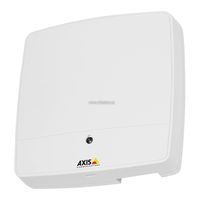
Controlador de puerta de red
Tabla de contenido
-
Requirements for Compliance with UL294 6Th Edition
7
-
-
-
-
-
-
-
AXIS A1001 Network Door Controller
14
-
-
-
-
-
Connectors and Buttons
18
-
-
-
Performance Levels for Access Control
21
-
Door Connector (DOOR in 1)
24
-
Auxiliary Connector (AUX)
25
-
Power Connector (DC IN)
25
-
Network Connector (Poe)
26
-
Power Lock Connector (LOCK)
26
-
Power & Relay Connector (PWR, RELAY)
27
-
-
-
-
Wall and Ceiling Mount
31
-
-
-
-
How to Access the Product from a Browser
37
-
How to Access the Product from the Internet
38
-
-
About Default IP Addresses
38
-
Recommended Methods in Windows
39
-
-
-
-
AXIS A1001 Network Door Controller
42
-
How to Set the Root Password
42
-
Configure the Hardware
42
-
How to Import a Hardware Configuration File
42
-
-
Create a New Hardware Configuration
43
-
How to Create a New Hardware Configuration Without Peripherals
43
-
How to Create a New Hardware Configuration for Wireless Locks
43
-
Prerequisites Smartintego
45
-
How to Configure Smartintego
45
-
Reset to Factory Default Settings
45
-
Maintenance Instructions
46
-
-
-
Informations Sur la Sécurité
49
-
-
Autres Niveaux de Message
49
-
-
Procédures D'installation
53
-
Contenu de L'emballage
53
-
-
-
Connecteurs et Boutons
58
-
Caractéristiques Techniques
60
-
Conditions D'utilisation
60
-
Consommation Électrique
60
-
-
Connecteur de Porte (DOOR in 1)
64
-
Connecteur Auxiliaire (AUX)
65
-
Connecteur D'alimentation (DC IN)
66
-
Connecteur Réseau (Poe)
66
-
Connecteur du Verrou D'alimentation (LOCK)
67
-
-
Installation du Matériel
70
-
Fixation Murale et au Plafond
71
-
AXIS A1001 Network Door Controller
72
-
Branchement des Câbles
73
-
-
-
-
Comment Importer un Fichier de Configuration Matérielle
83
-
Comment Configurer Smartintego
86
-
Instructions D'entretien
87
-
Informations Complémentaires
88
-
Informations Sur la Garantie
88
-
Sicherheitsinformationen
89
-
-
-
-
Übersicht über die Hardware
94
-
-
-
Leistungsebenen für die Zutrittskontrolle
102
-
Die Hardware Installieren
110
-
Wand- und Deckenmontage
111
-
AXIS A1001 Network Door Controller
112
-
Montage an einer DIN-Schiene
112
-
Anschließen der Kabel
113
-
Zugriff auf das Produkt
118
-
Über einem Browser auf das Produkt Zugreifen
118
-
Über das Internet auf das Produkt Zugreifen
119
-
Zuweisen einer IP-Adresse
120
-
-
Das Root-Kennwort Festlegen
123
-
Die Hardware Konfigurieren
123
-
Eine Hardwarekonfigurationsdatei Importieren
124
-
Installieren der Hardware
124
-
Eine Neue Hardwarekonfiguration Erstellen
125
-
Eine Neue Hardwarekonfiguration ohne Peripheriegeräte Einrichten
125
-
Eine Neue Hardwarekonfiguration mit Elevator Control (AXIS A9188) Erstellen
125
-
Voraussetzungen für Smartintego
126
-
Smartintego Konfigurieren
127
-
Zurücksetzen auf die Werkseinstellungen
127
-
Weitere Informationen
129
-
Informazioni DI Sicurezza
131
-
-
Altri Livelli DI Messaggio
131
-
Procedura DI Installazione
135
-
Contenuto Della Confezione
135
-
Strumenti Raccomandati
136
-
-
Connettori E Pulsanti
140
-
AXIS A1001 Network Door Controller
142
-
-
Condizioni DI Funzionamento
142
-
-
-
Schemi Delle Connessioni
150
-
Installazione Dell'hardware
152
-
Considerazioni DI Sistema
152
-
Montaggio a Parete E a Soffitto
153
-
Montaggio Su Guida DIN
154
-
Collegamento Dei Cavi
155
-
Accedere al Dispositivo
159
-
Modalità DI Accesso al Dispositivo da un Browser
159
-
Modalità DI Accesso al Dispositivo da Internet
160
-
Assegnazione DI un Indirizzo IP
160
-
Informazioni Sugli Indirizzi IP
160
-
Metodi Consigliati in Windows
161
-
-
-
-
Come Impostare la Password Root
164
-
Configurazione Dell'hardware
164
-
Modalità DI Creazione DI una Nuova Configurazione Hardware Senza Periferiche
166
-
Come Creare una Nuova Configurazione Hardware Per I Blocchi Wireless
166
-
Modalità DI Creazione DI una Nuova Configurazione Hardware Tramite Il Controllo Ascensore (AXIS A9188)
166
-
Prerequisiti Smartintego
167
-
Modalità DI Configurazione DI Smartintego
168
-
Ripristino Delle Impostazioni Predefinite DI Fabbrica
168
-
Istruzioni Per la Manutenzione
169
-
Ulteriori Informazioni
170
-
Informazioni Sulla Garanzia
170
-
-
-
-
-
-
-
-
-
-
-
-
-
-
-
-
-
-
-
-
-
-
-
-
-
-
-
-
-
-
-
-
-
-
-
-
-
-
-
-
-
-
-
-
-