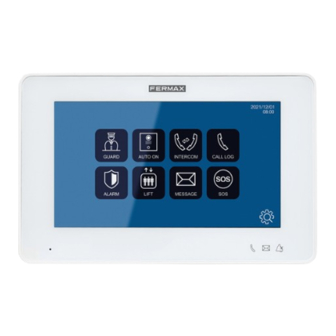
Fermax MEET 14833 Guía Inicio Rápida

Manuales relacionados para Fermax MEET 14833


Resumen de contenidos para Fermax MEET 14833
- Página 1 WIT MONITOR GUÍA INICIO RÁPIDA QUICK START GUIDE GUIDE DE MISE EN MARCHE RAPIDE SCHNELLSTARTANLEITUNG GUIA DE INICIAÇÃO RAPIDA КРАТКОЕ РУКОВОДСТВО ПОЛЬЗОВАТЕЛЯ...
- Página 2 GUIA RÁPIDA INSTALACIÓN DE MONITORES MEET WIT BORNES DE CONEXIÓN APARTMENT: Conexión a la red LAN local (sólo APARTMENT MEET PoE WIT 10”). Dynamic IP Static IP MEET PoE: Conexión a la red MEET del edificio. POWER INPUT RS485 485+ 485- +12V, -: Entrada alimentación 12 Vcc para los casos en los que no haya LAN PoE.
-
Página 3: Programación Básica Desde El Terminal
PROGRAMACIÓN BÁSICA DESDE EL TERMINAL Introducir datos básicos de configuración - Número de bloque - Numero de apartamento - Número de monitor (0 por defecto). - Dirección IP - Máscara de subred - Puerta de enlace - DNS Introducir contraseña de instalador: Contraseña por defecto 6666 PROGRAMACIÓN BÁSICA DESDE PC Utilizar un PC con navegador web (preferiblemente Chrome) para acceder a la configuración del monitor. - Página 15 WIT MONITORS...
- Página 16 Avd. Tres Cruces, 133 46017 Valencia Spain Para más información, visitar www.fermax.com Contacto: tec@fermax.com For extended information, visit www.fermax.com Contact: tec@fermax.com Pour de plus amples renseignements, rendez-vous sur www.fermax.com Contact : tec@fermax.com Für weitere Information siehe www.fermax.com Kontakt: tec@fermax.com Para informação detalhada, visite www.fermax.com...