DragonTouch KB10 Guia De Inicio Rapido
Tabla de contenido
Idiomas disponibles
Idiomas disponibles
Enlaces rápidos
This device complies with part 15 of the FCC Rules. Operation is subject to the condition that
this devicedoes not cause harmful interference (1) this device may not cause harmful interference,
and (2) this device must accept any interference received, including interference that may cause
undesired operation.
Any changes or modifications not expressly approved by the party responsible for compliance
could void the user's authority to operate the equipment.
NOTE: This equipment has been tested and found to comply with the limits for a Class B digital device,
pursuant to Part 15 of the FCC Rules. These limits are designed to provide reasonable protection against
harmful interference in a residential installation. This equipment generates, uses and can radiate radio
frequency energy and, if not installed and used in accordance with the instructions, may cause harmful
interference to radio communications. However, there is no guarantee that interference will not occur in
a particular installation.
If this equipment does cause harmful interference to radio or television reception,
which can be determined by turning the equipment off and on, the user is encouraged to try to correct
the interference by one or more of the following measures:
-- Reorient or relocate the receiving antenna.
-- Increase the separation between the equipment and receiver.
-- Connect the equipment into an outlet on a circuit different
from that to which the receiver is connected.
-- Consult the dealer or an experienced radio/TV technician for help.
To maintain compliance with FCC's RF Exposure guidelines, This equipment should be installed and
operated with minimum distance between 20cm the radiator your body: Use only the supplied antenna.
FCC ID: 2AYD2-KB10
IC Caution:
English:
This device contains licence-exempt transmitter(s)/receiver(s) that comply with Innovation, Science
and Economic Development Canada's licence-exempt RSS(s). Operation is subject to the following
two conditions: 1. This device may not cause interference. 2. This device must accept any interference,
including interference that may cause undesired operation of the device.
French:
L'émetteur/récepteur exempt de licence contenu dans le présent appareil est conforme aux CNR
d'Innovation, Sciences et Développement économique Canada applicables aux appareils radio
exempts de licence. L'exploitation est autorisée aux deux conditions suivantes : 1. L'appareil ne
doit pas produire de brouillage; 2. L'appareil doit accepter tout brouillage radioélectrique subi,
même si le brouillage est susceptible d'en compromettre le fonctionnement.
To maintain compliance with ISED's RF Exposure guidelines, This equipment should be installed and
operated with minimum distance between 20cm the radiator your body: Use only the supplied antenna.
Please read this manual before operating your Wifi camera,
and keep it for further reference.
Quick Start Guide
Wireless Security Camera
KB10
V1.0
Tabla de contenido

Manuales relacionados para DragonTouch KB10

Resumen de contenidos para DragonTouch KB10
-
Página 10: Introducción
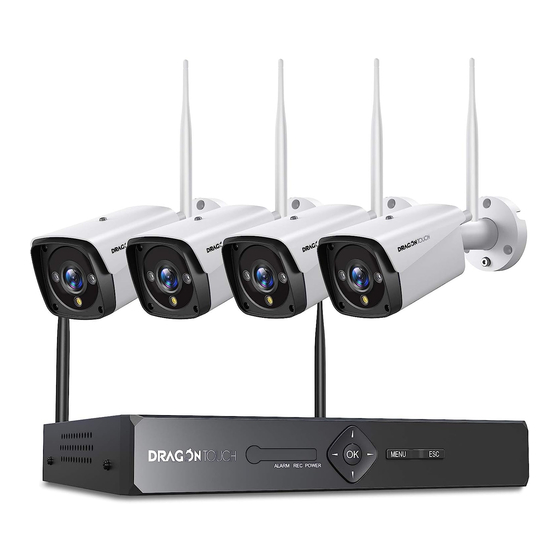
Español INTRODUCCIÓN QUÉ HAY EN LA CAJA Panel Frontal del NVR Antena NVR × 1 Cámara de Seguridad × 4 Ratón × 1 Luces de Alarma Luces de Potencia Menú Botón OK Luces REC Cable de Extensión Panel Posterior del NVR Adaptador de Corriente ×... -
Página 11: Conectando Su Sistema
IPC (Cámara IP) Instalación del Disco Duro Interno SATA El sistema admite un disco duro interno SATA de 3,5 ”o 2,5" (un disco duro interno SATA de 2,5 "necesita un soporte para sujetar el HDD). Antenna DC Jack 1. Quite los tornillos 2. -
Página 12: Menú Rápido
Instalación de HDD Móvil MENÚ RÁPIDO Proporcionamos un puerto USB 2.0 para conectar un disco duro móvil. Haga clic derecho para abrir el Menú Rápido Conexión del Sistema dispositivo. Conéctese a la Conecte el Haga clic para buscar y reproducir el metraje. Conectar el Conecta el Conecte la antena... -
Página 13: Configuración Inalámbrica
2. Cambiar contraseña: Vaya a [Menú Principal] → [Sistema] → [Cuenta] para CONFIGURACIÓN INALÁMBRICA cambiar la contraseña. [Estado de conexión de IPC] Haga clic en [Inalámbrico] Nota: El menú muestra el estado de la conexión debajo del NVR. AJUSTE DE FECHA Y HORA pueda ofrecer marcas de tiempo precisas en todas las grabaciones de video. -
Página 14: Ajuste De Alerta
[Conexión Inalámbrica]: AJUSTE DE ALERTA introduzca su contraseña. La [Alerta] incluye alerta inteligente, anomalía y alarma tradicional. REPRODUCCIÓN [Reproducción] incluye reproducción común, reproducción sincronizada, división del día, expreso inteligente y búsqueda inteligente. [Alerta inteligente]: Establece la detección humana o la detección de movimiento. La función de detección de movimiento del cuerpo humano está... - Página 15 [Anormalidad]: Analiza e inspecciona el software y el hardware actuales del GUÍA RÁPIDA PARA MÓVILES dispositivo. Cuando ocurre un evento anormal, el dispositivo dará una respuesta, 1. Asegúrese de tener un enrutador y una conexión de red de alta velocidad. como mostrar un mensaje.
- Página 16 AKASO para descargar el manual del usuario detallado. QR o ir a [Menú principal] → [Avanzado] → [Versión]. www.dragontouch.com/manual/k4w10.pdf CONTÁCTENOS Para cualquier consulta sobre los productos Dragon Touch, no dude en contactarnos. Responderemos en un plazo de 24 horas. Correo electrónico: cs@dragontouch.com...