LSC Smart Connect Guía Rápida

Manuales relacionados para LSC Smart Connect

Resumen de contenidos para LSC Smart Connect
- Página 1 INDOOR ROTATABLE CAMERA QUICK GUIDE 5525000100 User Manual.indd 1 5525000100 User Manual.indd 1 18-10-2021 10:53:11 18-10-2021 10:53:11...
-
Página 2: Installation Material
CONTENT Please consult this checklist for all parts. camera power adapter installation material cable EN - Important. Before installing this product, check which plugs and screws are best suited for the intended surface. Only use the supplied power adapter. NL - Belangrijk. Controleer voordat u dit product installeert welke pluggen en schroeven het meest geschikt zijn voor het beoogde oppervlak. -
Página 20: Descripción
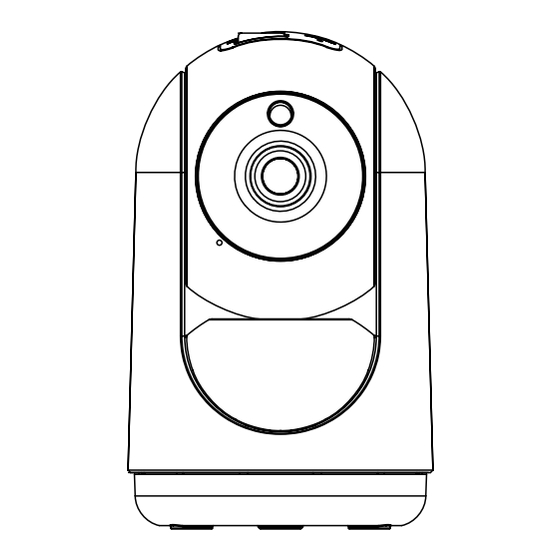
ES EMPEZANDO Reinicio Ranura para tarjeta Micro SD Indicador luminoso de estado Altavoz Micrófono USB-C DESCRIPCIÓN Power DC 5V Antes de comenzar, escriba su nombre de red y contraseña. Indicador 1. La luz azul se enciende cuando la cámara luminoso encendida. - Página 21 (“Confirm”), escanear el código QR con el uso del dispositivo. (Se puede cambiar la conexión de red) 2. Abra la aplicación LSC Smart Connect, haga clic en “+” o “Agregar dispositivo”. Luego, seleccione “Seguridad” en 4. Hacer clic en “Se ha escuchado la señal sonora” (“I heard the la página “Seleccionar tipo de dispositivo”.
- Página 22 5525000100 User Manual.indd 22 5525000100 User Manual.indd 22 18-10-2021 10:53:13 18-10-2021 10:53:13...