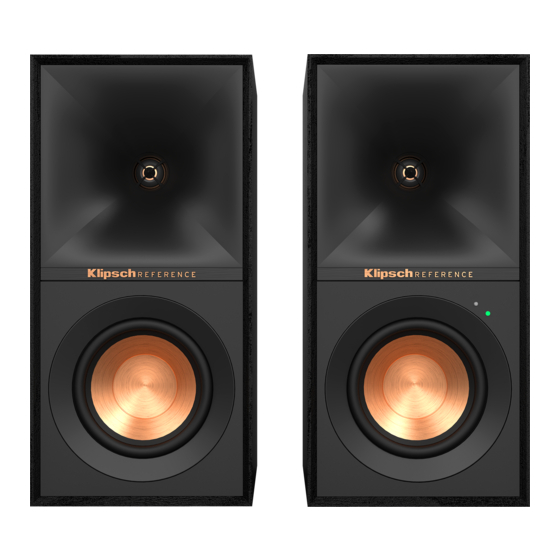
Klipsch R-40PM Manual De Instrucciones
Tabla de contenido
Idiomas disponibles
Idiomas disponibles
Enlaces rápidos
Tabla de contenido

Manuales relacionados para Klipsch R-40PM


Resumen de contenidos para Klipsch R-40PM
- Página 1 R-40PM and R-50PM...
- Página 3 PHONO PHONO PHONO Remote Rubber Feet Batteries Main Power Cord Speaker Wire USB Cable (A to B) Digital Optical Cable (R-50PM Only) Remote Rubber Feet Batteries Main Power Cord Speaker Wire USB Cable Digital Optical Cable Télécommande Pieds en caoutchouc Les Piles Cordon d’alimentation principal Fil d’enceinte...
- Página 5 LED Source Indicator Phono/Line Switch Volume/Source Control Phono Inputs Auxiliary 3.5mm Input Indicateur de source à DEL Interrupteur Phono/Ligne Commande Volume/Source Entrées phono Entrée auxiliaire de 3,5 m Indicador LED de fuente Conmutador de tocadiscos y línea Control de volumen y fuente Entradas de tocadiscos Entrada auxiliar de 3.5 mm LED-Quellenanzeige...
-
Página 6: Setup
SETUP INSTALLATION • CONFIGURACIÓN • SETUP • INSTALLAZIONE • INSTALAÇÃO • 设置 • 設定 • التركيب – – LEFT SPEAKER OUT... -
Página 14: Subwoofer Output
VIOLA = Ingresso phono VERDE = Ingresso ausiliario Devices Devices AZUL = Entrada Bluetooth ® ROXO = Entrada fono VERDE = Entrada auxiliar Klipsch R-40PM LED 源指示灯 Klipsch R-40PM 紫色 = 唱机输入 绿色 = 辅助输入 Not Paired Connected 青色 = Bluetooth® 入力... -
Página 16: Dynamic Bass Eq
DYNAMIC BASS EQ ÉGALISATION DYNAMIQUE DES BASSES • ECUALIZACIÓN DE BAJOS DINÁMICOS • DYNAMISCHER BASS-EQ • EQUALIZZAZIONE DEI BASSI DINAMICA • EQUALIZAÇÃO DINÂMICA DE GRAVES • 动态低音均衡 • 重低音EQ • موازنة ديناميكية للنغمة خفيضة التردد Dynamic Bass EQ applies loudness correction For best results, increase input source volume to automatically adjust low frequency levels to maximum. - Página 17 تعطيل / تمكين الموازنة الديناميكية للنغمة خفيضة التردد Bluetooth Settings Setting Bluetooth Blue ENABLED Hold 3 Seconds Flashes x2 Devices Devi D’ACTIVATION Klipsch R-40PM Klips Not Paired ACTIVAR Appuyer pendant 3 secondes Clignote x2 PHONO PHONO AKTIVIEREN Mantenga oprimido durante 3 segundos Destella x2 ATTIVATA 3 Sekunden gedrückt halten...
-
Página 18: Factory Reset
FACTORY RESET RÉINITIALISATION • RESTABLECIMIENTO DE FÁBRICA • RÜCKSETZUNG AUF WERKSEINSTELLUNG • RIPRISTINO IMPOSTAZIONI DI FABBRICA • RESTABELECIMENTO DAS CONFIGURAÇÕES DE FÁBRICA • 恢复出厂设置 • 工場出荷時設定リセッ ト • إعادة ضبط المصنع Flashes 10 Seconds Select Source to Phono, Analog, Digital or USB Clignote 10 secondes Sélectionner la source Phono, auxiliaire, Optique ou USB Destella 10 segundos... -
Página 19: Disable Auto-Standby
DISABLE AUTO-STANDBY DÉSACTIVER LA VEILLE AUTOMATIQUE • DESHABILITAR AUTO-STANDBY • DEAKTIVIEREN SIE DEN AUTOMATISCHEN STANDBY-MODUS • DISABILITA L’AUTO-STANDBY • DESATIVAR A ESPERA AUTOMÁTICA • 禁用自动待机 • 自動スタンバイを無効化 تعطيل وضع االستعداد التلقائي Select Source to Phono, Analog, Digital or USB Sélectionner la source Phono, auxiliaire, Optique ou USB Seleccionar tocadiscos, auxiliar, Óptica o bien USB Press Quellenwahl auf Phone, AUX, Optische oder USB... -
Página 20: Remote Control Codes
REMOTE CONTROL CODES (FOR UNIVERSAL OR CABLE REMOTES) HEX CODES - SET 3 41609 43915 HEX CODES - SET 1 VOLUME UP 0x A55A 0AF5 DIRECTV 31609 VOLUME UP 0x 856A 9F60 XFINITY 30531 31023 VOLUME DOWN 0x 856A 9E61 VOLUME DOWN 0x A55A 0BF4 BRIGHT HOUSE... -
Página 21: Troubleshooting
For more in-depth information and troubleshooting instructions visit Klipsch.com Pour plus d’informations et des instructions de dépannage détaillées, consultez Klipsch.com Hay información más detallada e instrucciones de detección y reparación de averías en Klipsch.com Detailliertere Anweisungen und Hinweise zur Problembehebung finden Sie unter Klipsch.com Per informazioni più... -
Página 22: Product Registration
Veuillez conserver votre reçu pour toute réclamation au titre de la garantie. serviços cobertos pela garantia. Registrieren Sie Ihr Produkt online unter www.klipsch.com/register Il prodotto può essere registrato on-line sul sito www.klipsch.com/register • Dadurch werden Sie über neue Produkte und • Si riceveranno così informazioni su nuovi prodotti e promozioni. -
Página 28: Instrucciones Importantes De Seguridad
INSTRUCCIONES IMPORTANTES DE servicio calificado. Se requiere servicio ADVERTENCIA: No se deben colocar encima ADVERTENCIA: Evite la exposición a fríos o SEGURIDAD cuando el aparato ha sido dañado de algu- de este producto fuentes de llama expuesta, calores extremos. 1. LEA estas instrucciones. na manera, tal como cuando se ha dañado tales como velas. -
Página 29: Información De Conformidad En La Unión Europea (European Union, Eu)
Si este equipo técnicas de Industry Canada. de Klipsch Group, Inc. La información de con- causa interferencia perjudicial a la recepción de tacto se encuentra en http://www.klipsch.com/ radio o de televisión, lo cual puede determinarse... - Página 42 SPANISH - GARANTÍA EN LOS EE.UU. Klipsch Group, Inc, (KGI) warrants to the original retail purchaser that this product is to be free from defective materials Klipsch Group, Inc, (KGI) garantit à l’acheteur original que ce produit sera exempt de tous vices de matériaux et de Klipsch Group, Inc.