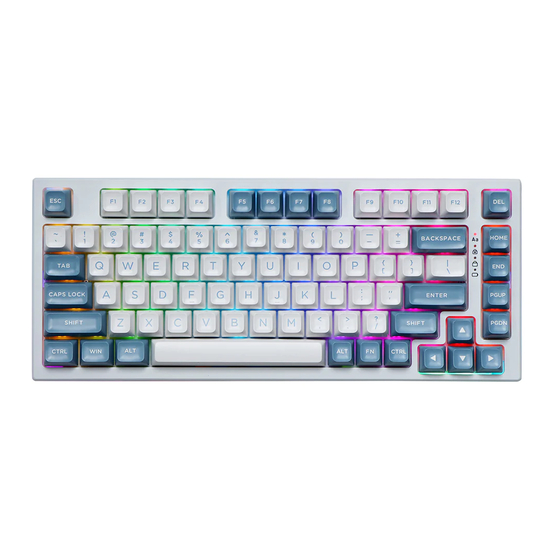
Epomaker EP75 Guia De Inicio Rapido
Idiomas disponibles
Idiomas disponibles
Enlaces rápidos
Q U I C K S T A R T G U I D E
75% Hot-Swap Wired/Wireless Mechanical Keyboard
This Quick Guide is an introduction to the use and functionality of the EPOMAKER EP75.
For in-depth guide of functionality of the customization software please refer to the manual that you can find in
the official epomaker website at https://epomaker.com/pages/software-downloads
Should you require more assistance please email us at support@epomaker.com
Made in China
Manufacturer: Shenzhen Changyun Technology Co., Ltd.
Address: Seventh Floor, Kai Daer Building, No.168 Tongsha Road,
Xili Street, Nanshan Disctrict, Shenzhen,Guangdong, CN
Email: support@epomaker.com
Web: www.epomaker.com
EPOMAKER EP75
HOME
PGUP
PGDN
MODEL:
EPOMAKER EP75
SIZE:
330 x 138 x 32mm
SYSTEM:
Windows / Mac /Linux
CONNECTION : USB-C, 2.4GHz Wireless, Bluetooth 5.0
BUILT-IN BATTERY: 10000mah
CABLE USB VOLTAGE RANGE:
5≤500MAH
EN
DEL
END
WEIGHT:
1160g ± 20g
HOTSWAP: YES
LAYOUT:
75% Layout(82keys)
RoHS
C O M P L I A N T
from the Noun Project
Created by Heipi
Created by Loren Klein
from the Noun Project

Manuales relacionados para Epomaker EP75


Resumen de contenidos para Epomaker EP75
- Página 7 WEIGHT: 1160g ± 20g SIZE: 330 x 138 x 32mm HOTSWAP: YES Esta guía rápida es una introducción al uso y funcionalidad del EPOMAKER EP75 SYSTEM: Windows / Mac /Linux LAYOUT: 75% Layout(82keys) Para una guía en profundidad de la funcionalidad del software de personalización, por favor, consulte el manual que puede encontrar en nuestra página web en https://epomaker.com/pages/software-downloads.
- Página 8 A T A J O S W I N D O W S A T A J O S M A C O S FN + ESC Presiona por 3 segundos para FN + ESC Presiona por 3 segundos para restaurar el teclado restaurar el teclado I N S T R U C C I O N E S D E L I N D I C A D O R :...
-
Página 9: Herramientas Incluidas
QR o escriba en su navegador: Para obtener asistencia técnica, envíe un correo electrónico https://epomaker.com/blogs/guides/diy-guide-how-to-remove-and-replace-your-mechanical-keyboard-switches a support@epomaker.com con su número de pedido y una descripción detallada de su problema. Normalmente respondemos a las consultas en un plazo de 24 horas. Si ha adquirido su teclado a través de un... - Página 17 W I N D O W S 快 捷 键 M A C O S 快 捷 键 FN + ESC FN + ESC FN + ESC FN + WIN 指 示 灯 说 明 : FN + DEL FN + DEL FN + P FN + P 2:...