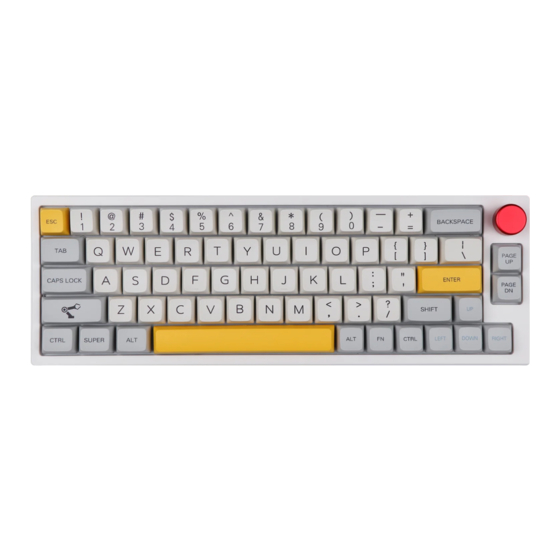
Epomaker TH66 Guia De Inicio Rapido
Idiomas disponibles
Idiomas disponibles
Enlaces rápidos
Q U I C K S T A R T G U I D E
65% Hot-Swap Wired/Wireless Mechanical Keyboard
This Quick Guide is an introduction to the use and functionality of the EPOMAKER TH66.
For in-depth guide of functionality of the customization software please refer to the manual that you can find in
the official epomaker website at https://epomaker.com/pages/software-downloads
Should you require more assistance please email us at support@epomaker.com
Made in China
Manufacturer: Shenzhen Changyun Technology Co., Ltd.
Address: Seventh Floor, Kai Daer Building, No.168 Tongsha Road,
Xili Street, Nanshan Disctrict, Shenzhen,Guangdong, CN
Email: support@epomaker.com
Web: www.epomaker.com
EPOMAKER TH66
EC REP
APEX CE SPECIALISTS LIMITED
Address: UNIT 3D NORTH POINT HOUSE, NORTH POINT BUSINESS
PARK, NEW MALLOW ROAD CORK, T23 AT2P, IRELAND
Contact: Wells
Tel: +353212066339
Email: info@apex-ce.com
MODEL:
EPOMAKER TH66
SIZE:
323 x 113 x 25mm
NKRO:
Yes
SYSTEM:
Windows / Mac
CONNECTION:
USB-C, 2.4GHz Bluetooth 3.0, Bluetooth 5.0.
EN
WEIGHT:
780g ± 50g
HOTSWAP: YES
KEYCAPS: PBT
LAYOUT:
66 Keys
RoHS
C O M P L I A N T
from the Noun Project
Created by Heipi
Created by Loren Klein
from the Noun Project

Manuales relacionados para Epomaker TH66


Resumen de contenidos para Epomaker TH66
- Página 7 SIZE: 323 x 113 x 25mm HOTSWAP: YES Esta guía rápida es una introducción al uso y funcionalidad del EPOMAKER TH66 NKRO: KEYCAPS: PBT Para una guía en profundidad de la funcionalidad del software de personalización, por favor, consulte el manual...
- Página 8 Presionando Fn + \| al mismo tiempo puedes cambiar el efecto RGB de tu FN + 1 FN + 7 FN + 1 Brillo de la pantalla - teclado TH66. FN + 8 FN + 2 FN + 2 Brillo de la pantalla +...
-
Página 9: Herramientas Incluidas
QR o escriba en su navegador: Para obtener asistencia técnica, envíe un correo electrónico https://epomaker.com/blogs/guides/diy-guide-how-to-remove-and-replace-your-mechanical-keyboard-switches a support@epomaker.com con su número de pedido y una descripción detallada de su problema. Normalmente respondemos a las consultas en un plazo de 24 horas. Si ha adquirido su teclado a través de un...