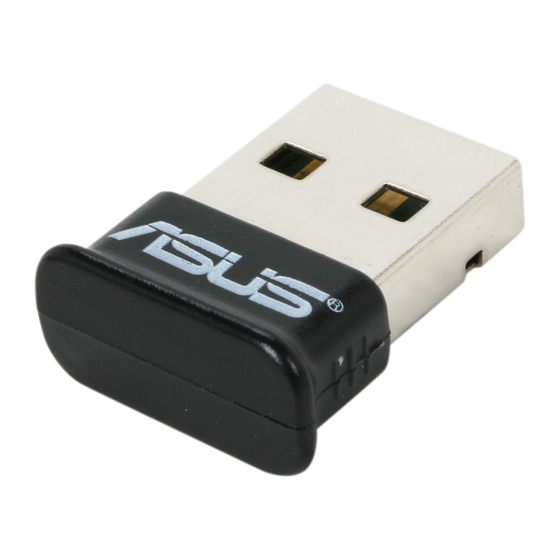
Asus USB-BT211 Manual Del Usuario
Tabla de contenido
Idiomas disponibles
Idiomas disponibles
Enlaces rápidos
®
All trade names are registered trademarks of their respective manufacturers.
The Bluetooth name and the Bluetooth trademarks are owned by Bluetooth SIG, Inc.
Before you proceed
NOTE: Remove any previously installed Bluetooth software on your computer.
XP: Click Start > Control Panel > Add or Remove Programs.
1.
Windows
®
Vista: Click Start > Control Panel > Programs > Programs and Features > Uninstall a program.
Windows
®
2.
Search for and remove the Bluetooth software.
Installing the Bluetooth utilities and driver
NOTE: Install the Bluetooth utilities and driver before inserting the USB Bluetooth adapter.
1.
Insert the support CD into the optical drive of your computer and the program automatically runs.
Select your language and click Install Bluetooth Utilities/Driver.
2.
3.
Follow the onscreen instructions.
4.
Insert the USB Bluetooth adapter after your computer reboots, then the computer detects the USB Bluetooth
adapter and completes installing the Bluetooth profile drivers.
Using Bluetooth
1.
Insert the USB Bluetooth adapter into your computer's USB port.
For detailed instructions, click Start > All Programs > ASUS Bluetooth Suite > Bluetooth Suite User's Guide.
2.
USB-BT211
Mini USB Bluetooth Adapter
© All rights reserved.
Quick Sart Guide v1.0
Tabla de contenido

Manuales relacionados para Asus USB-BT211


Resumen de contenidos para Asus USB-BT211
-
Página 20: Adaptador Mini Usb Bluetooth
Inserte el adaptador USB Bluetooth en el puerto USB de su ordenador. Si desea instrucciones detalladas, haga clic en Start (Inicio) > All Programs (Todos los programas) > ASUS Bluetooth Suite (Suite Bluetooth de ASUS) > Bluetooth Suite User’s Guide (Guía del usuario de la suite...