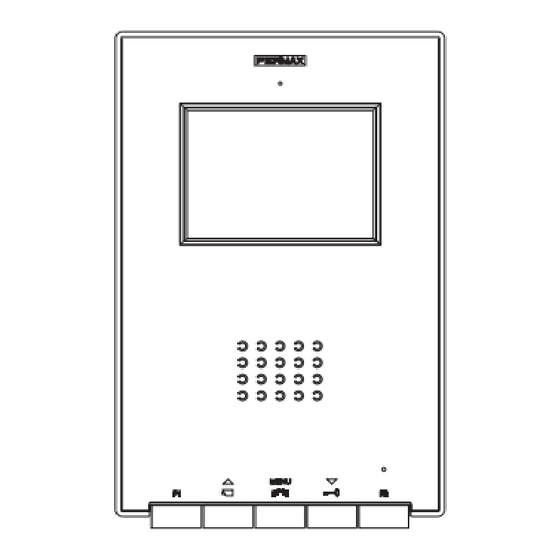
Fermax iLOFT Manual De Instalador Y Usuario
Ocultar thumbs
Ver también para iLOFT:
- Manual de instrucciones (47 páginas) ,
- Manual de instalador y usuario (36 páginas) ,
- Guia de inicio rapido (13 páginas)

Manuales relacionados para Fermax iLOFT


Resumen de contenidos para Fermax iLOFT
- Página 1 KIT VIDEO CITYLINE VDS iLOFT VDS VIDEO CITYLINE iLOFT KIT E S PA Ñ O L MANUAL DE INSTALADOR Y USUARIO E N G L I S H USER& INSTALLER’S MANUAL...
- Página 2 VDS iLoft Kit «Kit Video Cityline iLOFT» Este documento técnico lo edita FERMAX ELECTRONICA S.A.U. con carácter informativo, y se reserva el derecho a modificar características de los productos que en él se refieren en cualquier momento y sin previo aviso. Estos cambios vendrán reflejados en posterio- res ediciones del mismo.
-
Página 3: Tabla De Contenido
Descripción y ajustes de los equipos: Placa de calle ....................9 Monitor iLoft ...................... 10 Programación de los equipos: Monitor iLoft.Programación VDS ..............11 Esquema de cableado ..................22 Ampliaciones ......................25 Características Técnicas de los equipos ............22 SECCION II - MANUAL DE USUARIO ................. 27 Monitor iLoft ...................... - Página 4 VDS iLoft Kit VDS iLoft Kit VDS iLoft Kit VDS iLoft Kit VDS iLoft Kit VDS iLoft Kit VDS iLoft Kit VDS iLoft Kit VDS iLoft Kit VDS iLoft Kit Pag 4...
-
Página 5: Seccion I - Manual Del Instalador
VDS iLoft Kit VDS iLoft Kit VDS iLoft Kit VDS iLoft Kit VDS iLoft Kit VDS iLoft Kit VDS iLoft Kit VDS iLoft Kit VDS iLoft Kit VDS iLoft Kit Sección I - Manual del Instalador Pag 5... -
Página 6: Alimentador
VDS iLoft Kit VDS iLoft Kit VDS iLoft Kit VDS iLoft Kit VDS iLoft Kit VDS iLoft Kit VDS iLoft Kit VDS iLoft Kit VDS iLoft Kit VDS iLoft Kit INSTALACIÓN DEL ALIMENTADOR Instalación en carril DIN Fijación con tornillos... -
Página 7: Instalación Monitor
VDS iLoft Kit VDS iLoft Kit VDS iLoft Kit VDS iLoft Kit VDS iLoft Kit VDS iLoft Kit VDS iLoft Kit VDS iLoft Kit VDS iLoft Kit VDS iLoft Kit INSTALACIÓN MONITOR Dimensiones monitor (Alto x Ancho x Prof *.) 197 x 131 x 60 mm / 7,7”... -
Página 8: Instalación Monitor Superficie
VDS iLoft Kit VDS iLoft Kit VDS iLoft Kit VDS iLoft Kit VDS iLoft Kit VDS iLoft Kit VDS iLoft Kit VDS iLoft Kit VDS iLoft Kit VDS iLoft Kit INSTALACIÓN MONITOR SUPERFICIE Dimensiones monitor (Alto x Ancho x Prof .) 197 x 131 x 34,3 mm / 7,7”... -
Página 9: Descripción De Los Equipos
VDS iLoft Kit VDS iLoft Kit VDS iLoft Kit VDS iLoft Kit VDS iLoft Kit VDS iLoft Kit VDS iLoft Kit VDS iLoft Kit VDS iLoft Kit VDS iLoft Kit DESCRIPCIÓN DE LOS EQUIPOS Placa de calle AMPLIFICADOR - VERSTÄRKER... -
Página 10: Monitor
2438, etc... Funciones disponibles en el Monitor • Las funciones disponibles en el monitor iLoft VDS se resumen en la siguiente lista: - Apertura de puerta por comando. - Llamada a Conserje. - Regulación de volumen de llamada. -
Página 11: Programación Del Monitor Iloft
VDS iLoft Kit VDS iLoft Kit VDS iLoft Kit VDS iLoft Kit VDS iLoft Kit PROGRAMACIÓN DEL MONITOR iLOFT ¡El monitor no funcionará mientras no haya sido programado! Opción 1: Desde Placa + Monitor 2 seg. < 2 min 30 sec. - Página 12 VDS iLoft Kit VDS iLoft Kit VDS iLoft Kit VDS iLoft Kit VDS iLoft Kit VDS iLoft Kit VDS iLoft Kit VDS iLoft Kit VDS iLoft Kit VDS iLoft Kit 2º. Estando en menú Usuario, entrar en menú ADMINISTRADOR (Pulsando F1+F2 simultá- neamente durante 5 segundos).
- Página 13 VDS iLoft Kit VDS iLoft Kit VDS iLoft Kit VDS iLoft Kit VDS iLoft Kit VDS iLoft Kit VDS iLoft Kit VDS iLoft Kit VDS iLoft Kit VDS iLoft Kit PROGRAMACIÓN: Menú ADMINISTRADOR Acceder al menú administrador 1º. Entrar en menú Usuario. Pulsar «Menú» 1 segundo.
- Página 14 VDS iLoft Kit VDS iLoft Kit VDS iLoft Kit VDS iLoft Kit VDS iLoft Kit VDS iLoft Kit VDS iLoft Kit VDS iLoft Kit VDS iLoft Kit VDS iLoft Kit Apertura automática (Doormatic) La función de apertura automática está por defecto deshabilitada (no disponible al usuario) y debe ser el instalador desde el menú...
- Página 15 VDS iLoft Kit VDS iLoft Kit VDS iLoft Kit VDS iLoft Kit VDS iLoft Kit VDS iLoft Kit VDS iLoft Kit VDS iLoft Kit VDS iLoft Kit VDS iLoft Kit Configuración Modo de conversación Dentro del menú de conversación se puede seleccio- nar entre modo Simplex y Manos Libres.
- Página 16 VDS iLoft Kit VDS iLoft Kit VDS iLoft Kit VDS iLoft Kit VDS iLoft Kit VDS iLoft Kit VDS iLoft Kit VDS iLoft Kit VDS iLoft Kit VDS iLoft Kit AJUSTES: Video y Audio Ajuste Video: Brillo - Contraste - Color El monitor permite realizar los ajustes de brillo, contraste y color mientras se halla recibido una llamada o realizado un autoencendido y no se halla iniciado la conversación.
- Página 17 VDS iLoft Kit VDS iLoft Kit VDS iLoft Kit VDS iLoft Kit VDS iLoft Kit VDS iLoft Kit VDS iLoft Kit VDS iLoft Kit VDS iLoft Kit VDS iLoft Kit Y con la pulsación de MENU desaparece el menú contextual quedando ajustado el video con los niveles establecidos.
-
Página 18: Esquema De Cableado
VDS iLoft Kit VDS iLoft Kit VDS iLoft Kit VDS iLoft Kit VDS iLoft Kit VDS iLoft Kit VDS iLoft Kit VDS iLoft Kit VDS iLoft Kit VDS iLoft Kit ESQUEMA DE CABLEADO (COAX) F1 T A (*) IMPORTANTE 10 Kohm Colocar una resistencia de 10 Kohms entre los bornes + y L del último monitor. - Página 19 VDS iLoft Kit VDS iLoft Kit VDS iLoft Kit VDS iLoft Kit VDS iLoft Kit VDS iLoft Kit VDS iLoft Kit VDS iLoft Kit VDS iLoft Kit VDS iLoft Kit F1 T A (*) IMPORTANTE 10 Kohm Colocar una resistencia de 10 Kohms entre los bornes + y L del último monitor.
- Página 20 VDS iLoft Kit VDS iLoft Kit VDS iLoft Kit VDS iLoft Kit VDS iLoft Kit VDS iLoft Kit VDS iLoft Kit VDS iLoft Kit VDS iLoft Kit VDS iLoft Kit ESQUEMA DE CABLEADO (5 HILOS / UTP CAT5) F1 T A...
- Página 21 VDS iLoft Kit VDS iLoft Kit VDS iLoft Kit VDS iLoft Kit VDS iLoft Kit VDS iLoft Kit VDS iLoft Kit VDS iLoft Kit VDS iLoft Kit VDS iLoft Kit F1 T A F1 T A (*) IMPORTANTE 10 Kohm Colocar una resistencia de 10 Kohms entre los bornes + y L del último monitor.
-
Página 22: Ampliaciones
VDS iLoft Kit VDS iLoft Kit VDS iLoft Kit VDS iLoft Kit VDS iLoft Kit VDS iLoft Kit VDS iLoft Kit VDS iLoft Kit VDS iLoft Kit VDS iLoft Kit AMPLIACIONES Este Kit puede ser ampliado con dos teléfonos o un monitor adicional sin necesidad de fuentes de alimentación extra. - Página 23 VDS iLoft Kit VDS iLoft Kit VDS iLoft Kit VDS iLoft Kit VDS iLoft Kit VDS iLoft Kit VDS iLoft Kit VDS iLoft Kit VDS iLoft Kit VDS iLoft Kit Conexión teléfonos adicionales 10 KOhm F1 T A F1F2 F1F2...
- Página 24 VDS iLoft Kit VDS iLoft Kit VDS iLoft Kit VDS iLoft Kit VDS iLoft Kit VDS iLoft Kit VDS iLoft Kit VDS iLoft Kit VDS iLoft Kit VDS iLoft Kit Conexión Monitor adicional DISTRIBUIDOR VIDEO 2 SALIDAS REF.2448 2 OUTPUTS VIDEO DISTRIBUTOR...
-
Página 25: Características Técnicas
VDS iLoft Kit VDS iLoft Kit VDS iLoft Kit VDS iLoft Kit VDS iLoft Kit VDS iLoft Kit VDS iLoft Kit VDS iLoft Kit VDS iLoft Kit VDS iLoft Kit CARACTERÍSTICAS TÉCNICAS Alimentación 18 Vdc Consumo 57 mA en reposo... - Página 26 VDS iLoft Kit VDS iLoft Kit VDS iLoft Kit VDS iLoft Kit VDS iLoft Kit VDS iLoft Kit VDS iLoft Kit VDS iLoft Kit VDS iLoft Kit VDS iLoft Kit 4.-Una vez finalizada la indicación acústica del tiempo actual, o antes de que finalice, pulsar cualquier pulsador de la placa tantas veces como segundos se desee programar (de 1 a 99 segundos).
-
Página 27: Seccion Ii - Manual De Usuario
Sección II - Manual del Usuario ¡Enhorabuena por adquirir un producto de calidad! El monitor de videoportero iLoft, manos libres y con pantalla a todo color que le permitirá comunicarse con la placa de calle, ver la persona que le está llamando y abrirle la puerta de entrada si así... -
Página 28: Monitor Iloft
VDS iLoft Kit VDS iLoft Kit VDS iLoft Kit VDS iLoft Kit VDS iLoft Kit VDS iLoft Kit VDS iLoft Kit VDS iLoft Kit VDS iLoft Kit VDS iLoft Kit MONITOR iLOFT Botones Botones Botón Activación de Audio, Colgado y Ajustes configuración (menú). -
Página 29: Funcionamiento
VDS iLoft Kit VDS iLoft Kit VDS iLoft Kit VDS iLoft Kit VDS iLoft Kit VDS iLoft Kit VDS iLoft Kit VDS iLoft Kit VDS iLoft Kit VDS iLoft Kit Botón de abrepuertas / llamada a conserje. · Estando en conversación con la Placa de Calle, al pulsar este botón se activa el abrepuertas. - Página 30 30 seg. NOTA: Si existe más de un monitor iLoft en la instalación y se realiza la llamada a un monitor, el resto de los monitores mostrarán el led en color azul avisando que el canal está ocupado.
- Página 31 VDS iLoft Kit VDS iLoft Kit VDS iLoft Kit VDS iLoft Kit VDS iLoft Kit VDS iLoft Kit VDS iLoft Kit VDS iLoft Kit VDS iLoft Kit VDS iLoft Kit PROGRAMACIÓN: Menú USUARIO Acceder al menú usuario 1º. Para entrar en menú Usuario, pulsar «Menú» 1 segundo.
- Página 32 VDS iLoft Kit VDS iLoft Kit VDS iLoft Kit VDS iLoft Kit VDS iLoft Kit VDS iLoft Kit VDS iLoft Kit VDS iLoft Kit VDS iLoft Kit VDS iLoft Kit 2. Placa Secundaria ... .
- Página 33 VDS iLoft Kit VDS iLoft Kit VDS iLoft Kit VDS iLoft Kit VDS iLoft Kit VDS iLoft Kit VDS iLoft Kit VDS iLoft Kit VDS iLoft Kit VDS iLoft Kit Apertura automática (Doormatic) Con el modo de «apertura automática» activado cuando se reciba una llamada desde la placa de calle se activará...
- Página 34 VDS iLoft Kit VDS iLoft Kit VDS iLoft Kit VDS iLoft Kit VDS iLoft Kit VDS iLoft Kit VDS iLoft Kit VDS iLoft Kit VDS iLoft Kit VDS iLoft Kit Pag 34...
- Página 35 VDS iLoft Kit VDS iLoft Kit VDS iLoft Kit VDS iLoft Kit VDS iLoft Kit VDS iLoft Kit VDS iLoft Kit VDS iLoft Kit VDS iLoft Kit VDS iLoft Kit ENGLISH Pag 35...
- Página 38 VDS iLoft Kit VDS iLoft Kit VDS iLoft Kit VDS iLoft Kit VDS iLoft Kit VDS iLoft Kit VDS iLoft Kit VDS iLoft Kit VDS iLoft Kit VDS iLoft Kit Pag 4...
- Página 47 VDS iLoft Kit VDS iLoft Kit VDS iLoft Kit VDS iLoft Kit VDS iLoft Kit VDS iLoft Kit VDS iLoft Kit VDS iLoft Kit VDS iLoft Kit VDS iLoft Kit PROGRAMACIÓN: Menú ADMINISTRADOR Acceder al menú administrador 1º. Entrar en menú Usuario. Pulsar «Menú» 1 segundo.
-
Página 68: Sintetizador De Voz
VDS iLoft Kit VDS iLoft Kit VDS iLoft Kit VDS iLoft Kit VDS iLoft Kit VDS iLoft Kit VDS iLoft Kit VDS iLoft Kit VDS iLoft Kit VDS iLoft Kit SINTETIZADOR DE VOZ VOICE SYNTHESIZER CODIFICACIÓN IDIOMAS (Ver tabla) LANGUAGE CODING (see table)