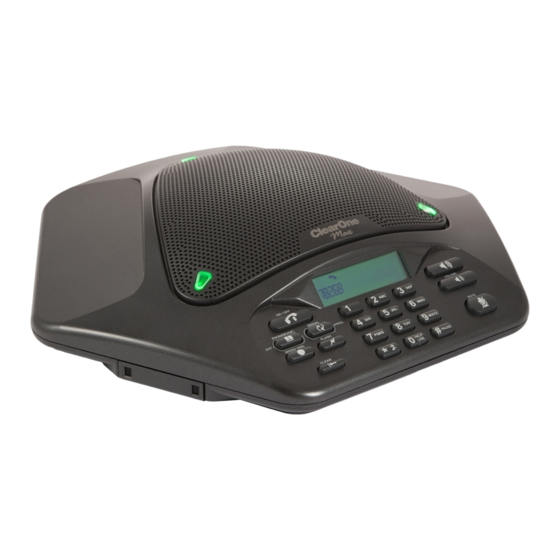
ClearOne MAX wireless Guía De Inicio
Tabla de contenido
Idiomas disponibles
Idiomas disponibles
Enlaces rápidos
MAX™ wireless QUiCK sTArT GUiDe
TEChNICAL SUPPORT
Telephone:
1-800-283-5936 (United States)
1-801-974-3760
Fax:
1-801-977-0087
E-mail:
tech.support@clearone.com
CAUTION: Read the Safety Information in the user manual.
ACCESSINg PROgRAMMINg MENUS
Press and hold
until
appears on the LCD screen. Then press the key that
corresponds with the desired menu option and follow the instructions below.
ClearOne Communications, Inc. 5225 Wiley Post Way, Suite 500, SLC, UT 84119 • 1-800-283-5936 • U.S. Patent No. D499,392 • Other
Patents Pending • © 2007 ClearOne Communications, Inc. All rights reserved. Information in this document is subject to change without notice.
MAX WIRELESS SETUP
To Connect and Charge the Battery Pack
1. Slide the cover off the battery compartment on the bottom of the pod.
2. Insert the battery pack plug into the connector inside the battery compartment, then place
the battery in the compartment.
3. Replace the battery compartment cover.
To Connect the Base Unit
1. Connect one end of the telephone cable into the phone jack on the back of the base unit
and the other end into a wall jack.
2. Connect a recording device to the 2.5mm audio jack (optional).
3. Connect the power cord to the base unit and plug it into an electrical outlet.
Getting Started Guide
CLEARONE DOCUMENT 800-158-002-00
(REVISION 1.0) September 2007.
Tabla de contenido

Manuales relacionados para ClearOne MAX wireless

Resumen de contenidos para ClearOne MAX wireless
- Página 3 Botón de búsqueda ClearOne Communications, Inc. 5225 Wiley Post Way, Suite 500, SLC, UT 84119 • 1-800-283-5936 • Patente de EE.UU. N.º D499,392 • Otros patentes pendientes • © 2007 ClearOne Communications, Inc. Todos los derechos reservados. La información contenida en este documento está...
-
Página 4: Funciones De Las Teclas
FUNCIONES DE LAS TECLAS INSTRUCCIONES DE USO Para ajustar el volumen del timbre • Presione VOLUME UP (subir volumen) o VOLUME DOWN (bajar volumen) cuando suene el teléfono. • Presione VOLUME UP (subir volumen) o VOLUME DOWN (bajar volumen) entre El icono del teléfono llamada y llamada.