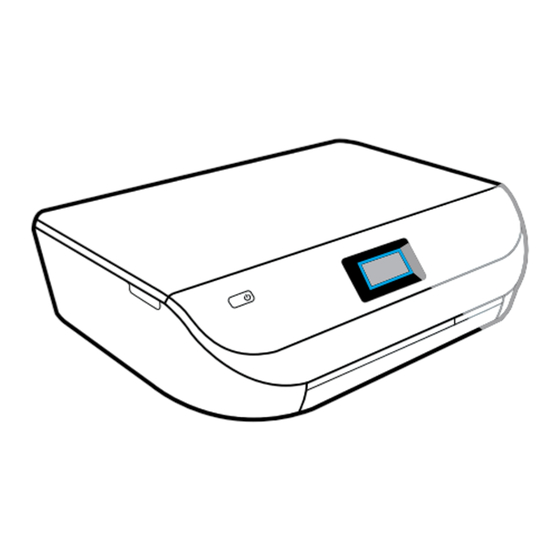
HP ENVY 4520 Serie Manual De Instrucciones
Tabla de contenido
Idiomas disponibles
Idiomas disponibles
Enlaces rápidos
HP ENVY
4520 All-in-One series
Get started
1. Prepare: Follow the instructions in the Setup flyer or Start here booklet to begin printer setup.
2. Connect: Visit 123.hp.com/envy4520 to launch and load the setup software or app, and connect the printer
to your network.
Note to Windows users: You can also use the printer software CD. If the installation program does not start,
browse to Computer, double-click the CD/DVD drive icon with the HP logo, and then double-click setup.exe.
3. Activate: Create an account; download and install the HP printer software or the HP Smart app to finish setup.
Learn more
Electronic Help:
Install the electronic Help by selecting it from the recommended software during software
installation. Learn about product features, printing, troubleshooting, and support. Find notices, environmental,
and regulatory information, including the European Union Regulatory Notice and compliance statements, in the
Technical Information section.
• Windows® 8.1: Click the down arrow in lower left corner of the Start screen, select the printer name, click
Help, and then select Search HP Help.
• Windows® 8: On the Start screen, right-click an empty area on the screen, click All Apps on the app bar, click
the icon with the printer's name, and then click Help.
• Windows® 7, Windows Vista®, and Windows® XP: Click Start, select All Programs, select HP, and then select
the printer name.
• OS X: Click Help > Help Center. In the Help Viewer window, click Help for all your apps, and then click
the Help for your printer.
Readme:
Contains HP support information, operating system requirements, and recent printer updates.
• Windows: Insert the software CD in your computer, and then browse to the ReadMe.chm file. Double-click
ReadMe.chm to open, and then select the ReadMe in your language.
• Mac: Open the Documents folder located at the top-level of the software installer. Double-click ReadMe,
and then select the ReadMe in your language.
On the Web:
Additional help and information: www.hp.com/go/support. Printer registration: www.register.hp.com.
Declaration of Conformity: www.hp.eu/certificates. Ink usage: www.hp.com/go/inkusage.
*F0V63-90109*
*F0V63-90109*
F0V63-90109
The information contained herein is subject to change without notice.
EN
DE
FR
IT
SV
NO
DA
FI
Printed in [English]
© Copyright 2017 HP Development Company, L.P.
ES
PT
NL
ET
LV
LT
Tabla de contenido
Solución de problemas

Manuales relacionados para HP ENVY 4520 Serie


Resumen de contenidos para HP ENVY 4520 Serie
-
Página 28: Introducción
Nota para usuarios de Windows: También puede utilizar el CD de software de la impresora. Si el programa de instalación no se inicia, vaya a Equipo, haga doble clic en el icono de la unidad CD/DVD con el logotipo de HP y después en setup.exe. -
Página 29: Panel De Control
8. En el interior no hay piezas que el usuario pueda reparar. El personal de servicio cualificado se encargará de las tareas de reparación. 9. Use únicamente el cable y el adaptador de alimentación (si se incluyen) proporcionados por HP. -
Página 30: Solución De Problemas Básicos
3. Compruebe el estado de conexión inalámbrica para asegurarse de que la impresora esté conectada a una red. 4. Visite el sitio web HP Diagnostic Tools (Herramientas de diagnóstico de HP) en www.hp.com/go/tools para descargar utilidades (herramientas) de diagnóstico gratuitas que podrá usar para resolver los problemas habituales de la impresora. -
Página 31: Conexión Inalámbrica En Red
Por cada equipo adicional solo deberá instalar el software de la impresora HP. También puede imprimir desde dispositivos móviles conectados a la red doméstica. En los dispositivos Android 4.0 o versiones superiores, instale la aplicación HP Print Plugin o ePrint. En los dispositivos iOS, puede utilizar Airprint. -
Página 32: Si Desea Cambiar De Una Conexión Usb A Una Conexión Inalámbrica
Si se desean niveles de seguridad más estrictos, HP recomienda cambiar el método de conexión Wi-Fi Direct de “Automático” a “Manual” y establecer una contraseña de administrador. -
Página 33: Declaración De Garantía Limitada De La Impresora Hp
Modificación o uso incorrecto no autorizados. 4. Para los productos de impresoras de HP, el uso de un cartucho que no sea de HP o de un cartucho recargado no afecta ni a la garantía del cliente ni a cualquier otro contrato de asistencia de HP con el cliente. No obstante, si el error o el desperfecto en la impresora se atribuye al uso de un cartucho que no sea de HP, un cartucho recargado o un cartucho de tinta caducado, HP cobrará...