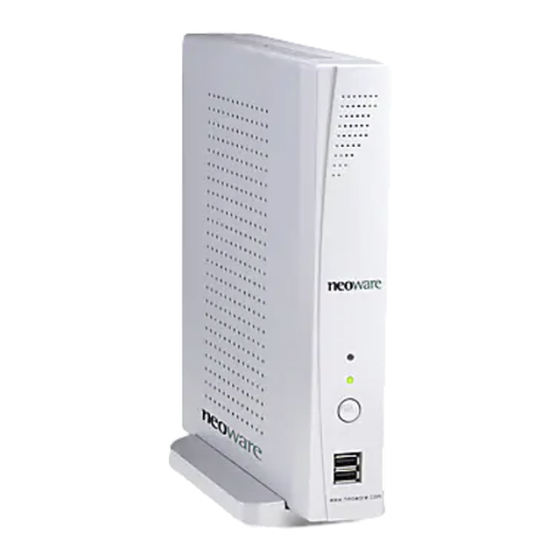
HP Neoware e90 Guia De Inicio Rapido
Tabla de contenido
Idiomas disponibles
Idiomas disponibles
Enlaces rápidos
Quick Start Guide &
End-User License Agreement
HP Neoware e90 Quick Start Guide
IMPORTANT safety information
Å
To reduce the risk of serious injury, read the Safety & Comfort Guide. It describes
proper workstation setup, posture, and health and work habits for computer users,
and provides important electrical and mechanical safety information. This guide is
located on the Web at www.hp.com/ergo and on the Thin Client Documentation
CD that is included with the product.
To reduce the risk of electric shock or damage to your equipment:
■
Do not disable the power cord grounding plug. The grounding plug is an
important safety feature.
■
Plug the power cord in a grounded (earthed) outlet that is easily
accessible at all times.
■
Disconnect power from the thin client by unplugging the power cord
from the electrical outlet.
This equipment has been tested and found to comply with the limits for a Class B
digital device, pursuant to part 15 of the FCC Rules. For more information, refer
to the documentation provided with your product.
Many PC products and accessories contain cords, cables or wires, such as
power cords or cords to connect the accessory to a PC. If this product has such
a cord, cable or wire, then the following warning applies:
WARNING: Handling the cord on this product will expose you to lead, a
chemical known to the State of California to cause cancer, and birth defects or
other reproductive harm. Wash hands after handling.
Perchlorate Material – special handling may apply.
This computer's real-time clock battery may contain perchlorate and may
require special handling when recycled or disposed in California.
Tabla de contenido

Manuales relacionados para HP Neoware e90


Resumen de contenidos para HP Neoware e90
- Página 12 Esta guía está ubicada en la Web en www.hp.com/ergo y en el Thin Client Documentation CD (CD de documentación Thin Client ) que viene con el producto.
-
Página 13: Configuración
6 Puerto paralelo 4. ENCENDIDO E INDICADORES: para encender su HP Neoware e90, presione el interruptor de encendido/apagado ubicado en el panel frontal. Para apagar su HP Neoware e90, presione y mantenga presionado el interruptor de encendido/apagado durante 5 segundos. -
Página 14: Inicio De Sesión Predeterminado Para Administrador
Para obtener información adicional consulte nuestra documentación en línea en: http://www.neoware.com/support.php Garantía limitada y limitaciones materiales Cada producto HP es vendido sujeto a las declaraciones expresas de garantía limitada relacionadas a ese producto. ESTA DECLARACIÓN DE GARANTÍA MUNDIAL LIMITADA Y SOPORTE TÉCNICO PROVEE IMPORTANTE INFORMACIÓN ACERCA DE LA NATURALEZA Y EL RANGO DE LA... - Página 15 Es posible visualizar e imprimir la declaración de Garantía Limitada Mundial y Soporte Técnico para el Thin Client HP Neoware en el Documentation CD (CD de documentación) o desde el sitio Web de HP en www.hp.com/go/bizsupport, donde se suministra en formato PDF. Si no es posible acceder la garantía en el CD o la Web, haga contacto con Soporte al Cliente o su representante de cuentas para obtener una copia impresa de la declaración de Garantía Mundial Limitada...