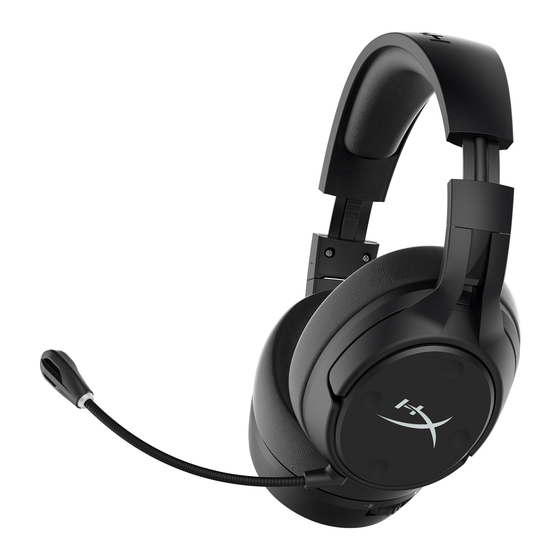
HyperX Cloud Flight S Guia De Inicio Rapido
Tabla de contenido
Idiomas disponibles
Idiomas disponibles
Enlaces rápidos
HyperX Cloud Flight S
Wireless Gaming Headset
Overview
L
K
P
4402163B
E F
G H
A
B
C
D
M
Quick Start Guide
I
J
N
O
A
Up button — Mic monitoring toggle
B
Left button — Game balance
C
Right button — Chat balance
D
Down button — Mic mute toggle
E
Microphone port
F
USB charge port
G
Status LED
H
Power button
I
7.1 Surround Sound button
J
Volume wheel
K
Detachable microphone
L
Microphone mute LED
M
USB adapter
N
Wireless pairing pin hole
O
Wireless status LED
P
USB charge cable
Tabla de contenido

Manuales relacionados para HyperX Cloud Flight S


Resumen de contenidos para HyperX Cloud Flight S
- Página 10 Flight S Chat” 2. Con gurar como Dispositivo Predeterminado el “HyperX Cloud Flight Botón de encendido S Game” 3. Haz clic derecho en “HyperX Cloud Flight S Game” y haz clic en Con gurar. Apagado/Encendido - Mantener presionado el botón de encendido durante 3 segundos Selecciona 7.1 Surround para con gurar tus ajustes y haz clic en Siguiente.
- Página 20 DEALER No: DA81684/19 DA81684/19 HyperX is a division of Kingston. THIS DOCUMENT SUBJECT TO CHANGE WITHOUT NOTICE ©2020 Kingston Technology Corporation, 17600 Newhope Street, Fountain Valley, CA 92708 USA. All rights reserved. All registered trademarks and trademarks are the property of their respective owners.