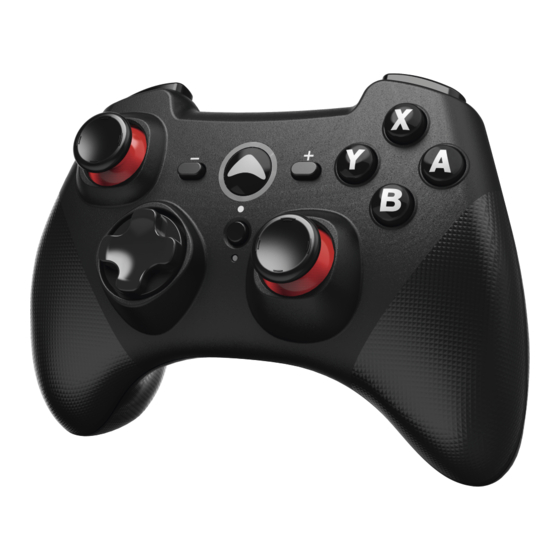
Hama 00054692 Instrucciones Breves
Tabla de contenido
Idiomas disponibles
Idiomas disponibles
Enlaces rápidos
Hama GmbH & Co KG
86652 Monheim / Germany
www.hama.com
The Bluetooth
word mark and logos are registered trademarks owned by Bluetooth SIG, Inc.
®
and any use of such marks by Hama GmbH & Co KG is under license. Other trademarks and trade
names are those of their respective owners.
All listed brands are trademarks of the corresponding companies. Errors and omissions excepted,
and subject to technical changes. Our general terms of delivery and payment are applied.
Bluetooth
Controller
®
Bluetooth
Controller
®
Beknopte bedieningsinstructies
Krótka instrukcja obs ugi
00
054692
Update the software
Go to www.hama.co.uk
Enter the item number 00054692 in the
search eld.
Click on the item. If you don´t see the
item, click "Downloads" to open the
Downloads tab and then click "Drivers".
Download the driver and install it on
your Controller as follows:
Double click on the driver and leave the
driver window open on your screen.
GB
Quick Guide
Press and hold the left Stick of the
D
Kurzanleitung
controller.
F
Notice d'utilisation
Connect the converter directly to a USB
E
Instrucciones breves
interface on your PC, still holding the
RUS
left Stick the entire time.
I
Istruzioni brevi
Select "Update Firmware"
NL
GR
Do not disconnect the device until
you are informed that the update was
PL
completed successfully.
H
Rövid útmutató
CZ
Stru ný návod
SK
Stru ný návod
P
Instruções resumidas
TR
K sa kullan m k lavuzu
RO
Instruc iuni scurte
S
Snabbguide
Lyhyt ohje
FIN
Kort vejledning
DK
Kortveiledning
N
BG
Die Software akutalisieren
Gehe auf www.hama.de
Gebe die Artikelnummer 00054692 in
das Suchfeld ein.
Klicke auf den Artikel. Wird dieser nicht
angezeigt, klicke auf "Treiber", bzw. auf
"Downloads".
Lade den Treiber herunter und
installiere diese wie folgt:
Doppelklicke auf den Treiber, lasse
das aufgehende Treiber-Fenster im
Vordergrund geöffnet.
Halte den Linken Stick am Controller
gedrückt.
Schließe den Controller an eine direkte
USB-Schnittstelle Ihres PC´s an, halte
während dieses Vorgangs den Linken
Stick weiterhin gedrückt.
Wähle "Update Firmware"
Trenne die Verbindung erst, wenn du
auf den erfolgreichen Aktualisierungs-
Vorgang hingewiesen wirst.
Tabla de contenido

Manuales relacionados para Hama 00054692


Resumen de contenidos para Hama 00054692
-
Página 8: Conexión Del Controlador
E Instrucciones de uso Le agradecemos que se haya decidido por un producto de Hama. 4. Puesta en marcha y funcionamiento Tómese tiempo y léase primero las siguientes instrucciones e indicaciones. Después, guarde estas instrucciones de manejo en un lugar seguro para poder consultarlas Nota –... -
Página 9: Mantenimiento Y Cuidado
útil a los puntos de recogida comunales o a devolverlos al lugar donde los Hama GmbH & Co KG no se responsabiliza ni concede garantía por los daños que adquirió. Los detalles quedaran de nidos por la ley de cada país. El símbolo en el surjan por una instalación, montaje o manejo incorrectos del producto o por la no...