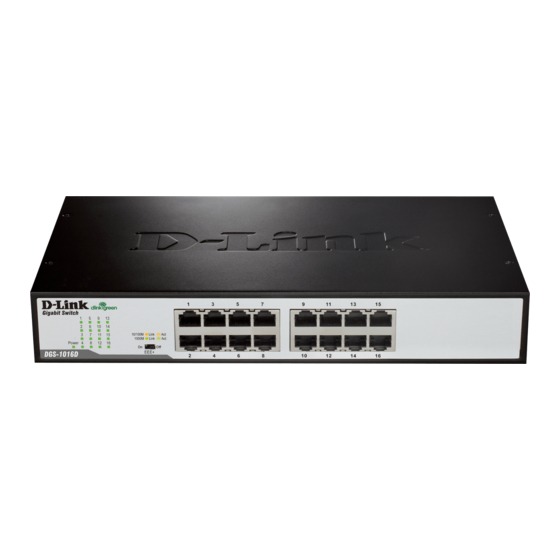
D-Link DGS-1016D Guía De Instalación Rápida
Ocultar thumbs
Ver también para DGS-1016D:
- Guia rápido ,
- Guia de instalacion (41 páginas) ,
- Manual (41 páginas)
Tabla de contenido
Idiomas disponibles
Idiomas disponibles
Enlaces rápidos
Check Your Package Contents
These are the items included with your DGS-1016D / DGS-1024D purchase:
DGS-1016D /
DGS-1024D
Notice Before Setup the DGS-1016D / DGS-1024D
The setup of the Switch can be performed using the following steps:
A.
Install the DGS-1016D / DGS-1024D in a fairly cool and dry place. See Technical
Specifications for the acceptable operation temperature and humidity ranges.
B.
Install the Switch in a site free from strong electromagnetic source, vibration, dust, and
direct sunlight.
C.
Leave at least 10cm of space at the left and right hand side of the Switch for ventilation
D.
Visually inspect the power cable and ensure that it is firmly inserted into a suitable power
outlet.
Installation
Desktop or Shelf Installation
When installing the Switch on a desktop
or shelf, the rubber feet included with
the device must be first attached. Attach
these cushioning feet on the bottom at
each corner of the device. Allow enough
ventilation space between the device
and the objects around it.
Quick Installation Guide
DGS-1016D / DGS-1024D
16 / 24-Port Gigabit Desktop Switch
CD-ROM
with Product document
Quick Installation
Guide
The Switch can be mounted in an EIA standard size, 19-
inch rack, which can be placed in a wiring closet with
other equipment. To install, attach the mounting brackets
on the switch's front panel (one on each side) and secure
them with the screws provided.
Then, use the screws provided with the equipment rack
to mount the Switch in the rack.
1
Power Cord
Rack Installation
Rack-mount
bracket
.
Tabla de contenido

Manuales relacionados para D-Link DGS-1016D


Resumen de contenidos para D-Link DGS-1016D
-
Página 9: Comprobar El Contenido Del Paquete
La configuración del conmutador se realiza siguiendo los pasos que se indican a continuación: Instale el DGS-1016D / DGS-1024D en un lugar fresco y seco. En las Especificaciones técnicas se indica el rango aceptable de temperatura y humedad de funcionamiento. - Página 10 Conexión del conmutador Gigabit DGS-1016D / DGS- 1024D a la red DGS-1016D DGS-1024D Alimentación: El Conmutador se puede utilizar con fuentes de alimentación CA de 100 - 240 V CA, 50 - 60 Hz. La fuente de alimentación del Conmutador se ajustará a la toma de alimentación local automáticamente y se puede poner en marcha sin tener ninguno de los cables de...
-
Página 11: Asistencia Técnica
El servicio de soporte técnico tiene presencia en numerosos países de la Región Latino América, y presta asistencia gratuita a todos los clientes de D-Link, en forma telefónica e internet, a través de la casilla soporte@dlinkla.com Soporte Técnico Help Desk Argentina: Teléfono: 0800-12235465 Lunes a Viernes 09:00 am a 22:00 pm... - Página 27 Ver.2.10 (I) 2008/04/28 6GS1024DML05G...