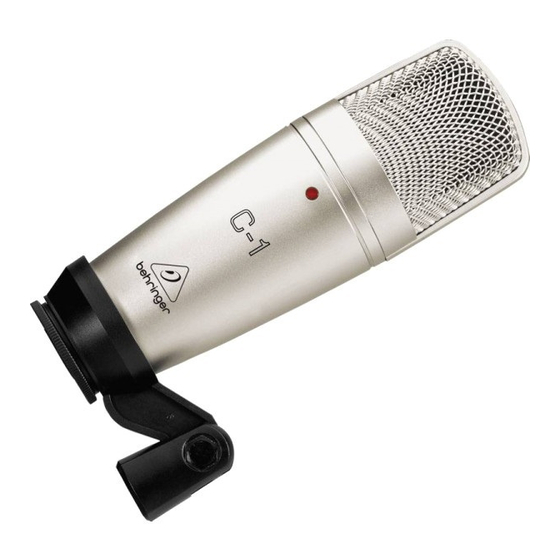
Behringer PODCASTUDIO 2 USB Primeros Pasos
Idiomas disponibles
Idiomas disponibles
Enlaces rápidos
PODCAST & RECORDING QUICK-START GUIDE
Welcome to the BEHRINGER PODCAST & RECORDING
quick-start guide
Thank you for choosing one of our podcast-capable recording products.
This top-notch hardware bundle lets you creatively produce professional-sounding
podcasts, voice-over sessions, narration, and music projects for online distribution. If
you're a vlogger, you'll have a superb pack of equipment to dramatically enhance
the audio quality of your videos compared to the built-in camera microphone, giving
your broadcasts a more professional appeal. Move up to the next step in the evolution
of broadcasting and free yourself from the limitations of conventional communication.
Podcasting Basics
Before you get started, it is important to understand some of the terminology and
uses surrounding the emerging field of podcasting.
Podcasting is a term derived from the combination of the words "iPod" and
"broadcasting, " and is defined as the distribution of audio or video files, such as radio
programs or music clips, over the Internet. This is accomplished by using one of two
syndication techniques that allow users to access media on such portable media
devices as smart phones, tablets, MP3 players, and laptop computers.
RSS (Really Simple Syndication) and Atom are Web content syndication formats written
in XML that provide either podcast content or summaries that link to content and
additional file information.
Podcast is a feed of audio or video files placed on the Internet for public access.
Anyone can subscribe to the feed and download the media files. This allows you to
collect programs from a wide range of sources for listening or viewing media content,
either online or offline with your computer or an appropriate portable device.
Podcatcher refers to a software application that enables the download of podcasts.
It typically runs in the background, managing feeds that you add manually and
downloads each at a specified interval.
V 3.0

Manuales relacionados para Behringer PODCASTUDIO 2 USB


Resumen de contenidos para Behringer PODCASTUDIO 2 USB
- Página 4 PRIMEROS PASOS DEL PODCAST & RECORDING COMMISSION COMPLIANCE INFORMATION Bienvenido al manual de primeros pasos Behringer PODCAST & RECORDING Felicidades y gracias por escoger uno de nuestro dispositivos de grabación con capacidad podcast. Este equipo de última generación le permite crear podcast PODCASTUDIO 2 USB profesionales, sesiones de doblaje, narraciones y proyectos musicales para distribución...
-
Página 5: Equipamiento Básico
Puede descargarlos desde la zona de descargas de la página del producto, o Podifier, pero puede encontrar herramientas mucho más modernas como Ultraschall. desde la sección de soporte técnico en www.musictribe.com/brand/behringer/ fm (basado en una versión específica del DAW Reaper), Spreaker.com o Buzzsprout. - Página 6 Computer Audio Quick Start Guide Paso 4 – Consumo Creación de un Podcast Si quiere consumir sus propios podcast o lo editado por otros bloggers, necesitará un Ahora ya ha compilado e instalado todos el software necesario para empezar con su “receptor de podcast”...
- Página 15 We Hear You...