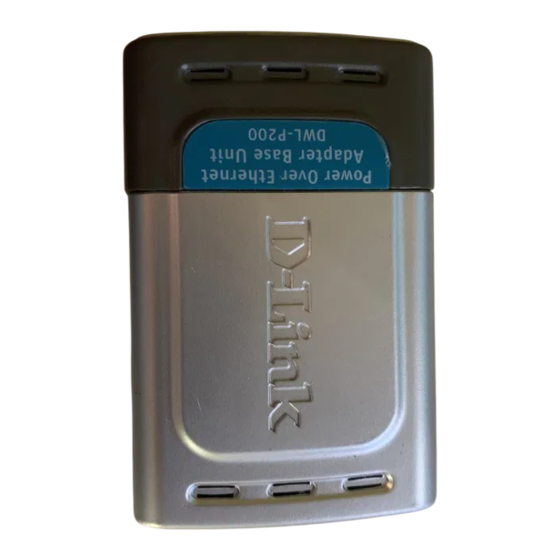
D-Link DWL-P200 Guía De Instalación Rápida
Tabla de contenido
Idiomas disponibles
Idiomas disponibles
Enlaces rápidos
Warning: Please follow the
instructions in this guide carefully.
Connecting these adapters
incorrectly may result in damage to
you network devices.
About Power Over Ethernet.
The DWL-P200 Power Over Ethernet (POE) Adapters are designed to supply
operational power to a Network Device. These adapters eliminate the need to use an
additional AC/DC power supply at the Network Device giving you the ability to mount an
Network Device virtually anywhere in a building where power outlets are not available,
( for example in, ceilings, attics). D-Link's DWL-P200 Adapters take advantage of the
unused cable pairs within Ethernet Cat 5 cabling. The Base Unit inserts DC voltage into
the unused wires therefore allowing the single Category 5 cable to carry both Ethernet
data and DC power to an Network Device. The POE Terminal Unit splits the data and
DC power apart, which is then supplied to the Network Device.
Check Your Package Contents
If any of the above items are missing, please contact your reseller.
©2011 D-Link Company. All rights reserved. Trademarks or registered trademarks are the property of their respective holders. Software and
specifications subject to change without notice.
DWL-P200 Base Unit and Terminal Unit
Ethernet (CAT5 UTP/Straight Through) Cable
Female-to-Female Power Connector
48V DC Power Adapter
DWL-P200
Power Over
Ethernet Adapters
Using a power supply
with a different voltage
rating will damage and void
the warranty of this product.
Tabla de contenido

Manuales relacionados para D-Link DWL-P200


Resumen de contenidos para D-Link DWL-P200
-
Página 25: Acerca De Power Over Ethernet
Si falta alguno de estos componentes, contacte con su proveedor. ©2011 D-Link Company. Reservados todos los derechos. La marca o marcas registradas son propiedad de los respectivos titulares. El software y las especificaciones pueden ser modificados sin previo aviso. -
Página 26: Conexión Del Dwl-P200
Conexión del DWL-P200 Unidad base P+DATA OUT: Proporciona los datos y la alimentación a la unidad terminal. Conecte este puerto a P+DATA IN de la unidad terminal. Power In: Conecte la fuente de alimentación LAN IN: Conecte un cable suministrada a una straight-through RJ-45 al base de pared. - Página 27 No confunda el puerto LAN IN con el puerto P + DATA OUT. La conexión incorrecta del cable Ethernet en un puerto Ethernet que no es el que corresponde puede causar graves daños en los dispositivos de red. D-Link no sustituirá ni reparará productos, ni reembolsará su importe a los clientes, que hayan resultado dañados por una incorrecta instalación, ni se responsabilizará...
- Página 28 Conexión del DWL-P200 Conecte otro cable Ethernet Cat 5 desde «P+DATA OUT» de la unidad base hasta «P+DATA IN» de la unidad terminal. Use el selector de voltaje para establecer la salida DC de 5 V/2,5 A o de 12 V/1 A, según requiera el dispositivo de red.
- Página 29 Conexión del DWL-P200 Conecte el cable Ethernet Cat 5 suministrado desde «LAN OUT» de la unidad terminal hasta el puerto LAN RJ-45 del dispositivo de red. Llegados a este punto, el dispositivo de red debería recibir alimentación y datos, y funcionar con normalidad.
-
Página 30: Características
. Datos: 1, 2, 3, 6 . Alimentación: 4, 5, 7, 8 Voltaje . Entrada: 48 V DC, 500 mA . Salida: 5 V DC, 2,5 A o 12 V DC, 1 A DWL-P200 Power Over Ethernet (Base Unit) Ethernet . Conector: RJ-45 DWL-P200 . -
Página 31: Soporte Técnico
SOPORTE TÉCNICO Usted puede encontrar actualizaciones de softwares o firmwares y documentación para usuarios a través de nuestro sitio www.dlinkla.com SOPORTE TÉCNICO PARA USUARIOS EN LATINO AMERICA Soporte técnico a través de los siguientes teléfonos de D-Link PAIS NUMERO Argentina... - Página 56 Ver. 1.01(WW) 2011/05/25 29072600DWLP204...