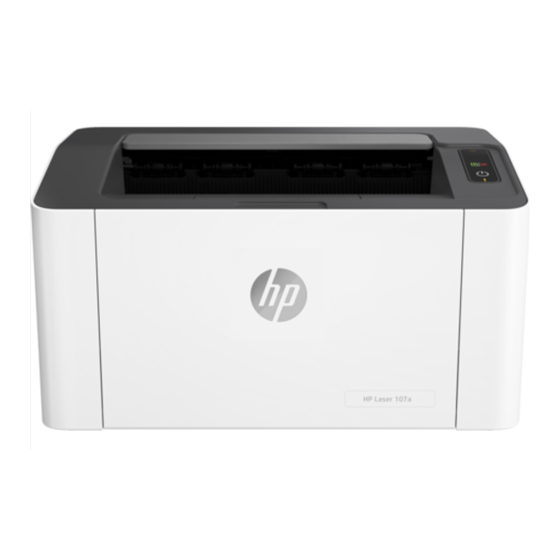
HP Laser 100 Serie Guía De Referencia
Tabla de contenido
Idiomas disponibles
Idiomas disponibles
Enlaces rápidos
HP Laser
100 series
Reference Guide
Read this guide to get to know the printer control panel, learn how to interpret control panel light
patterns, solve wireless connection problems, and find more information.
Printer control panel
1
2
3
4
5
Set up a wireless connection (wireless models only)
As directed in the setup guide, download and install the HP printer software, and follow the instructions in the
software to connect the printer to your wireless network.
When the printer has successfully connected to your wirless network, the Wireless light
control panel stops blinking and glows steady blue. If the light does not turn steady blue, try the following
solutions.
Solve wireless problems
Problem
Cause/Solution
The Wireless
Wireless connection mode is turned off. Try the following:
light
is off.
1. Press the Wireless button
2. If the Wireless light
wireless connection is established. You can now print wirelessly.
3. If the Wireless light
software installation and follow the instructions in the software to set up a wireless
connection. Also, see the instructions below under "The Wireless light
blue."
1
Toner light
Wireless button/light *
2
3
Resume/Cancel button
4
Power button/Ready
light
5
Attention light
* Wireless models only
on the printer control panel.
turns steady blue, wireless connection mode is on and the
blinks blue, the printer is in wireless setup mode. Continue
Control panel light patterns
Ready
!
Initializing or
canceling
10 sec
Cartridge very low
Processing
Cartridge not installed
or wrong cartridge
!
Paper jam or
out of paper
on the printer
is blinking
1
Tabla de contenido

Manuales relacionados para HP Laser 100 Serie


Resumen de contenidos para HP Laser 100 Serie
-
Página 7: Panel De Control De La Impresora
Configurar una conexión inalámbrica (solo para modelos inalámbricos) Tal y como indica la guía de instalación, descargue e instale el software de la impresora HP. A continuación, siga las instrucciones del software para conectar la impresora a su red inalámbrica. - Página 8 5. Conecte la impresora manualmente a la red inalámbrica. Utilice Config Wi-Fi protegida (WPS) si el enrutador es compatible. Consulte las instrucciones de WPS en la siguiente sección. 6. Desinstale y vuelva a instalar el software de la impresora HP. El indicador Puede que no se haya instalado el controlador de la impresora.
-
Página 9: Directrices Para El Entorno De Funcionamiento De La Impresora
17,5° a 25° C directa del sol ventilada de 30 % a 70 % (de 63,5° a 77° F) Más información Soporte para productos Impresión inalámbrica de HP www.hp.com/support/laser100 www.hp.com/go/wirelessprinting La información que contiene este documento está sujeta a cambios sin previo aviso.