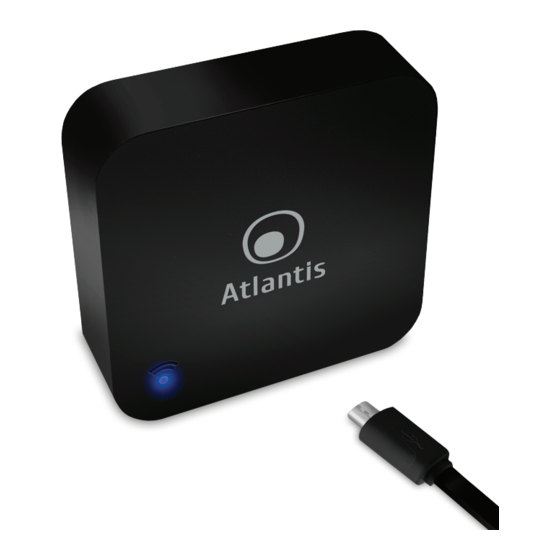
Atlantis A18-IRS06 Manual Del Usuario
Tabla de contenido
Idiomas disponibles
Idiomas disponibles
Enlaces rápidos
Thank You for choosing Smart Wi-Fi IR Remote Controller
Thank You for choosing an Atlantis Product. For more detailed instructions on configuring and using
the device, please refer to the online manual (www.atlantis-land.com).
Product Overview
Through Smart Wi-Fi IR Remote Controller you can control all the infrared remote control devices
(at 38KHz) you own (TV, air conditioners, fans, DVDs, lamps, etc.) directly from your mobile app
both locally and remotely.
Over 5,000 preconfigured remote controls of the most famous brands are already available.
You can however configure your own remote control, cloning every single button of your infrared
remote control on the Smart Wi-Fi IR Remote Controller.
It can be conveniently controlled via voice commands, in English, via Google Home / Alexa or be
activated by other CASA Smart devices allowing you to create real scenarios and automations
(activated weather conditions, temperature, motion detections from cameras, time schedules ect).
Finally, it is possible to add other various devices from the Atlantis Casa Smart line (or other Tuya
compatible), control them from the same application with an advanced level of interaction and make
your home truly smart.
System Requirements
Before installing this device, please verify the following points:
Mobile device Apple (running iOS
download app from Play Store) with 3G/4G/LTE connection.
Broadband internet connection (cable, DSL, etc.) and an existing Wi-Fi (2.4Ghz) network.
Package contents
Unpack the package and check all the items carefully. Also, keep the box and packing materials in
case you need to ship the unit in the future. The package should contain the following items: Smart
Wi-Fi IR Remote Controller, USB Cable, MultiLanguage Quick Start Guide, Warranty Card. If any
item contained is damaged or missing, please contact your local dealer as soon as
possible.
Mounting
This manual is for multiple devices. Certain features described may only be
available on specific models.
Risk of electric shock. Do not disassemble.
Product for indoor use.
If the product is damaged, take it to a service center or do not use/repair it
and throw it in the appropriate containers for disposal.
Keep out of the reach of children.
Do not use the product near heat sources. Do not wet. Do not immerse in
water. Use a damp cloth to clean.
Use only the voltage required for the device, as indicated on the product and
in this manual.
Observe the conditions of use indicated in this manual.
When the product is turned on, please keep a minimum distance of 20cm
from the product (exposure to radio frequencies).
For technical questions and support, please contact our help-desk by ticket
on http://www.atlantis-land.com/ita/supporto.php.
For generic informations, please send an e-mail to info@atlantis-land.com.
When the device is controlled by voice commands, there may be delays due
to the interaction between the Tuya / Google / Amazon servers or due to
congestion on the Internet.
®
8 or higher) or Android
TM
1
(5.0 or higher and able to
ENG
Tabla de contenido

Resumen de contenidos para Atlantis A18-IRS06
-
Página 7: Panoramica Del Producto
Mediante la lectura de este documento podrás, sin tener que utilizar un PC, utilizar rápidamente Smart Wi-Fi IR Remote Controller. El manual completo esta disponible en el sitio web (www.atlantis- land.com) en la página del producto, donde te guiamos paso a paso para la instalación. -
Página 8: Montaje
Una vez abierta la caja de cartón debería encontrar los siguientes componentes: Smart Wi-Fi IR Remote Controller, cable USB, Manual de instalación plurilingüe, Certificado de Garantía. Si falta algún elemento contacte inmediatamente al vendedor. Montaje El Smart Wi-Fi IR Remote Controller se puede colocar en una superficie plana o fijarse a la pared / techo usando el adhesivo proporcionado. -
Página 9: Controle El Smart Wi-Fi Ir Remote Controller De Forma Remota
Seleccionar [ ] para cambiar el nombre de el dispositivo. Un nombre simple facilitará el control de voz con Alexa / Google Home. Seleccionar Finalizado. Controle el Smart Wi-Fi IR Remote Controller de forma remota Una vez que el Smart Wi-Fi IR Remote Controller está sincronizado, puede buscar su producto en la pantalla predeterminada de la aplicación Tuya. - Página 15 NOTE...