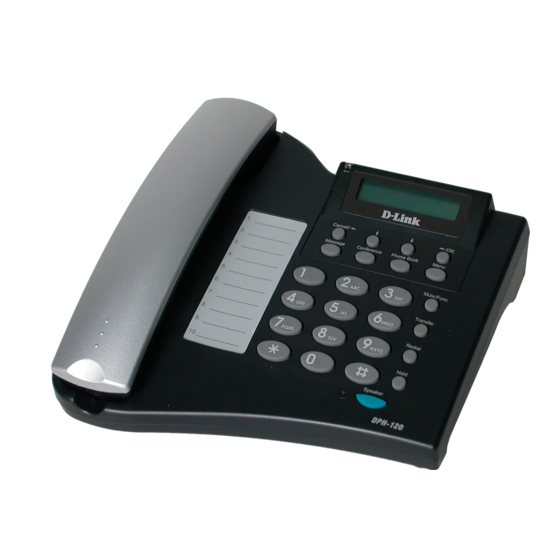
D-Link DPH-120S Guía Rápida De Instalación
Tabla de contenido
Idiomas disponibles
Idiomas disponibles
Enlaces rápidos
This product can be set up using
Keypad and Web browser, such as
IE (Internet Explorer).
Check Your Package Contents
These are the items included with your DPH-120S IP Phone purchase:
If any of the above items are missing, please contact your reseller.
©2004 D-Link Systems, Inc. All rights reserved. Trademarks or registered trademarks are the property of their respective
holders. Software and specifications subject to change without notice. DPH-120S.12232004
• DPH-120S VoIP Phone
• CD-ROM (containing Manual and
Installation program)
• Ethernet cable
•Power adapter
DPH-120S
IP Phone
Using a power
supply with a
different voltage rating
will damage and void the
warranty for this product.
Tabla de contenido

Resumen de contenidos para D-Link DPH-120S
-
Página 23: Verifique El Contenido De Su Paquete
Si falta cualquiera de los ítems de arriba, contáctese con su vendedor ©2004 D-Link Systems, Inc. All rights reserved. Trademarks or registered trademarks are the property of their respective holders. Software and specifications subject to change without notice. DPH-120S.12232004... -
Página 24: Apariencia Del Producto
Apariencia del Producto Vista fronta y funciones del teclado: (10) Down (1)Display LCD de (11) Up Caracteres 2 x 16 (2) OK / Right (12) Cancel / Left (13) Voice Message (3) Menu (4) Mute/Function (14) Conferencia 3-Way (5) Transfer (15) Phone Book (6) Redial/Call History (7) Hold... - Página 25 Keys Functions (1) LCD Display Muestra menú, tiempo, reloj, nombre, número telefónico time, estatus de la llamada OK/Right Confirma cambio en la configuración, menú de salida, discado, guarda los cambios Menu Acceso al menú telefónico (4) Mute/Function Desactiva el micrófono del usuario impidiendo que la persona al otro lado de la línea pueda escuchar.
-
Página 26: Entrada De Texto
Entrada de Texto Usted debe usar caracteres alfanuméricos para entrar detalles del ID y password ADSL cuando se conecta con su ISP. Esta entrada de texto también está disponible para el directorio telefónico. Text Mode Text Mode Normal Numeric Normal Numeric (ABC) (0-9) -
Página 27: Conexión
Conexión:... -
Página 28: Menú De Configuración Teléfono Ip
Menú de configuración teléfono IP... - Página 29 NOTA 1: Si usted ha hecho algunas modificaciones, puede salir rápidamente presionando el botón guardar y salir o, presionar para salir sin cambios. NOTA 2: Use el botón Up y Down para cambiarse entre fases. NOTA 3: Use el botón izquierdo derecho para seleccionar ENABLE o DISABLE.
-
Página 30: Asistencia Técnica
El servicio de soporte técnico tiene presencia en numerosos países de la Región Latino América, y presta asistencia gratuita a todos los clientes de D-Link, en forma telefónica e internet, a través de la casilla soporte@dlinkla.com Soporte Técnico Help Desk Argentina: Teléfono: 0800-6661442 Lunes a Viernes 09:00 am a 22:00 pm...